

At its core, a CSV file is just a plain text file used to store data, but its genius lies in its simplicity. The name says it all: Comma-Separated Values. Think of it as the most basic, universal spreadsheet you can imagine.
Each line in the file is a new row of data, and each piece of data in that row (a cell, if you will) is separated by a comma. That's it. No fancy formatting, no complex formulas, just the raw data organized neatly.
Decoding the Digital Grocery List
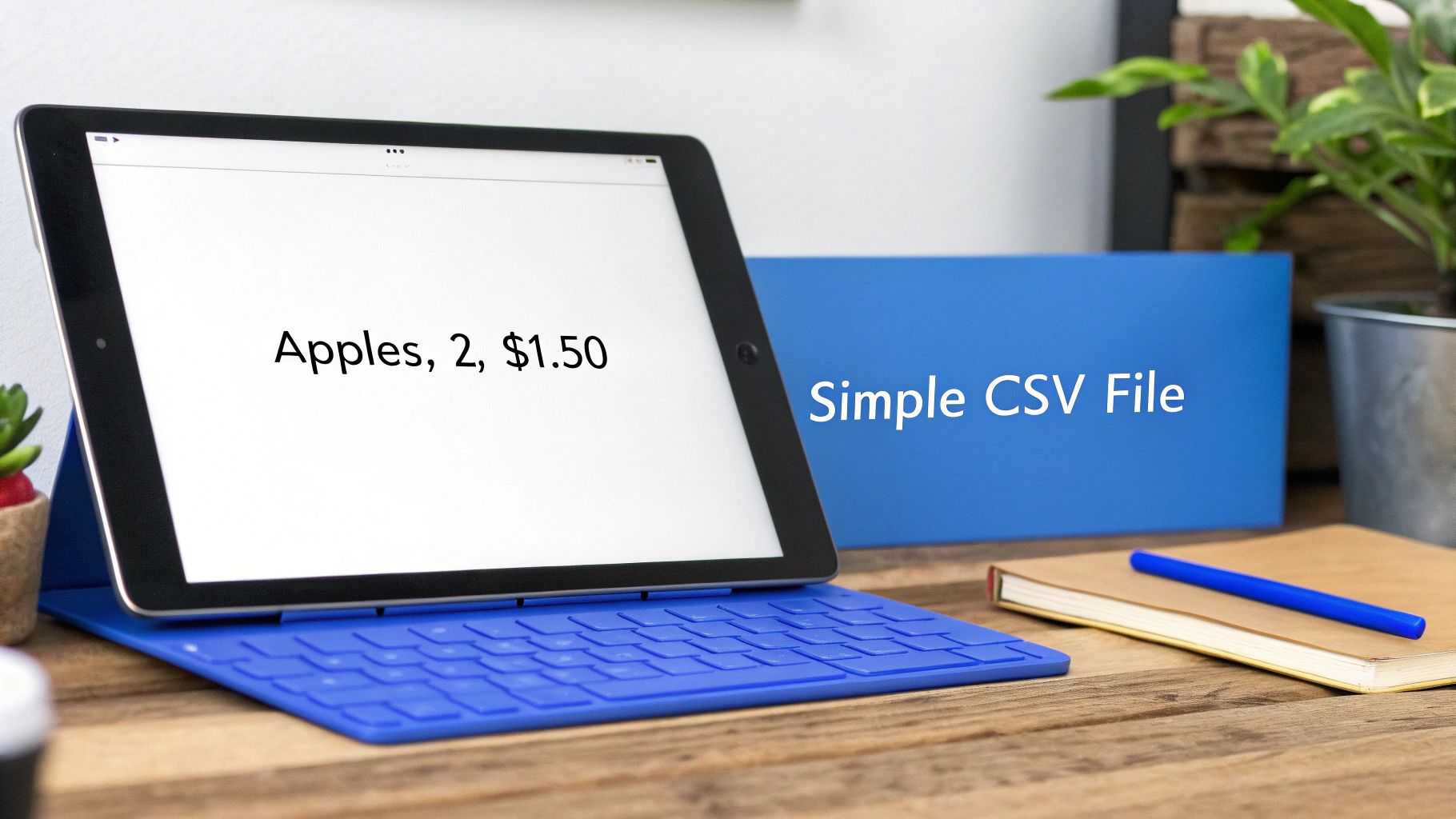
Let's stick with a simple analogy: a grocery list. If you were to write it as a CSV, it might look something like this:
Item,Quantity,Price
Apples,2,$1.50
Milk,1,$3.00
Bread,1,$2.50
Each line is an item, and the commas perfectly separate the details. This bare-bones structure is what makes CSV files so incredibly powerful. They are lightweight, human-readable, and can be opened by virtually any program, from a simple text editor to a complex database system.
Why Simplicity Matters
This universal compatibility is the CSV's greatest strength. Unlike a proprietary format like an Excel .xlsx file, a CSV doesn't lock your data away with special formatting or macros. It’s pure information, ready to be used anywhere.
This makes CSV files the go-to format for countless tasks:
- Data Migration: Moving a customer list from your old CRM software to a new one.
- E-commerce: Bulk uploading thousands of product descriptions and prices to a Shopify store.
- Analytics: Exporting raw data from a tool like Google Analytics to analyze it in a different program.
- Backups: Creating a simple, accessible backup of a database table.
At its heart, a CSV file is the common language of data. It ensures that information can be moved, shared, and analyzed without getting trapped inside a single program or ecosystem.
This accessibility makes it a reliable tool for everyone, from developers transferring database records to marketers pulling campaign results. To see how you can take this simple format and share it with the world, you can learn more about publishing a CSV file as a live, shareable webpage.
For a quick overview, here are the key traits of a CSV file.
CSV File at a Glance
| Characteristic | Description |
|---|---|
| File Type | Plain Text |
| Structure | Tabular (rows and columns) |
| Delimiter | Typically a comma, but can also be a semicolon, tab, or another character. |
| Compatibility | Near-universal. Readable by spreadsheets, databases, text editors, and programming languages. |
| Primary Use | Data exchange, import/export, and simple data storage. |
This table captures why CSVs remain so essential; they are the dependable workhorses of the data world.
The Anatomy of a CSV File
To really get what a CSV file is, you have to look under the hood. It’s a beautifully simple structure. Imagine a basic spreadsheet, but stripped down to just plain text. This whole system hangs on three core ideas that work together to keep the data organized.

This structure is intentionally flat. You won’t find the complex, interconnected tables of a traditional database here. If you're curious about how that compares, understanding the difference between Normalized vs Denormalized Data is a great starting point. A CSV, on the other hand, is all about laying the data out directly and simply.
Here are the three building blocks you need to know:
- Records: Think of a record as a single row in a spreadsheet. Each line in the file is one record. In a contact list, for example, all the information for one person makes up a single record.
- Fields: Each record is broken down into fields, which are just the individual pieces of data. These are the columns. For that same contact list, the fields would be things like "FirstName," "LastName," and "Email."
- Delimiters: A delimiter is simply the character used to separate one field from the next. The comma (
,) is the classic choice—it's what gives the CSV its name—but as we'll see, it's not the only option.
Headers and Common Delimiters
Often, the very first line in a CSV file plays a special role: it's the header row. This line doesn't contain data but instead holds the names for each field, like ProductID, ProductName, or Price. Headers are a lifesaver because they give context to the data, making it far easier to understand and import correctly.
While the comma is the standard, it's not universal. You’ll often run into variations. For instance, in many European countries where the comma is used as a decimal point, the semicolon (;) is the preferred delimiter to avoid confusion. Another popular alternative is the tab character, which technically creates a TSV (Tab-Separated Values) file—a very close cousin to the CSV.
A CSV's structure is its superpower. By sticking to a simple system of records, fields, and delimiters, it ensures that data remains accessible and transferable between nearly any software program on the planet.
Handling Commas Within Your Data
So, what happens if your data naturally contains a comma? A product name like "Gloves, Pair, Red" would completely throw off a simple parser. This is where quoting comes in. The standard fix is to wrap the entire field in double quotes.
Let's look at a quick example for a product inventory:
ProductID,ProductName,Price
101,"Gloves, Pair, Red",15.99
102,Scarf,25.50
103,"Hat, Wool",19.00
By wrapping "Gloves, Pair, Red" in quotes, any program reading this file instantly knows that the comma inside is just part of the product name, not a delimiter. This simple but powerful rule is what keeps the format robust and is absolutely essential for maintaining data integrity. Once you grasp this quoting trick, you can work with almost any text-based dataset without scrambling your information.
Why CSV Files Are Still So Popular
In a world filled with complex file formats and powerful databases, it's almost funny that a simple text file from the 1970s is still one of the most important tools for data exchange. The real power of the CSV isn't about fancy features; it's about what it doesn't have. It's free of complexity, bloat, and proprietary nonsense, which makes it the most dependable and accessible way to move data around.
This format has been around since the days of IBM mainframes in 1972—a full decade before most people even had a personal computer. That kind of history matters. It means that for over 50 years, practically every piece of software that deals with data has been built to understand CSVs, from modern programming languages to the oldest spreadsheet tools. If you're curious, you can dive into the full history of the CSV format on FileFormat.com and see how it went from punch cards to becoming a pillar of today's data-driven world.
Universal Compatibility and Simplicity
The main reason CSVs are everywhere is because they're universal. Think of a CSV as the Esperanto of data—a common language every program can speak. You can export a report from a brand-new analytics tool and open it in a 20-year-old spreadsheet program without any trouble. For businesses and freelancers, this eliminates a massive technical headache.
Picture a freelance marketer sending campaign results to a client. If they use a CSV, they never have to waste time asking, "What version of Excel are you running?" or "Can you open a Google Sheet?" The data just works, whether the client is on a high-end PC or just viewing it in a text editor on their phone.
This simple idea is the backbone of tons of critical business tasks:
- Migrating data from an old CRM to a new one.
- Bulk-uploading thousands of products to an e-commerce platform.
- Sharing research data between academic departments that use completely different software.
The CSV format ensures your data is never held hostage. Its beautiful simplicity guarantees that the information itself—not the software used to create it—is what matters, making collaboration and data portability a non-issue.
Lightweight and Human-Readable
Another huge win for the CSV is its tiny file size. An Excel spreadsheet with 100,000 rows of customer data can easily swell to several megabytes, packed with formatting, formulas, and other hidden metadata. The exact same data stored in a CSV file? It would be a fraction of the size, making it far quicker to download, email, and process.
And since it's just plain text, a CSV is also completely human-readable. You can pop one open in a basic text editor like Notepad and see exactly what's going on. This transparency is a lifesaver when you need to quickly spot an error or make a small manual change without firing up a heavy-duty application. It’s this unbeatable mix of efficiency and accessibility that has kept the humble CSV file the undefeated champion of data exchange for decades.
Common Uses for CSV Files in Business and Tech
The simple, no-frills structure of a CSV file makes it a true workhorse across countless industries. Think of it as the universal translator for data, letting completely different applications talk to each other without a fuss. From tiny startups to massive corporations, this humble format is the backbone for critical, everyday tasks that keep the lights on.
Its real power isn’t in flashy features, but in its raw, straightforward ability to get the job done.
A freelance marketer, for instance, might pull campaign performance data from Google Ads and export it as a CSV. They can then email that small file over to a client, who can pop it open in Excel, Google Sheets, or pretty much any other spreadsheet program without a single compatibility headache. It’s this seamless exchange that makes reporting and collaboration so smooth.
Everyday Business Applications
In the world of e-commerce, CSV files are absolutely essential. Online stores often juggle huge product catalogs with thousands of items, each with its own SKU, price, inventory level, and description.
- Bulk Product Uploads: Platforms like Shopify and WooCommerce rely on CSVs to let merchants add or update their entire inventory in one go, saving an incredible amount of time.
- Customer Data Migration: When a business decides to switch to a new CRM, the very first step is almost always exporting the existing customer list as a CSV file to move it over.
- Simple Database Backups: For smaller databases or specific tables, exporting to a CSV creates a quick, human-readable backup that’s easy to store, open, and check.
This is why the format is so widely adopted—it just works. The core benefits really boil down to a few key things.
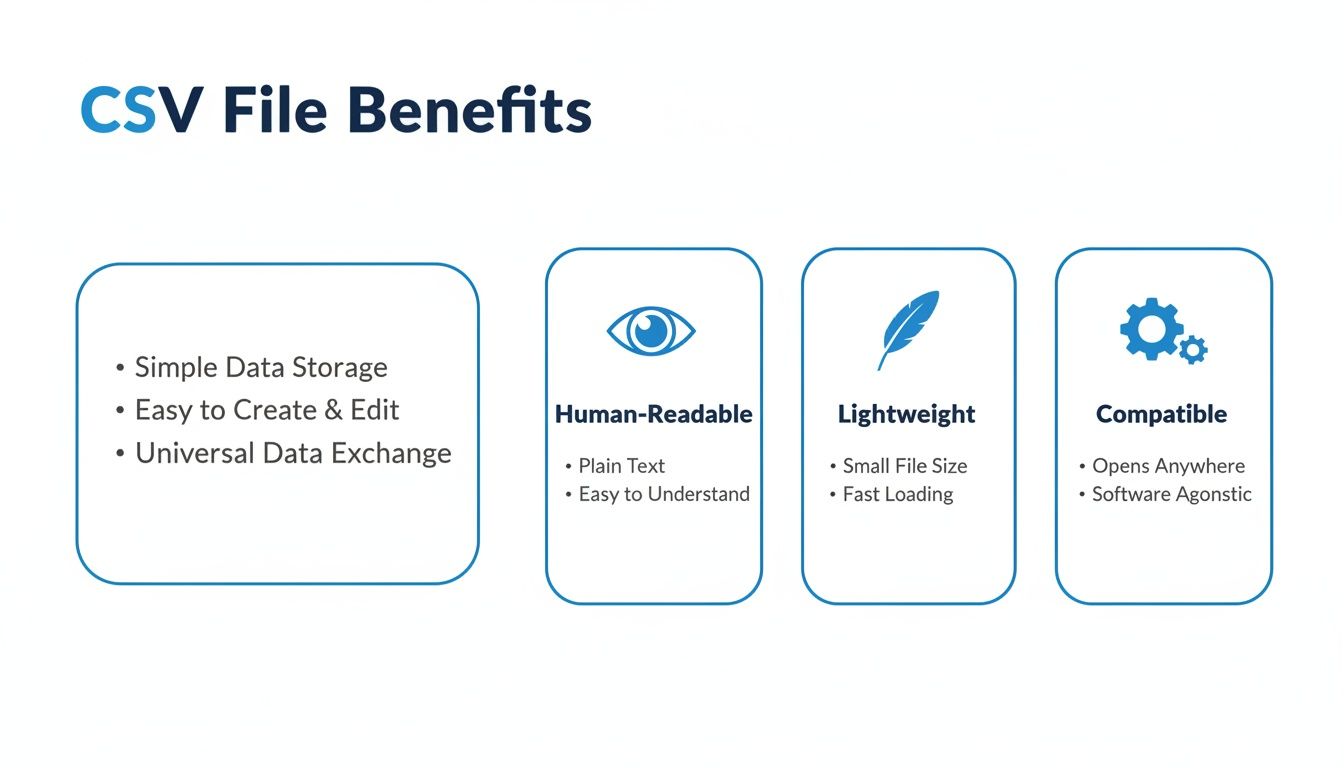
As you can see, being human-readable, lightweight, and universally compatible are the strengths that keep it so popular.
Powering Data Analytics and Tech
Beyond just moving data around, CSVs are often the starting line for complex data analysis. Data scientists frequently get raw datasets in CSV format before they start cleaning, transforming, and loading them into powerful tools like Tableau or feeding them into machine learning algorithms. Its simplicity means the focus stays on the data itself, not on wrestling with a complicated file format.
The numbers back this up. In the finance world, CSVs are used to process over 80% of the daily trade data imported at major banks. Meanwhile, e-commerce platforms like Shopify—powering over 2.1 million merchants—use CSV as the default for bulk product uploads, helping retailers manage thousands of products efficiently. You can read more about the CSV format's journey on ByteScout.com to see just how deep its roots go.
Whether you're a restaurant owner uploading a menu or a data analyst training an AI model, the CSV file is often the first and most crucial step in making information portable and useful.
This simplicity even opens up new possibilities. For freelancers and small businesses, platforms like Hostmora let you drag and drop a CSV to instantly publish it as a live webpage or an online catalog. This brilliant trick turns a static data file into an interactive asset for anyone to see, no coding required.
CSV vs. Excel vs. JSON: A Quick Comparison
When you're working with data, you'll run into other formats besides CSV. Excel and JSON are two of the most common, and each has its own strengths and weaknesses. This table breaks down the key differences to help you decide which one is right for your needs.
| Feature | CSV | Excel (XLSX) | JSON |
|---|---|---|---|
| Structure | Plain text, comma-separated values in rows/columns | Proprietary binary format with sheets, cells, formulas, styling | Plain text, key-value pairs, supports nested structures |
| Human-Readable? | Yes, easily opened and read in any text editor | No, requires specific software (like Excel) to view properly | Yes, but can be complex to read with deep nesting |
| Use Case | Data exchange, import/export, simple tables | Financial modeling, complex spreadsheets, reports, charts | Web APIs, application configuration, complex data structures |
| File Size | Very lightweight and small | Larger due to formatting, formulas, and other metadata | Generally compact, but size grows with data complexity |
| Compatibility | Extremely high, supported by almost everything | High, but best experienced within the Microsoft Office suite | Very high, the standard for modern web development |
| Data Types | Only text; numbers are treated as text strings | Supports numbers, dates, formulas, text, and more | Supports strings, numbers, booleans, arrays, and objects |
In short, CSV is your go-to for simple, universal data transfer. Excel shines when you need calculation, formatting, and visualization. And JSON is the king of structured data for web applications and APIs.
How to Open, Create, and Edit a CSV File
Working with CSV files is surprisingly easy. Because they’re just plain text at heart, you have a whole range of tools at your disposal, from the simplest text editor to full-blown spreadsheet software.
The Easiest Way: Using Spreadsheet Software
Most of the time, you can just double-click a CSV file, and it will pop right open in whatever spreadsheet program you use, like Microsoft Excel, Google Sheets, or Apple Numbers.
But sometimes, you’ll open a file and see all your data crunched into a single, messy column. This is a classic sign that the program guessed the wrong delimiter. Don't worry, it's a simple fix.
Instead of double-clicking, use the "Import" or "Open Data" feature inside the application. This kicks off a little wizard that lets you tell the program exactly how the file is structured—most importantly, you can specify that it uses a comma as the delimiter. Once you do that, your data will snap neatly into organized columns.
If you're looking to share your data, you can even upload an Excel file and convert it into a shareable link.
Getting Your Hands Dirty: Creating a CSV From Scratch
To really understand how simple a CSV is, try making one yourself with a basic text editor like Notepad on Windows or TextEdit on a Mac. This little exercise shows you that you're just dealing with organized text.
- Open a brand-new text file.
- Type your header row. Separate each column name with a comma. For example:
FirstName,LastName,Email - Hit Enter to move to the next line. This is where your first row of actual data will go.
- Add your data, making sure each piece of information is separated by a comma and lines up with the headers above.
- Save the file. The key is to give it a
.csvextension, likecontacts.csv.
Pro Tip: When you save, look for an option to set the encoding. Always choose UTF-8 if it's available. This is the gold standard for making sure special characters, accents, and symbols from other languages show up correctly instead of turning into gibberish.
Often, you'll find data in other structured formats, like JSON, that you need to get into a spreadsheet. This is a common task, especially when you’re pulling data from web APIs and need to analyze it. A great guide to converting JSON to CSV can walk you through the process, even showing you how to handle tricky nested data.
Using CSV Files for AI Workflows and Data Sharing
The trusty CSV file is more than just a simple spreadsheet. In the modern world of data, it’s become the go-to format for bridging your raw numbers with powerful tools, especially Artificial Intelligence. Because of its clean, no-fuss structure, a CSV is the perfect way to feed data into AI models for analysis and reporting without a lot of heavy lifting.
This opens up a surprisingly powerful workflow. Instead of just attaching a file to an email, you can use a platform like Hostmora to turn your CSV into a live, shareable webpage with a simple drag-and-drop. Suddenly, your local spreadsheet isn't a static document anymore—it's a dynamic asset you can use for client dashboards, project mockups, or public datasets.
Making Your CSVs Ready for AI
The real magic happens when you connect these shareable links with generative AI. Tools like ChatGPT, Claude, and Gemini can pull data directly from a secure web link. You can just hand over the link and ask the AI to spot trends, write a summary, or even build a chart from your CSV data on the fly. It completely skips the need for manual uploads or complicated API setups.
By publishing a CSV as a live link, you're essentially creating a direct pipeline between your raw data and a powerful analytical engine. This makes data science accessible, letting anyone get automated insights without needing to be a developer.
This approach is a game-changer in a few key situations:
- Quick Prototyping: A developer can share a sample dataset with an AI to quickly build a working proof-of-concept.
- Client Reporting: An agency can give a client a link to campaign data, letting them ask an AI for custom performance reports whenever they want.
- Data Exploration: A researcher can upload a huge dataset and use an AI to find interesting patterns before diving into a more formal analysis.
You can't overstate the dominance of CSV in the data world; it's estimated to account for 75% of all file-based data transfers globally, easily beating out other formats. Its universal readability makes it the default for everything from marketing software to open-source coding projects. You can dive deeper into the history and impact of this format on Wikipedia.
This simple but effective method for sharing and analyzing data highlights why the CSV remains so relevant. While more complex formats exist, as you can see in our guide to JSON and other data interchange formats, the CSV's beautiful simplicity is what makes it a powerhouse for today's AI-driven workflows.
Clearing Up Common Questions About CSVs
For a format that’s so simple on the surface, CSVs can still throw a few curveballs. Let's tackle some of the most common questions that pop up when you're working with them. Getting these right can save you a ton of headaches down the road.
Think of this as the practical cheat sheet for handling CSVs in the real world.
What's the Real Difference Between CSV and Excel?
This is probably the most frequent question, and the distinction is all about features versus simplicity.
An Excel file (.xlsx) is a feature-rich, interactive document. It’s built to handle multiple sheets, complex formulas, charts, images, and all sorts of cell formatting like colors and bold text. It's an entire workspace saved in a single file.
A CSV, however, is stripped down to the bare essentials: your raw data. It’s just text and numbers separated by commas, with nothing else. No formulas, no formatting, no charts, and only ever a single sheet. This makes it incredibly lightweight and universally understood by other programs, but it can’t do any of the heavy lifting Excel is famous for.
Key Takeaway: Reach for Excel when you need to analyze data, build reports, or create visualizations. Choose CSV when your goal is to simply move raw, tabular data from one system to another with zero fuss.
How Do I Handle Special Characters or Different Languages?
If you’ve ever opened a CSV and seen a name like "Renée" mangled into "Renée," you’ve hit an encoding issue. This happens when the program that saved the file used a different character map than the one you're using to open it.
The gold standard for fixing this is to use UTF-8 encoding. It’s the universal character set that supports pretty much every symbol and character from every language. When you save or export a file, most modern tools will give you an option to choose the encoding. Always pick UTF-8 if it’s available—it’s your best bet for keeping your data clean and correct.
Can a CSV File Store Complex Data?
In a word, no. This is one of its biggest limitations. A CSV is designed for flat, two-dimensional data—basically, a single table with rows and columns. It's not built to handle anything more complex, like the nested structures you'd find in a JSON file.
For example, imagine you have a list of customers, and each customer has multiple shipping addresses. You can't neatly pack all those addresses into a single cell or row in a CSV. For that kind of hierarchical data, you're much better off with a format like JSON or XML that's designed for it.
Ready to turn your simple data files into powerful, shareable web pages? With Hostmora, you can drag and drop a CSV and publish it as a live, secure link in seconds—no coding required. Start sharing your data effortlessly.