

A QR code for a PDF is a pretty straightforward concept: it’s a scannable code that takes someone directly to a PDF file you've put online. This simple tool is incredibly powerful, acting as a bridge between your physical, real-world materials and your valuable digital documents.
Think about it. Someone can just point their phone's camera at a sign, a business card, or a product label and instantly get your catalog, manual, or brochure. No typing, no searching.
Why Bother with a QR Code for Your PDFs?
Let’s face it, sharing PDFs the old way can be a real pain. You’re either wrestling with email attachment size limits, sending links that break, or worse, asking a customer to type a long, complicated URL into their phone. That’s a lot of unnecessary friction. A QR code smooths out the whole process, connecting your physical and digital worlds in a single, easy step.
Imagine this: a potential client at a trade show scans a code on your banner and immediately has your full product catalog on their phone. Or maybe attendees at a conference scan their badges to pull up the event schedule. These aren't just futuristic ideas; they're practical, real-world ways to get your documents into people's hands with zero hassle.
Make Your Content Instantly Accessible
The magic of a QR code is its immediacy. It removes barriers.
In a restaurant, a QR code on the table can link to a digital menu that’s always current. You can add daily specials in seconds and save a fortune on printing costs. We’ve actually written a whole guide on creating a digital menu for your restaurant that dives deeper into this.
Another great example is product packaging. A QR code can link to a detailed PDF instruction manual, complete with helpful video tutorials—something a tiny printed booklet could never do.
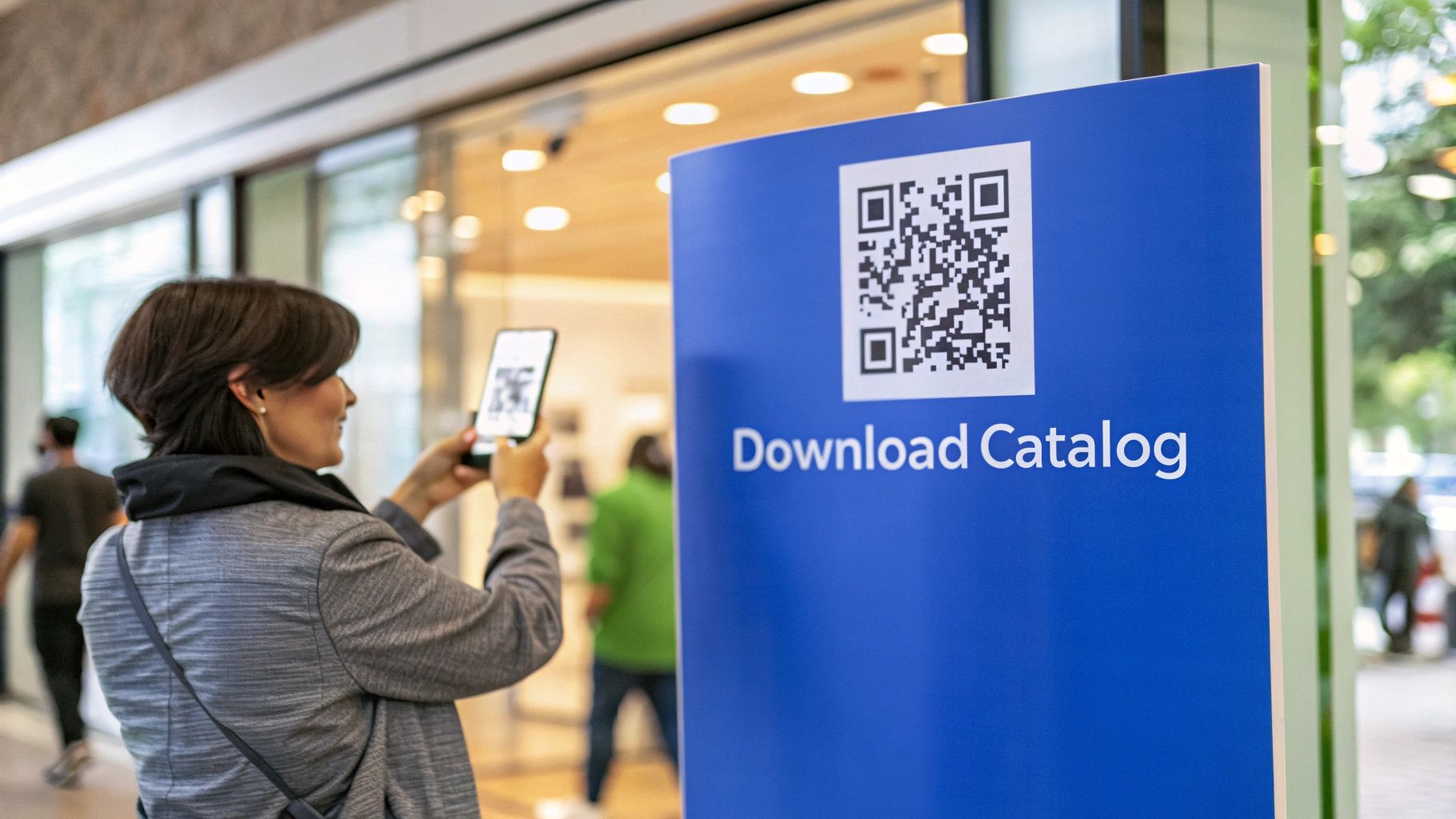
The image above nails the experience. A quick, simple scan delivers valuable information right when your audience wants it.
A Smarter, Trackable, and Greener Approach
Beyond sheer convenience, using QR codes for PDFs is just good business. For starters, it slashes your printing and distribution costs, making your operations more sustainable.
But the real game-changer is the data. When you use a dynamic QR code (which we'll cover later), you unlock a treasure trove of analytics. You can finally see what’s working.
- Total Scans: How many people are actually engaging?
- Location Data: Where in the world are your scans coming from?
- Time of Day: When is your audience most active?
This isn't a fleeting trend. QR code usage has skyrocketed, with scans jumping by 57% in recent years. Projections show that number is expected to climb another 22% as billions of smartphone users get more comfortable with scanning. The audience is there, and they're ready to connect.
Setting Up Your PDF for QR Code Success
Before you even think about generating a QR code, let's talk about where your PDF will live. It's a common misconception that you can just link a QR code to a file saved on your computer. It doesn't work that way—the code needs a public web address (a URL) to point people to.
Getting this first step right is probably the most critical part of the whole process. You're looking for a stable, reliable link that won't suddenly break. This all comes down to how you decide to host your PDF online.
Choosing Your PDF Hosting Method
You've got a few good options for getting your PDF online, and each has its own pros and cons.
Cloud Storage Services: Using a platform like Google Drive or Dropbox is often the fastest way to get a shareable link. The catch? These links are often long and messy, and you have to be extra careful to set the sharing permissions to "public" so anyone can actually view it.
Your Own Website: Uploading the PDF directly to your website's media library is a solid choice. It gives you a clean, branded URL that people will trust. This is great for brand consistency, though it does mean you'll need access to your site's backend. In a way, it's the reverse of turning a webpage into a document, a process you can learn about in our guide on converting a site to a PDF.
Dedicated File-Hosting Platforms: Services like Hostmora are designed specifically for this. You just drag and drop your file, and it's instantly published on a secure, global network. You get a clean, professional URL that's ready for your qr code pdf project without any fuss.
No matter which path you choose, the goal is the same: secure a permanent, public web address for your document. A broken link makes your printed QR code completely useless, which is a frustrating experience for everyone.
The Power of Dynamic QR Codes
Okay, your PDF is online and has a URL. Now you have a big decision to make: static or dynamic QR code? For almost any professional use case, the answer is dynamic.
So what's the difference? A static code is a one-and-done deal—it links directly and permanently to your PDF's URL. A dynamic code, on the other hand, links to a short, flexible URL that you control. You can change where that short URL redirects to anytime, without ever having to change the QR code itself.
Here's a quick rundown of why this matters.
Static vs Dynamic QR Codes For Your PDF
| Feature | Static QR Code | Dynamic QR Code |
|---|---|---|
| Editability | Cannot be changed once created. | Destination URL can be updated anytime. |
| Tracking | No tracking or analytics. | Provides detailed scan analytics. |
| Longevity | Becomes obsolete if the link breaks. | Can be repurposed for new campaigns. |
| Use Case | Best for permanent, unchanging info. | Ideal for marketing and business assets. |
The ability to edit the destination link is a game-changer.
Imagine you’ve just printed 5,000 brochures with a QR code pointing to your latest product catalog. A month later, you update the pricing.
- With a static code, all 5,000 brochures are instantly out of date. Ouch.
- With a dynamic code, you just log into your dashboard, paste in the link to the new PDF, and you're done. Every single one of those printed codes now magically points to the updated version.
This flexibility saves you from massive reprint costs and a lot of headaches. It turns your qr code pdf from a simple link into a living, breathing marketing tool that can adapt as your business grows.
Time to Create Your QR Code
Alright, your PDF is online with a solid URL. Now for the fun part: making the QR code itself. You could hunt down a standalone QR code generator, and there are plenty out there, but an integrated workflow is so much smoother. Honestly, bouncing between a hosting service and a separate QR tool is just clunky and opens the door for copy-paste errors.
A better way is to handle everything in one place. For example, with a platform like Hostmora, you just drag your PDF into the dashboard. Boom—it’s published online with a clean link, and the QR code generator is right there. No fuss, no switching tabs.
This diagram nails the modern, simplified process. You host the file, get the link, and choose a dynamic QR code—all in one fluid motion.

The big idea here is collapsing what used to be several tedious steps into one simple action. You go from a local file to a scannable, dynamic QR code in seconds.
Go Beyond Basic: Branding and Security
A standard black-and-white QR code gets the job done, but it’s a huge missed opportunity. When you customize your qr code pdf, you’re not just making it look good; you’re building trust and reinforcing your brand, which I've found can seriously boost scan rates.
Think about these simple tweaks that make a massive difference:
- Brand Colors: Ditch the black and use your brand's primary color. It creates an instant connection to your other marketing materials.
- Add Your Logo: Placing your logo in the center of the code is a pro move. Most phone cameras have no problem reading around it.
- Clear Call-to-Action: Use a frame to add a quick prompt like "Scan for Menu" or "Download Our Guide." It tells people exactly what to expect.
Looks are important, but so is security, especially if you're sharing sensitive documents. A public link means anyone can access your PDF, but you can easily lock it down.
For things like internal reports, confidential client proposals, or premium content you sell, adding a password is non-negotiable. This single feature keeps your PDF secure, even if the QR code falls into the wrong hands, and you don't have to mess with any complex server settings.
Password protection turns your public QR code into a private key. You can print the code on a project brief for your team but share the password separately through a secure channel. It’s the perfect balance of easy access for the right people and tight security for everyone else. This simple step elevates a basic qr code pdf into a genuinely secure business tool.
Designing a QR Code That People Will Actually Scan
You've got your dynamic QR code ready to go. Great. But the real test happens out in the wild. A code that won't scan is just a black-and-white smudge on your marketing material, and I've seen it happen more times than I can count. Good design isn't just about looking cool; it's about pure, simple functionality.
You have to think about where your qr code pdf will actually live. The design rules for a code on a business card are completely different from one slapped on the side of a delivery van. Getting it right comes down to a few non-negotiable factors.
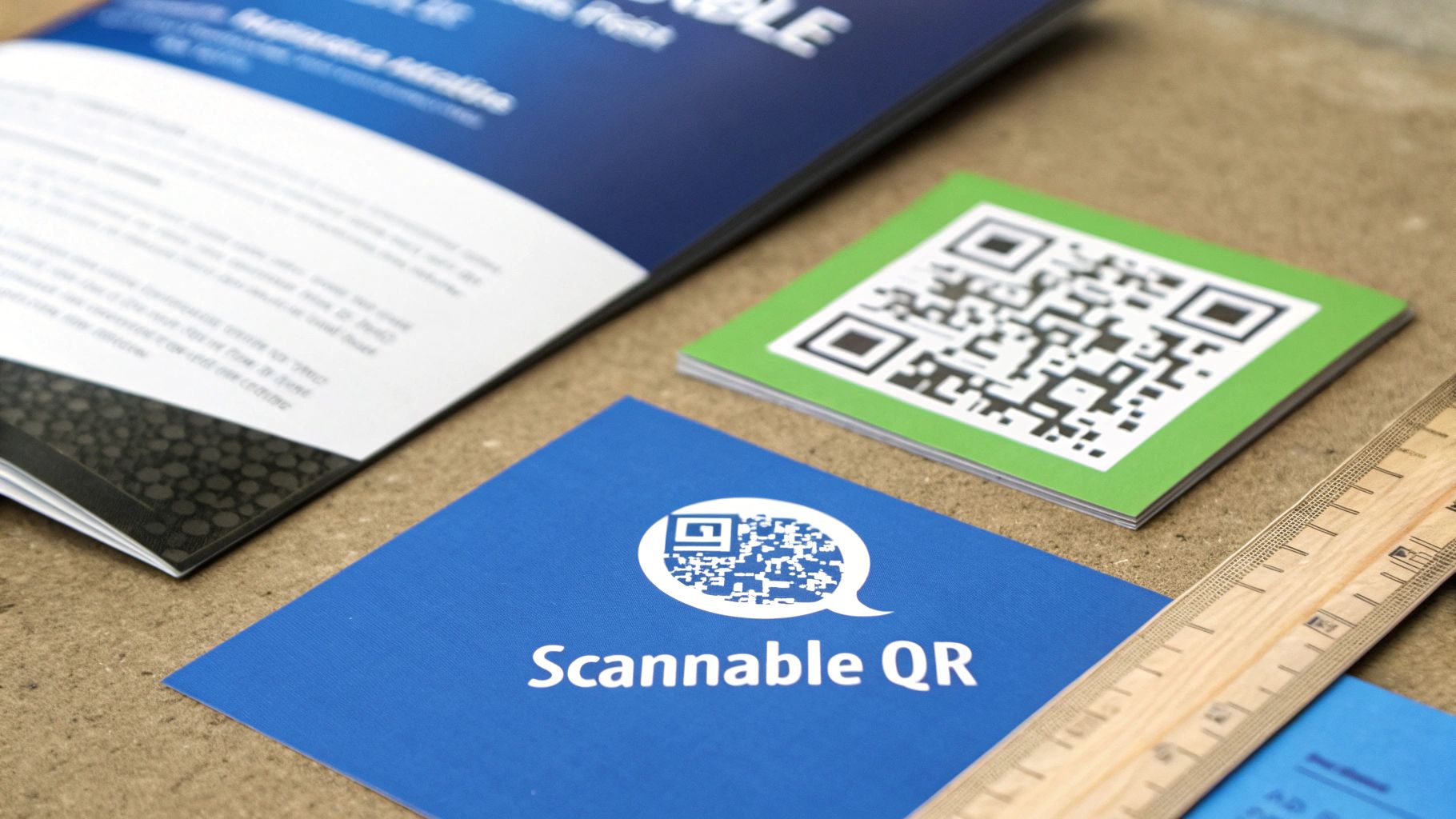
Nail the Sizing and Spacing
Nine times out of ten, when a QR code fails, it's a size issue. If the code is too small, phone cameras just can't lock onto the details to read it.
My rule of thumb? Never go smaller than 1 x 1 inch (2.5 x 2.5 cm) for anything that will be scanned up close, like a flyer or a product package. If it’s on a poster people will see from a few feet away, you need to scale that size up accordingly.
Just as important is the "quiet zone." This is the blank margin around the code. It’s not wasted space; it’s what scanner apps use to isolate the code from everything else on the page. You need a border of at least four of those little black squares (the "modules") on all sides. Crowding it with text or other graphics is a recipe for disaster.
Prioritize Contrast and Clarity
High contrast is your best friend here. There's a reason the classic black-on-white combo is so popular—it works. It gives cameras the clearest possible image to read. While it's tempting to use brand colors, you have to maintain a sharp contrast between the dark squares and the light background.
I've seen these mistakes kill scannability:
- Low-contrast pairings: Think light gray on white or navy blue on black. They might look sleek, but they're often unreadable.
- Inverted colors: A light-colored code on a dark background can trip up a surprising number of scanner apps, especially on older phones. It's best to stick with dark on light.
- Overly complex logos: A simple logo in the center can work, but if it covers up too much of the code's data, it's going to break it.
Function must always come before fashion. A beautifully branded but unscannable QR code is a complete waste of time and money. Always, always test your final design with a few different phones before you go to print.
Add a Clear Call-to-Action
Never assume people know what your QR code does. A code just sitting there on its own is a mystery. A code with a clear instruction is an invitation.
A simple text frame that says "Scan to Download Our Menu" or "Get the Full Catalog" removes all the guesswork. It tells people exactly what they're getting, which makes them far more likely to actually pull out their phone. This is critical on busy materials like a trade show banner or an online business card page where you only have a split second to grab their attention. That tiny bit of text transforms your qr code pdf from a weird-looking box into a useful tool.
Advanced QR Code Strategies and Troubleshooting
Once you’ve got the basics down, you can start turning your simple qr code pdf into a serious marketing and analytics tool. This is where we move beyond just linking to a file and start gathering real, actionable intelligence about how people are actually interacting with your materials.
Two of the most powerful strategies I always recommend are using custom domains and adding UTM parameters. They might sound a bit technical, but trust me, they're incredibly practical for any serious marketer.
Build Instant Trust with Custom Domains
Think about it from your user's perspective. Would you rather scan a QR code that takes you to a generic, random-looking URL, or one that clearly shows the brand you're engaging with?
By pointing your QR code to a custom domain you own (like downloads.yourbrand.com), you instantly build trust. When someone scans the code and sees your brand name right there in the URL, it provides a sense of legitimacy and security. It feels professional and cuts down on that split-second hesitation people have before clicking a strange link.
Track Everything with UTM Parameters
If you’re not using Urchin Tracking Module (UTM) parameters, you’re essentially flying blind. These are just simple tags you add to the end of your PDF’s URL that tell analytics platforms, like Google Analytics, exactly where your traffic is coming from.
You can get really specific. Imagine you're running the same campaign across different channels. You could create unique links for each one:
- For a trade show banner:
your.link/catalog?utm_source=tradeshow&utm_campaign=summer_expo - For a magazine ad:
your.link/catalog?utm_source=print_ad&utm_campaign=october_issue
When someone scans these codes, you’ll see precisely which marketing efforts are driving downloads. This data is gold. It lets you measure the ROI of your physical advertising and make much smarter decisions about where to put your budget next time.
Solving Common QR Code Headaches
Even with the best setup, things can go wrong. Knowing how to troubleshoot common issues will save you a ton of stress, especially after you've already sent thousands of flyers to the printer.
"Help! My QR Code Goes to a 404 Error"
This is the classic nightmare scenario. You’ve printed everything, and now the QR code leads to a "404 Not Found" error page. If you used a static QR code, you have a very expensive problem. But if you were smart and chose a dynamic QR code, the fix is a breeze. Just log into your QR code platform, update the destination URL to the correct link, and the problem is solved instantly for every single code out there.
"The PDF is Taking Forever to Load on Mobile"
A massive, high-resolution PDF can take an eternity to load on a cellular connection, and most users will just give up. Before you ever generate your qr code pdf, you need to optimize that file.
- Compress Images: Use an online tool or your PDF software to shrink the file size of the images inside your document. You can often do this without a noticeable drop in quality.
- Strip It Down: Get rid of anything that bloats the file, like hidden layers, old comments, or embedded fonts you don't really need.
- Use "Save for Web": Most modern PDF editors have a specific function to optimize the file for web viewing, which can dramatically reduce its size.
Remember, the user experience begins the second they scan that code. A fast-loading document shows you respect their time and makes your brand look professional and considerate.
The growing use of QR codes goes far beyond simple document sharing. Take QR code payments, for example, which have seen explosive growth, particularly in Asia. In China, a staggering 70% of the population uses them for payments. This trend really highlights the technology's capability for secure, high-stakes transactions, underscoring why features like password protection and secure hosting are vital for any sensitive business document you share. You can dig into more of these QR code usage statistics on wpshout.com.
Your Top Questions About PDF QR Codes, Answered
Even with the best plan, you'll probably have a few practical questions when it's time to bring your PDF QR code to life. Let's walk through some of the most common ones I hear from clients and colleagues.
Can I Just Link a QR Code to a PDF on My Computer?
I get this question all the time, and it’s a great one because it gets to the heart of how QR codes work. The short answer is no, you can't. Think of a QR code as a shortcut to a web address (a URL). A file tucked away on your computer's C: drive or in a local folder isn't on the internet, so it doesn't have a URL for the QR code to point to.
To make it work, you first need to get that PDF online. You could upload it to:
- A cloud storage service like Google Drive or Dropbox.
- The media library of your own website.
- A specialized document publishing platform like Hostmora, which is built for this exact purpose.
Once your PDF is uploaded and has a live, shareable link, then you can create a QR code that sends people straight to it.
What Happens If I Spot a Typo and Need to Update My PDF?
This scenario is exactly why the distinction between static and dynamic QR codes is so important. It's the difference between a minor inconvenience and a potential disaster.
If you used a static QR code, you're stuck. That code is permanently fused to the original PDF's URL. Your only option is to create a brand-new QR code and reprint every single flyer, poster, or business card it was on. It’s a costly and frustrating mistake.
But with a dynamic QR code, you can breathe easy. Just log into your management platform (like Hostmora), swap out the old PDF link for the new one, and you're done. Every QR code already out there in the wild will instantly start directing people to the corrected document. No reprinting, no stress.
Is This Really a Secure Way to Share Sensitive Information?
A standard QR code linking to a publicly available PDF is, by definition, not secure. Anyone who scans it gets access. But that's not the end of the story. The security isn't in the QR code itself—it's in how you control access to the document it links to.
You can make the QR code public but the destination private. By adding password protection to the PDF's landing page, you create a secure gate. People can scan the code freely, but only those you've given the password to can actually see or download your confidential report, client proposal, or training manual.
Will My QR Codes Eventually Expire?
Let's break this down by type.
A static QR code is essentially just text (the URL) converted into an image. It has no moving parts and never expires. As long as the website link it points to is still active, that code will work forever.
Dynamic QR codes don't "expire" either, but their functionality depends on the service you're using. Because the code points to a redirect link managed by your provider, it will continue to work as long as your account with them is active. This is a key reason to choose a reliable platform for your PDF QR code projects, especially if they're part of a long-term strategy.
Ready to turn your PDFs into scannable, trackable assets? With Hostmora, you can drag and drop your file, generate an instant QR code, and add professional features like password protection in seconds. Get started for free on Hostmora.