
When you hear the term "AI Artifact," it's easy to think of it as one single thing. But in practice, with models like Claude, it's a concept with two very different, yet equally important, meanings. An artifact can be the final product an AI creates for you, or it can be the raw material you feed it to kick things off. Getting a handle on this duality is the key to really making any advanced AI work for you.
Breaking Down the Two Types of AI Artifacts
It helps to think of an AI artifact as either a creation or an input. The first kind is an interactive output that a model like Claude generates right in its own dedicated window, separate from the chat. This could be a working code snippet you can run, a fully rendered HTML page you can preview, or even a chart built from data you provided. It’s a live workspace for testing and tweaking what the AI gives you on the fly.
The second kind of artifact is any external file you bring to the table for the AI to analyze. These are the foundational pieces of your project.
- Documents: Think of PDFs, dense research papers, or lengthy legal contracts that you need the AI to summarize or answer questions about.
- Data Files: These are your spreadsheets (CSVs) or structured data (JSON) that you want the AI to sort through, visualize, or find patterns in.
- Codebases: You can even provide entire folders of code for an AI to help debug, add documentation to, or expand upon.
It's this second type—the files you provide—where a little prep work goes a long way. To get the most accurate and useful responses from any AI model, your files need to be clean, organized, and, most importantly, accessible.
From Simple Uploads to Secure Hosting
For a small file, a direct upload works just fine. But what about when you're dealing with large files or a whole collection of documents? Uploading them over and over isn't practical. This is where hosting them on a fast, secure server becomes a game-changer. You give the AI a stable link, and it can access the data reliably every time. This approach is almost essential for managing the large datasets and code repositories you'll find in any serious AI project.
To make this distinction crystal clear, here’s a quick breakdown using Claude's implementation as a prime example:
Two Types of AI Artifacts Explained
| Artifact Type | What It Is | Where It Lives | Example |
|---|---|---|---|
| Generative Artifact | An interactive output created by an AI like Claude. | In a dedicated "Artifact" panel next to the chat. | A live-preview HTML webpage or a runnable Python script. |
| Input Artifact | An external file or data source provided by you. | Hosted externally (like on HostMora) or uploaded directly. | A PDF of a research paper or a CSV file with sales data. |
Seeing the two side-by-side really highlights their different roles in the workflow. One is about what you give the AI, and the other is about what it gives you back.
An AI Artifact serves a dual purpose. It's both the interactive application the AI builds for you and the structured data you supply to it. Mastering both sides of this concept is key to moving from simple queries to complex, AI-driven development.
Once you internalize this distinction, your entire approach to working with AI changes. It's no longer just a chatbot you ask questions. It becomes a dynamic partner in a digital workspace, capable of both consuming your raw materials and producing tangible, interactive results.
Exploring Interactive AI Artifacts
Imagine asking an AI to design a website and then, right next to your conversation, watching that site spring to life in an interactive window. That’s the magic of an interactive AI artifact. It’s a feature, like the one in Claude, that takes AI-generated content out of the realm of static text and drops it into a dynamic, hands-on workspace.
Instead of just getting a block of code or a wall of text back, the AI can generate a fully usable asset—like a document, a mini-application, or a data visualization—in its own dedicated panel. This keeps your main chat clean and focused on the next idea, while you get to test, tweak, and refine the output in real-time.
From Prompt to Product
The real power here is the immediacy. You can ask an AI to build something, and then instantly interact with the result. This simple shift turns the AI from a question-and-answer machine into a true creative partner, making your workflow feel much more natural and productive.
Let's say you need a quick data visualization. You prompt the AI, and this is what you get.
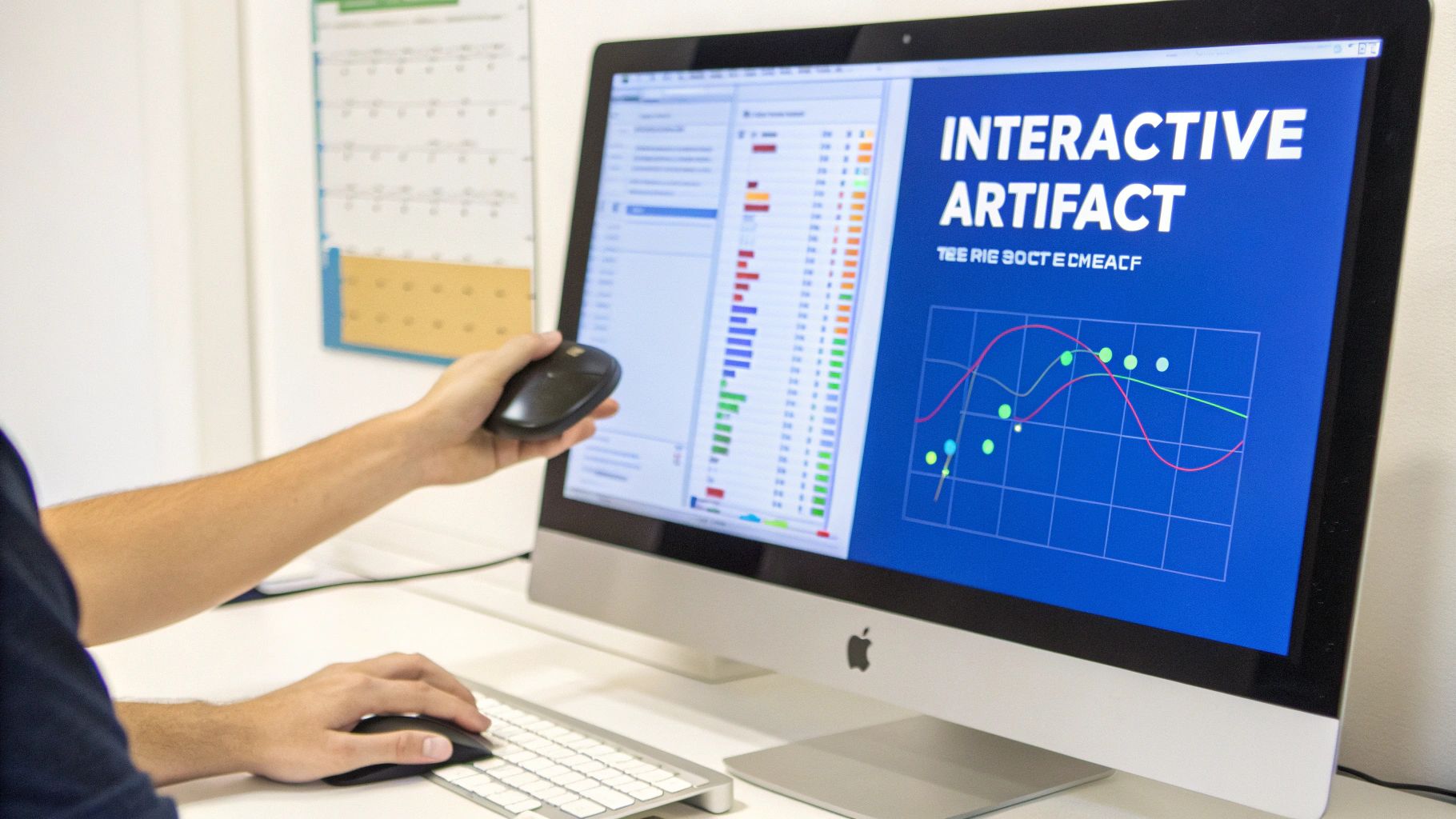
This setup perfectly separates the conversation from the creation. The AI's output isn't just text; it's a tangible, usable tool. You can immediately see if the chart works for you and ask for changes—maybe a different chart type or a new color scheme—and watch the artifact update on the spot.
It’s not just about getting to a final answer. It’s about building something useful, step-by-step, right inside the AI environment.
A New Way to Work with AI
The introduction of features like Claude's Artifacts was a major step forward in how we work with AI. Launched alongside the Claude 3.5 Sonnet model, it gave users the power to create interactive content like small apps and documents directly in the chat interface.
The whole point was to boost productivity by letting the AI handle complex outputs in a separate window, keeping the conversation from getting cluttered. With user satisfaction hitting an impressive 92%, it’s safe to say it worked. You can discover more insights about Anthropic's user engagement and how they are measuring success.
The core benefit of an interactive AI artifact is the seamless loop it creates: prompt, generate, test, and refine. This feedback cycle happens in seconds, not minutes, dramatically speeding up the development of everything from simple web pages to complex code components.
This dynamic workspace is incredibly versatile and supports a range of instantly usable outputs:
- Code Snippets: Run Python scripts or other code directly in the panel to check if it works as expected.
- Web Pages: See fully rendered HTML and CSS for immediate visual feedback on your designs.
- Documents: Draft and edit long-form content like reports or articles without ever leaving the interface.
- Diagrams: Generate and tweak visualizations like flowcharts to map out complex systems on the fly.
Using External Files as AI Artifacts
When we talk about AI artifacts, it’s easy to focus only on what the model produces. But there's another side to this coin, one that’s just as critical: the external files you feed into the AI. These are your project's raw materials—the PDFs, CSV datasets, images, and codebases that you need the AI to analyze, summarize, or work with.
Think of it like being a chef. The final dish is only as good as the ingredients you start with. You wouldn't just throw a bunch of random, unwashed vegetables into a pot and hope for a gourmet meal. In the same way, feeding messy, unstructured files to an AI and expecting a brilliant outcome is a recipe for disappointment.
Taking a few minutes to prep your files is one of the single best things you can do to get better, more accurate responses from any AI. It helps the model grasp your context and goals right from the start.
Preparing Your Files for Optimal Analysis
Properly preparing your files helps prevent the AI from getting confused or sidetracked by irrelevant noise. A clean, well-structured file is like giving your AI assistant a clear, concise brief, which allows it to get straight to the point and deliver its best work.
Here are a few practical tips for prepping some common file types:
- Documents (PDFs, TXT): Get rid of the clutter. Strip out headers, footers, page numbers, and ads. Make sure the text flows naturally without weird formatting breaks that can trip up the AI's ability to read and understand the content.
- Datasets (CSV, JSON): Consistency is key. Double-check for clear column headers, consistent formatting, and no glaring gaps in the data. A tidy dataset is the foundation for any accurate analysis or pattern recognition. If you're curious about how AIs handle this kind of structured data, learning about hosting JSON files for web applications can offer some great insights, as many of the same data integrity principles apply.
- Code Repositories (ZIP): Don't just dump a folder of files. Organize your code into a logical directory structure and, most importantly, include a
README.mdfile. This file acts as a guide, explaining the project’s purpose and giving the AI essential context right out of the gate.
Think of your input files as the foundation of a building. If the foundation is weak or poorly organized, whatever you build on top of it will be unstable. A well-prepared artifact ensures the AI has a solid base to work from.
The files you provide as input artifacts come in all shapes and sizes, each serving a different purpose. Here’s a quick look at some of the most common types and how they’re used.
Common AI Artifacts and Their Applications
| Artifact Type | File Formats | Common Use Case |
|---|---|---|
| Documents | PDF, DOCX, TXT | Summarizing research papers, extracting key information from legal contracts, or answering questions based on a user manual. |
| Spreadsheets | CSV, XLSX | Analyzing sales data to identify trends, generating business charts, or cleaning and organizing customer information. |
| Code | ZIP (containing PY, JS, etc.) | Reviewing code for bugs, suggesting improvements, generating documentation, or explaining what a complex function does. |
| Structured Data | JSON, XML | Parsing API responses, populating a web application with data, or understanding complex configurations. |
| Images | JPG, PNG, WEBP | Describing the contents of a photo, identifying objects, or generating captions for visual content. |
As you can see, the possibilities are vast. No matter the task, starting with a clean, well-organized file makes a world of difference.
This upfront effort is so important because it all comes down to accessibility. An AI can only analyze what it can properly read and interpret. When your files are a mess, the model wastes valuable processing power just trying to make sense of the chaos instead of actually working on your request. Once your files are prepped and ready, the next step is making sure the AI can get to them quickly and reliably—and that’s where hosting comes in.
How to Securely Host Your AI Artifacts
Uploading a small document directly to an AI is pretty simple. But what happens when you’re working with a massive dataset, a complex codebase, or sensitive client information? This is where hosting your AI artifact becomes a crucial part of a professional workflow. Hosting gives you the speed, security, and stability that direct uploads just can't offer for serious projects.
Think of it this way: a direct upload is like handing someone a single memo. Hosting, on the other hand, is like giving them a key to a secure, organized filing cabinet. The AI can pull the exact files it needs, whenever it needs them, without you having to re-upload everything for every single new request. It’s a far better approach for large files that might time out an uploader, for sensitive data that needs controlled access, and for long-term projects where the same files are used over and over.
The Simple Path to Hosting Your Artifacts
The whole process might sound technical, but it’s actually straightforward and breaks down into a few basic steps. You definitely don’t need to be a cloud engineer to get your files online and ready for an AI to analyze. The main idea is to get your materials packaged up, put them online, and then just tell the AI where to find them.
Getting your files prepped correctly is the first and most important step. This visual guide shows the initial prep for the most common types of artifacts.
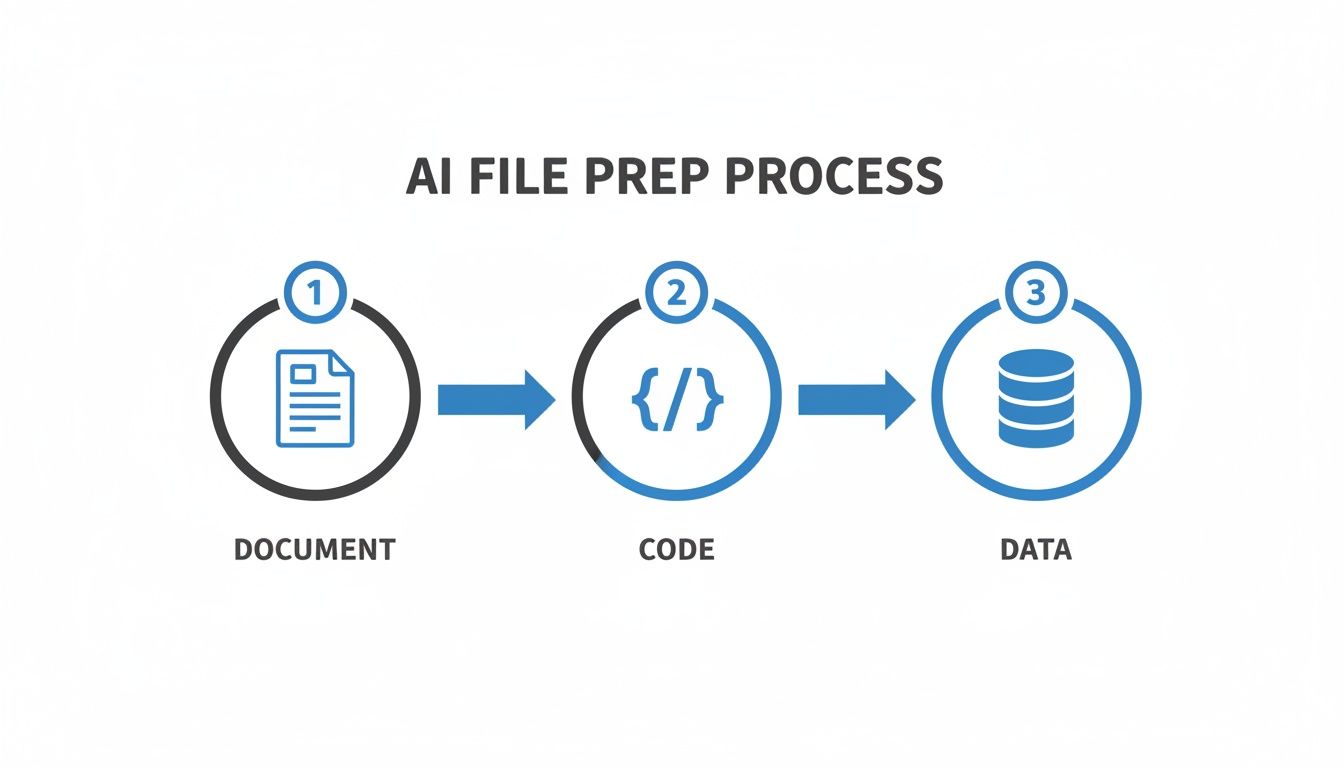
This flow—from documents to code to data—shows how different kinds of information can be prepared for the AI, building a solid foundation for any project.
Your Four-Step Hosting Workflow
Once your files are organized, getting them online for an AI is a quick process. Here’s a simple, step-by-step approach to hosting your artifacts securely.
Package Your Artifact: Just like you’d put related papers into a folder, you need to group your files. If it’s just one document, you’re good to go. But for a collection of files—like a codebase or a bunch of research papers—compressing them into a single .zip file is the way to go. It keeps everything neat and makes the upload way faster.
Choose a Hosting Service: You’ll need a place to put your file that’s fast and easy to access. Services like Hostmora are built for this, turning your file into a live link in seconds. For developers and teams building websites or apps, looking into free static site hosting is another great way to manage and serve project files.
Upload and Generate a Link: With a good hosting service, this step is often just a simple drag-and-drop. Once uploaded, the service will instantly give you a secure, shareable URL. This link is the key you'll hand over to the AI, pointing it directly to your artifact.
Craft the Perfect Prompt: This is where you bring it all together. In your prompt to the AI, you must provide the link and give crystal-clear instructions. Tell it exactly how to access the file and what you need it to do. For example: "Analyze the code in the ZIP file at this URL and identify any security vulnerabilities."
By hosting your files, you create a stable, reliable source of truth for the AI. This prevents version confusion, protects your data, and streamlines your entire workflow, allowing you to focus on the creative and analytical parts of your project.
Smart Ways to Manage Your Hosted Artifacts
Getting your file online is one thing, but managing it well is what makes it a truly reliable tool for your work with AI. Good management keeps your artifacts secure, tidy, and up-to-date, which is the foundation of any solid AI workflow.
This becomes incredibly important for projects that change over time. If your AI artifact is a piece of code, a dataset that gets updated, or research notes you're constantly adding to, you can't just upload it and forget it. You need a system to avoid confusion and keep things clean.
Set Up Smart Access Controls
Not everything you create is for public consumption. Before you hand a link over to an AI or a colleague, stop and think: who really needs to see this? This is basic security 101, and it’s how you protect your work and any sensitive info.
Most hosting services give you options to control who can access your files. It’s vital to know the difference:
- Public Links: Anyone with the link can see the file. Perfect for things like public portfolios, open-source projects, or general guides.
- Private Links: Access is locked down. You might need a password or have to be on an approved list. This is the right choice for private code, client data, or internal company documents.
My advice? Always start with the tightest security possible. It's much easier to grant access to someone who needs it than to try and pull back a public link that’s already out in the wild.
Version Control Is Your Best Friend
Picture this: you've spent hours working with an AI, tweaking a complex data model. You make one more change, the whole analysis breaks, and you can't for the life of you remember what the last working version looked like. That sinking feeling is exactly what version control is designed to prevent.
Don't just overwrite your files every time you make a change. Instead, save new versions with a logical naming system. A simple and effective method is just adding a version number or the date to the filename.
A well-managed artifact is an asset; an unmanaged one is a liability. Versioning and clear organization are not just about tidiness—they are essential practices for preventing data loss, ensuring reproducibility, and maintaining project continuity.
For instance, a file named ProjectAlpha_Dataset_v1.2.csv tells you a whole lot more than data_final_final.csv. This small habit makes it a breeze to track your progress, roll back to an earlier state if needed, and give the AI the precise AI artifact you want it to work with. This ensures the AI isn't pulling from old data and that your results are always based on the right information.
Troubleshooting Common AI Artifact Issues
Even with the best planning, things can go wrong. It’s frustrating when an AI artifact doesn't generate the way you expect, or when an AI can't seem to access a file you've provided. Let's walk through the most common hiccups and how to fix them so you can get back to work.
The number one problem people run into with external artifacts is a simple access error. You give an AI a link to a file, but it comes back saying it can't get to it. Nine times out of ten, this is a permissions issue on whatever service you're using to host the file.
Make sure the link you're sharing is set to "public" or "anyone with the link can view." If it's set to private or restricted, the AI will be blocked, just like any person trying to access it without the right credentials.
Fixing Interactive Artifact Failures
What about when an interactive artifact, like a code block or a live webpage preview, just won't work? Maybe it fails to show up at all or just acts weird. This usually points back to the prompt you used to create it.
If your instructions were a bit vague, or if you asked for something that isn't possible within the AI's environment (like using a code library it doesn't support), it's going to fail.
The quickest fix is to tighten up your prompt. Try breaking your request down into smaller, more specific steps. For instance, if you're trying to build a complex UI component and it breaks, ask the AI to build the basic foundation first. Once that works, you can add more features with follow-up prompts. This step-by-step approach makes it much easier to pinpoint exactly where things went wrong.
The success of an artifact really comes down to two things: the clarity of your instructions and the quality of your input data. When something breaks, always start by looking at your prompt and any files you provided. The root of the problem is often in your setup, not in the AI's execution.
Improving Inaccurate AI Analysis
Sometimes, an AI accesses your AI artifact just fine but gives you a summary or analysis that's completely off the mark. This usually means the AI had trouble making sense of the content, which is often a sign of messy or poorly structured data.
The best way to handle this is to clean up your files before you upload and host them. A little prep work goes a long way.
- Documents: Get rid of any weird formatting, unnecessary headers, or footers that might break up the text and confuse the AI.
- Datasets: For CSV or JSON files, check that your headers are clear and consistent. Make sure you don't have a bunch of missing data that could throw off the analysis.
- Codebases: When you zip up a project, always include a
README.mdfile in the main directory. This gives the AI crucial context about what the project is and how it's structured.
By keeping an eye out for these common roadblocks—from simple file permissions to the clarity of your prompts—you'll make your interactions with AI models far more reliable and ensure your artifacts work exactly as you intend.
Got Questions? We've Got Answers
Let's clear up a few of the most common questions people have when they start working with AI artifacts.
Can an AI really handle any file I throw at it?
Not exactly. While models like Claude are incredibly flexible, they shine when you feed them text-based files. Think code, CSVs, and Markdown documents. They can get tripped up on more complex, proprietary formats, so for the smoothest experience, stick with well-structured plaintext.
Is it actually safe to put my private data on a server for an AI to read?
Your security really comes down to your hosting. It's on you to choose a secure provider and lock down your sensitive information with permission-controlled links. AI platforms have their own privacy policies, of course, but think of your hosting as the front door—it's your first and most important line of defense.
Do I have to host my files every single time?
Nope, not at all. If you're just doing a quick, one-off analysis with a small file, an AI's direct upload feature is your best friend. Hosting really comes into its own when you're dealing with massive files, entire project folders, or when you need a permanent, stable link that you can use again and again.
Ready to put your AI artifacts on a fast, secure foundation? Hostmora can turn your files into live, shareable links in just a few seconds. Give it a try for free.