
While Google Drive is a powerful default for many, its one-size-fits-all approach doesn’t suit everyone. Concerns about privacy, the need for specialized collaboration tools, or frustration with storage limits often lead users to search for a better fit. Whether you're a privacy-conscious individual, a creative professional, a fast-moving agency, or a budget-savvy team, the cloud storage landscape is filled with powerful contenders.
This guide breaks down the 12 best alternatives of Google Drive, organized by what they do best, so you can stop compromising and find a service that truly aligns with your workflow. We'll dive deep into their unique strengths, practical limitations, and ideal use cases to help you make an informed switch.
Finding the right cloud storage isn't just about gigabytes and price. It’s about securing your data, streamlining collaboration, and accelerating how you share your work. For freelancers, agencies, and small businesses, the right platform can mean the difference between a clunky workaround and a seamless process for delivering client proofs, publishing portfolios, or managing team assets.
In this comprehensive resource, you will find:
- Detailed analysis of each platform, including pros, cons, and pricing.
- Best-for recommendations to match services with specific needs like privacy, team collaboration, or cost-effectiveness.
- Practical considerations for migration and compatibility with your existing tools.
Each entry includes screenshots and direct links to help you evaluate your options quickly. Our goal is to provide a clear, user-focused comparison, moving beyond marketing claims to reveal which alternative of Google Drive truly delivers on its promises for your specific projects. Let's find your perfect cloud storage match.
1. Microsoft OneDrive
Microsoft OneDrive is the most direct and deeply integrated alternative of Google Drive, especially for users already embedded in the Microsoft ecosystem. Its core strength lies in its seamless connection with Windows and the Microsoft 365 suite (formerly Office 365), making it the default choice for anyone heavily reliant on Word, Excel, and PowerPoint.
The user experience is smooth, particularly on Windows, where OneDrive functions almost like a native part of the file system through File Explorer. On mobile and macOS, the apps are robust and offer reliable syncing.
Key Features & Use Cases
- Deep Microsoft 365 Integration: Co-author documents in real-time directly from desktop apps like Word, with changes syncing instantly. This is a significant advantage over Google's web-first collaboration model for those who prefer native software.
- Personal Vault: A protected area within OneDrive that requires a second step of identity verification (like a PIN, fingerprint, or SMS code) to access. It's ideal for storing sensitive documents like passports or insurance information.
- Ransomware Detection & Recovery: For Microsoft 365 subscribers, OneDrive can detect a ransomware attack and help you restore your files to a point before they were compromised, offering peace of mind.
Pricing & Value
- Free: 5 GB of storage.
- Microsoft 365 Basic: 100 GB for $1.99/month.
- Microsoft 365 Personal: 1 TB for $6.99/month (includes desktop Office apps).
- Microsoft 365 Family: 6 TB total (1 TB per person for up to 6 people) for $9.99/month.
The true value shines when bundled with a Microsoft 365 subscription, which includes premium versions of the Office suite.
Best For: Individuals, families, and businesses heavily invested in the Windows and Microsoft Office ecosystem who prioritize seamless integration and bundled value over a large free storage tier.
Hostmora is a better fit when... you need to take a file from your desktop and publish it instantly to a live, shareable webpage or a password-protected client portal, bypassing the complexities of traditional web hosting.
2. Dropbox
Dropbox is a pioneer in cloud storage and remains a powerful, reliable alternative of Google Drive, particularly for users who prioritize rock-solid, cross-platform file syncing. Its core competency is making sure your files are exactly where you expect them to be, regardless of whether you're on a Mac, PC, iPhone, or Android device.
The user experience is famously straightforward, with a clean interface and intuitive sharing controls that have set industry standards. Its performance with large files and complex folder structures is a key differentiator, making it a favorite among creative professionals and teams who need dependability above all else.
Key Features & Use Cases
- Smart Sync Technology: Save local hard drive space by making files online-only while still seeing and accessing them from your desktop. This is a crucial feature for users with large cloud accounts and limited local storage.
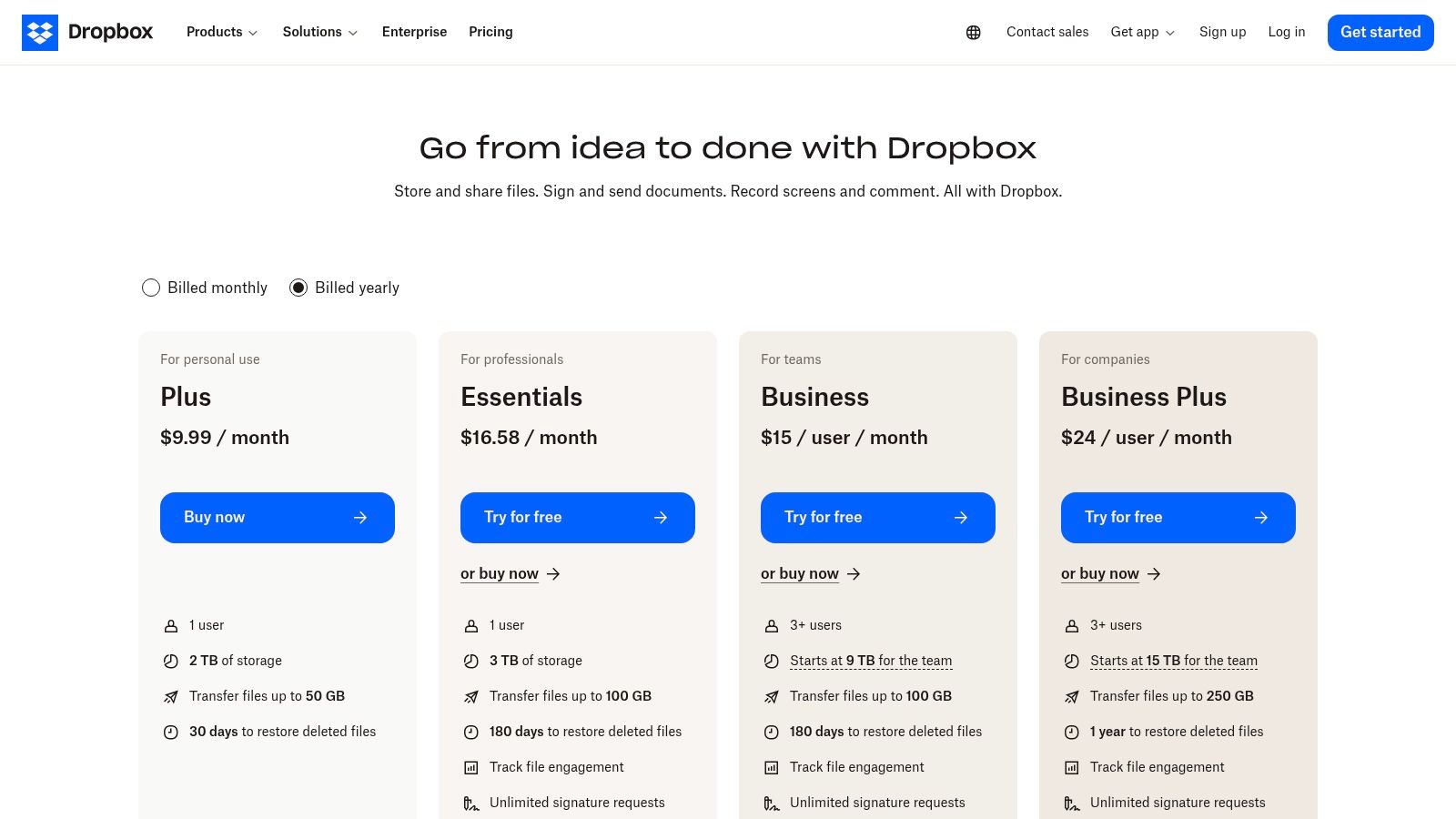
- Dropbox Transfer: A dedicated tool for sending large files up to 100 GB (or more on advanced plans) with features like delivery confirmation, password protection, and custom branding. For more details on this topic, check out how to send large files.
- Extensive Third-Party Integrations: Dropbox connects seamlessly with thousands of apps, including Slack, Trello, and Adobe Creative Cloud, creating a central hub for various professional workflows.
Pricing & Value
- Free: 2 GB of storage.
- Plus: 2 TB for $9.99/month (billed annually).
- Essentials: 3 TB for $18/month (billed annually, includes e-signatures and analytics).
- Business: Starts at 9 TB for the team (3+ users) for $15/user/month (billed annually).
While the free tier is small, the paid plans are competitively priced for the large storage amounts and robust feature set they offer.
Best For: Freelancers, creative professionals, and small teams who need best-in-class file synchronization, easy large-file sharing, and deep integration with a wide array of third-party tools.
Hostmora is a better fit when... your goal is to instantly publish a file as a live website or a secure client portal, completely skipping the traditional file-sharing and web hosting process for immediate public or private access.
3. Box
Box positions itself as a powerful, enterprise-grade alternative of Google Drive, focusing heavily on security, compliance, and advanced content management. While it offers plans for individuals, its true strengths are unlocked in a business context, where granular admin controls and workflow automation become critical.
The platform excels at managing content at scale, making it a favorite in regulated industries like healthcare and finance. Its user interface is clean and professional, prioritizing function and security over the more consumer-friendly design of some competitors.
Key Features & Use Cases
- Advanced Security & Compliance: Box provides robust administrative controls, user activity tracking, and support for standards like HIPAA and FedRAMP, making it suitable for handling sensitive data.
- Workflow Automation with Box Relay: Businesses can automate repetitive content-based processes like contract approvals or new-hire onboarding without writing any code. This is a significant differentiator for team-based use.
- Extensive Integrations: With over 1,500 integrations, including deep connections with Microsoft 365, Google Workspace, and Salesforce, Box acts as a central content layer that connects to the tools teams already use.
Pricing & Value
- Free: 10 GB of storage (with a 250 MB file upload limit).
- Personal Pro: 100 GB for $10/month (5 GB upload limit).
- Business Starter: 100 GB for $5/user/month (minimum 3 users).
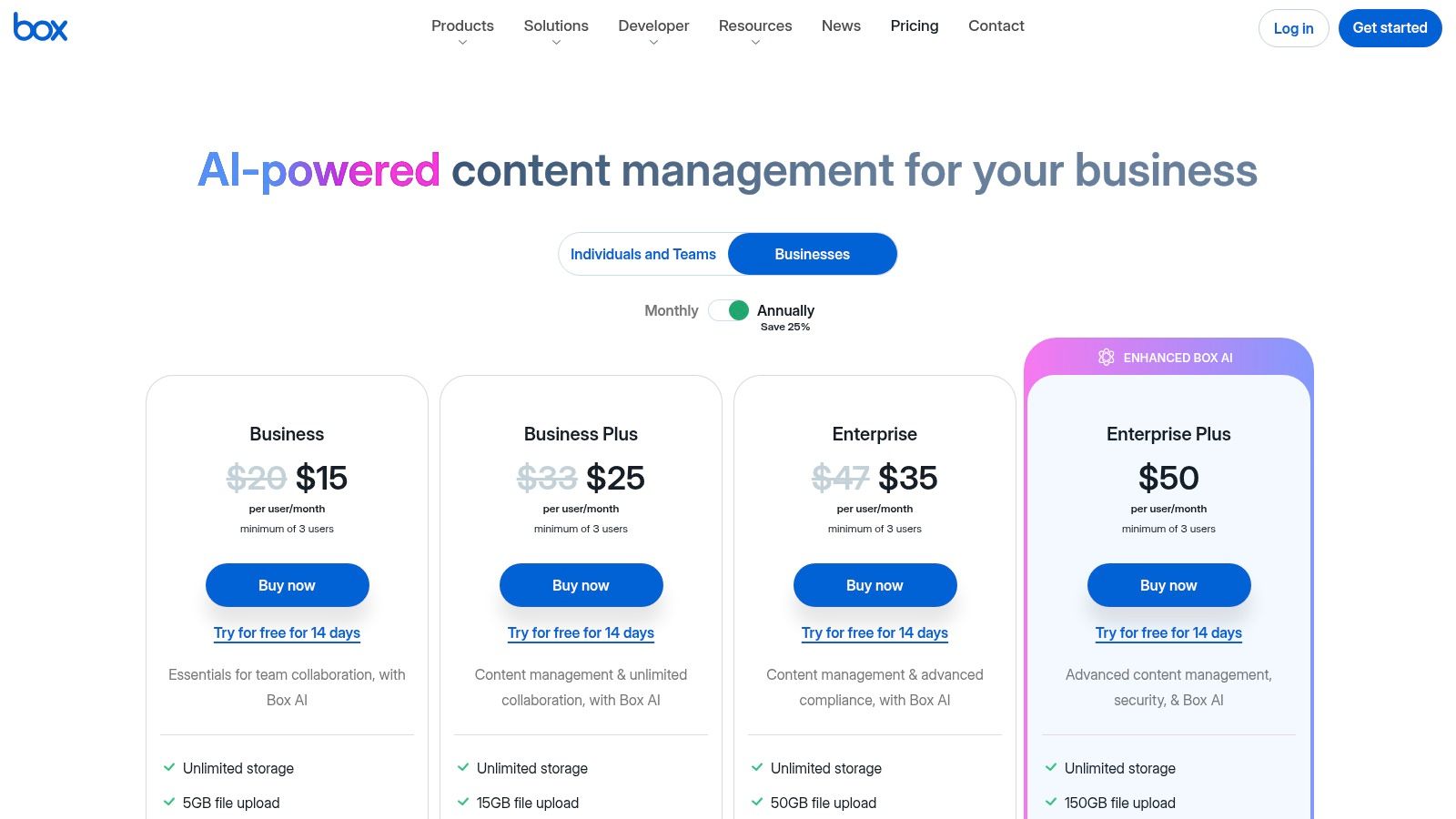
- Business: Unlimited storage for $15/user/month (minimum 3 users).
The real value proposition is in the Business plans, where unlimited storage and advanced features justify the price for organizations.
Best For: Businesses, enterprises, and teams in regulated industries that require top-tier security, granular administrative control, and extensive workflow automation over massive free storage.
Hostmora is a better fit when... your goal is to immediately publish a PDF, document, or image to a unique URL for public or password-protected sharing, without the complexity of an enterprise content platform.
4. Apple iCloud Drive (iCloud+)
For users fully immersed in the Apple ecosystem, iCloud Drive is the most frictionless and deeply integrated alternative of Google Drive. It operates as the invisible connective tissue between your iPhone, iPad, and Mac, making file access and syncing a background process that requires virtually no user intervention. Its core value is not in being a feature-rich, standalone platform but in how it enhances the native Apple device experience.
The user experience is seamless to the point of being almost unnoticeable on Apple hardware, where files on the Desktop and in Documents folders can be automatically synced across all devices. On Windows, a dedicated app provides access, but the full, integrated experience is best on macOS.
Key Features & Use Cases
- Seamless Ecosystem Syncing: Automatically backs up and syncs everything from Photos and Messages to files saved on your Mac's Desktop. It is the definitive set-it-and-forget-it solution for Apple users.
- iCloud+ Privacy Features: Paid plans include value-added privacy tools like Private Relay (which hides your IP address while browsing in Safari) and Hide My Email, which creates unique, random email addresses for sign-ups.
- Optimized Storage: iCloud can automatically store original, full-resolution files in the cloud while keeping smaller, space-saving versions on your device, freeing up local storage without sacrificing access.
Pricing & Value
- Free: 5 GB of storage.
- iCloud+ 50 GB: $0.99/month.
- iCloud+ 200 GB: $2.99/month (includes Family Sharing).
- iCloud+ 2 TB, 6 TB, 12 TB: Starting at $9.99/month.
The value extends beyond pure storage, with Family Sharing on the 200 GB and higher tiers allowing a whole family to share one storage pool and privacy features.
Best For: Individuals and families deeply invested in Apple's ecosystem (iPhone, iPad, Mac) who prioritize effortless, automatic syncing and device backup over advanced collaboration tools.
Hostmora is a better fit when... you need to publish a file from your Mac or PC to a live, public webpage instantly, without navigating the complexities of Apple’s more private, ecosystem-focused sharing options.
5. pCloud
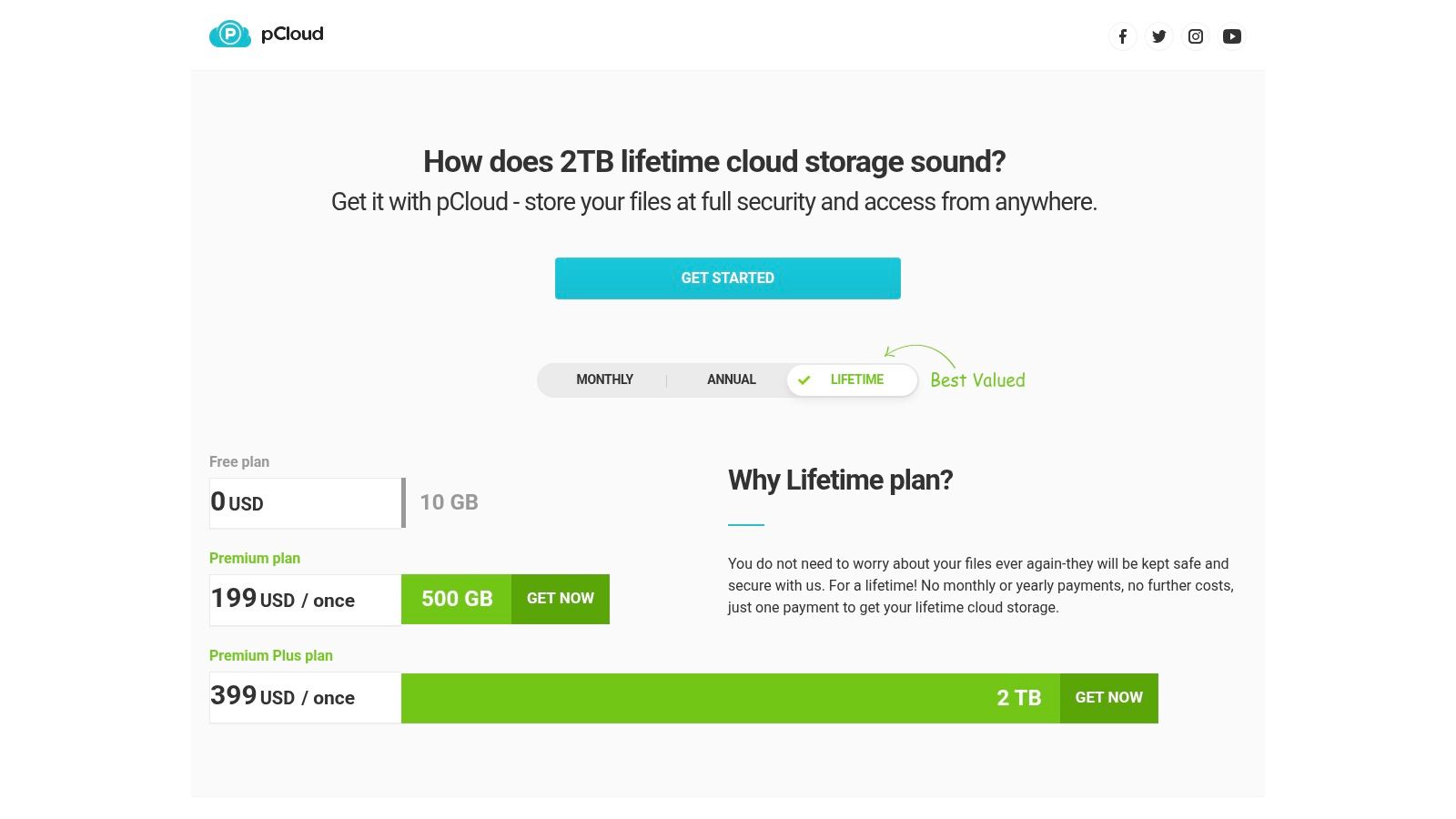
pCloud positions itself as a secure and consumer-friendly alternative of Google Drive, with a unique emphasis on long-term ownership through its lifetime payment plans. It appeals to users who want to pay once for their storage and use it indefinitely, making it a compelling option for personal media archives and important document backups.
The platform functions excellently as a media hub, offering robust built-in audio and video players that can stream content directly from your cloud storage. The user experience across its desktop and mobile apps is straightforward, with a virtual drive feature that saves local disk space by streaming files on demand.
Key Features & Use Cases
- Lifetime Storage Plans: A major differentiator where you make a one-time payment for permanent access to your storage quota. This is ideal for archiving family photos, videos, and critical documents you don't want to pay a monthly fee for forever.
- pCloud Drive: A virtual drive that mounts on your desktop (Windows, macOS, Linux), allowing you to access and work with your cloud files as if they were on a local hard drive without taking up significant space.
- Advanced Media Playback: The platform includes a built-in media player that handles various formats and even offers audio playlists. Its excellent handling of media files makes it a top choice for photographers and musicians who need to store and preview large files. For more info on this, see our guide to hosting audio files.
- Optional Client-Side Encryption: For an additional fee, pCloud Encryption provides a zero-knowledge folder where file encryption and decryption happen locally on your device, ensuring no one else can access its contents.
Pricing & Value
- Free: Up to 10 GB of storage.
- Premium 500 GB (Lifetime): $199 one-time payment.
- Premium Plus 2 TB (Lifetime): $399 one-time payment.
- Custom 10 TB (Lifetime): $1190 one-time payment.
- pCloud Encryption (Optional Add-on): $150 one-time payment.
The lifetime plans offer exceptional long-term value compared to recurring subscription fees from competitors.
Best For: Individuals, families, and media enthusiasts looking for a cost-effective, long-term storage solution for personal archives, photos, and music collections, with a strong focus on media playback features.
Hostmora is a better fit when... your goal is to instantly publish a file as a live website or a shareable, password-protected portal for a client, without dealing with traditional file-sharing links or hosting setups.
6. Sync.com
Sync.com establishes itself as a leading alternative of Google Drive by prioritizing one critical feature above all else: zero-knowledge, end-to-end encryption. This means that unlike many mainstream providers, Sync.com cannot access or decrypt your files, ensuring your data remains completely private and secure. It is built from the ground up for users who handle sensitive information and cannot compromise on confidentiality.
The user interface is more functional than flashy, focusing on core file management and secure sharing rather than extensive third-party app integrations. While it lacks the deep collaborative editing of Google Docs, it excels at providing a secure vault for your digital life.
Key Features & Use Cases
- Zero-Knowledge Encryption: Every file is encrypted on your device before being uploaded. This makes it ideal for legal documents, financial records, client contracts, and any data where privacy is non-negotiable.
- Advanced Share Controls: Create secure links with passwords, download limits, expiry dates, and activity notifications. You can also create "upload-enabled" links, allowing clients to securely send you large files directly into a specific folder.
- File Rewind & Recovery: Higher-tier plans offer up to 365-day version history and recovery, providing a robust safety net against accidental deletions, file corruption, or even ransomware attacks.
Pricing & Value
- Free: 5 GB of storage.
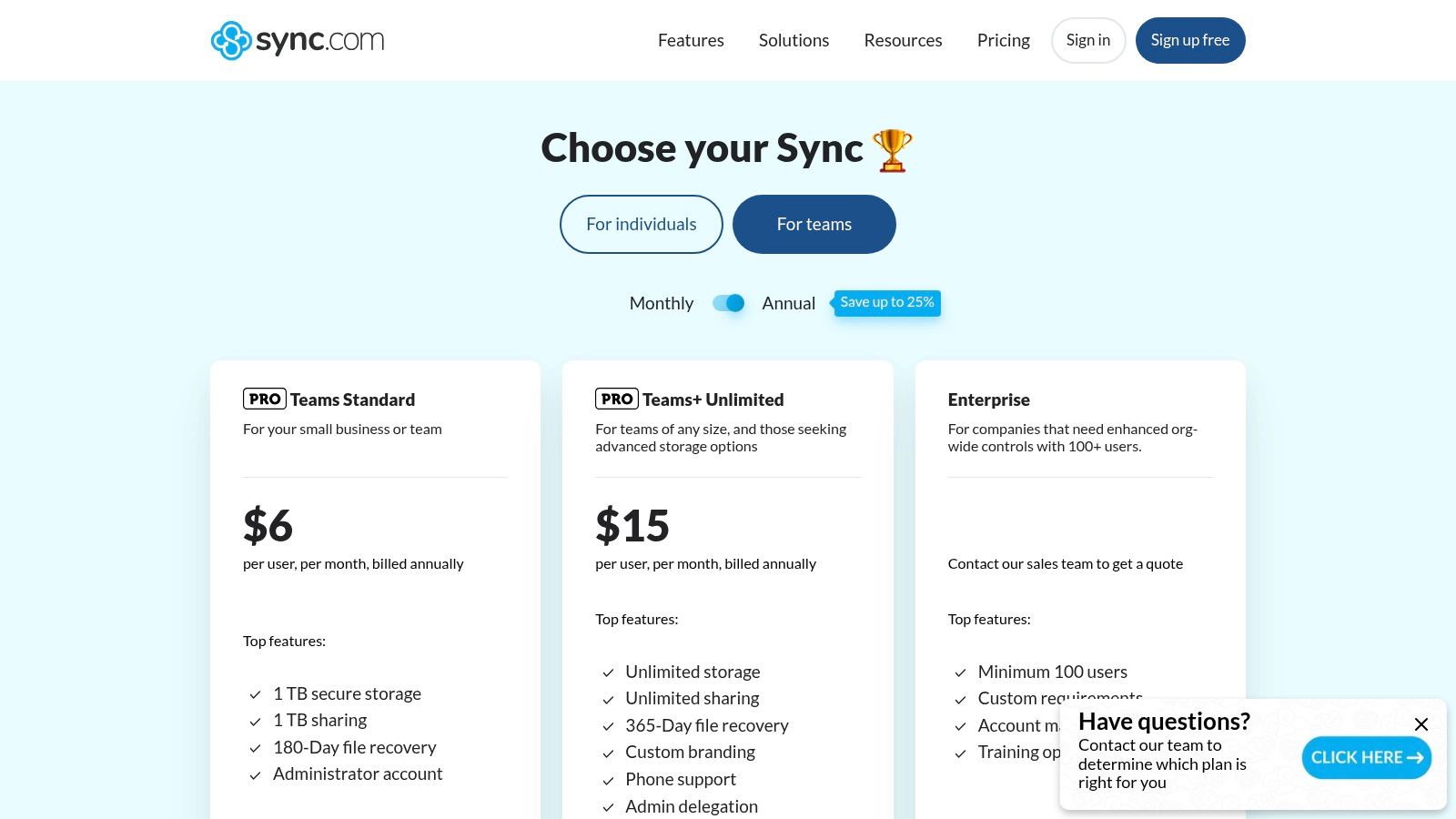
- Pro Solo Basic: 2 TB for $8/month (billed annually).
- Pro Solo Professional: 6 TB for $20/month (billed annually, includes custom branding).
- Pro Teams+ Unlimited: Unlimited storage per user for $15/user/month (billed annually).
The value proposition is clear: you are paying for best-in-class security features at a very competitive price point, especially for team plans with unlimited storage needs.
Best For: Privacy-conscious individuals, freelancers, and businesses (like law firms, healthcare providers, or financial advisors) where client confidentiality and data security are paramount.
Hostmora is a better fit when... you need to publish a secure client file, such as a proposal or portfolio, directly to a live, password-protected webpage instead of just sharing a link to a downloadable file.
7. MEGA
MEGA positions itself as "The Privacy Company," offering a compelling alternative of Google Drive for users who prioritize security and a substantial free storage offering. Its defining feature is mandatory, user-controlled end-to-end encryption, meaning not even MEGA can access your files. This zero-knowledge approach provides a level of privacy that many mainstream cloud services do not offer by default.
The user experience is straightforward across its web, desktop, and mobile apps, which include a secure chat function. MEGA is known for one of the most generous free plans on the market, making it an excellent starting point for individuals needing significant private storage without an initial investment.
Key Features & Use Cases
- Zero-Knowledge Encryption: All files are encrypted on your device before they are uploaded. You hold the decryption key, ensuring that only you and those you share with can view the contents.
- Generous Free Plan: MEGA provides a significant free storage allowance (typically starting at 20 GB) that can be increased by completing certain "achievements," ideal for users with large personal archives.
- Secure Sharing: When you share a link, you can send the decryption key separately for an added layer of security, preventing unauthorized access even if the link is intercepted.
- S4 Object Storage: For developers and businesses, MEGA offers an S3-compatible object storage service (S4) designed for archiving massive datasets with the same privacy focus.
Pricing & Value
- Free: 20 GB of storage (with limited transfer quota).
- Pro Lite: 400 GB storage / 1 TB transfer for €4.99/month.
- Pro I: 2 TB storage / 2 TB transfer for €9.99/month.
- Pro II: 8 TB storage / 8 TB transfer for €19.99/month.
The value proposition is clear: high-volume, highly private storage. Be mindful that pricing is in Euros, so the USD cost will fluctuate.
Best For: Privacy-conscious individuals, journalists, and anyone needing to store sensitive personal or professional files with the assurance of zero-knowledge encryption and a large free storage tier.
Hostmora is a better fit when... you need to publish an encrypted file directly to a password-protected webpage for a client, combining security with instant, no-code web publishing.
8. Proton Drive
Proton Drive is a security-first alternative of Google Drive from the makers of Proton Mail, designed for users who prioritize privacy above all else. Its entire architecture is built on end-to-end, zero-knowledge encryption, meaning not even Proton can access the content of your files. This makes it an exceptional choice for storing sensitive personal or business data.
The user experience is clean and straightforward across its web, desktop, and mobile apps, focusing on core functionality without unnecessary clutter. While it may lack the extensive third-party integrations of its mainstream counterparts, its integration within the Proton ecosystem (Mail, Calendar, VPN, Pass) offers a compelling, all-in-one private suite.
Key Features & Use Cases
- End-to-End Encryption: Every file, folder name, and file extension is encrypted on your device before being uploaded. This is ideal for legal documents, financial records, or any confidential information.
- Secure Link Sharing: Create password-protected and expiring links to share files securely, even with people who don't use Proton Drive, ensuring you maintain control over your data.
- Proton Ecosystem Integration: A single Proton account gives you access to an encrypted email, calendar, VPN, and password manager, creating a seamless and secure digital environment.
- Encrypted Docs: Proton has started rolling out its version of Docs and Sheets, allowing for the creation and collaborative editing of documents and spreadsheets within the same encrypted framework.
Pricing & Value
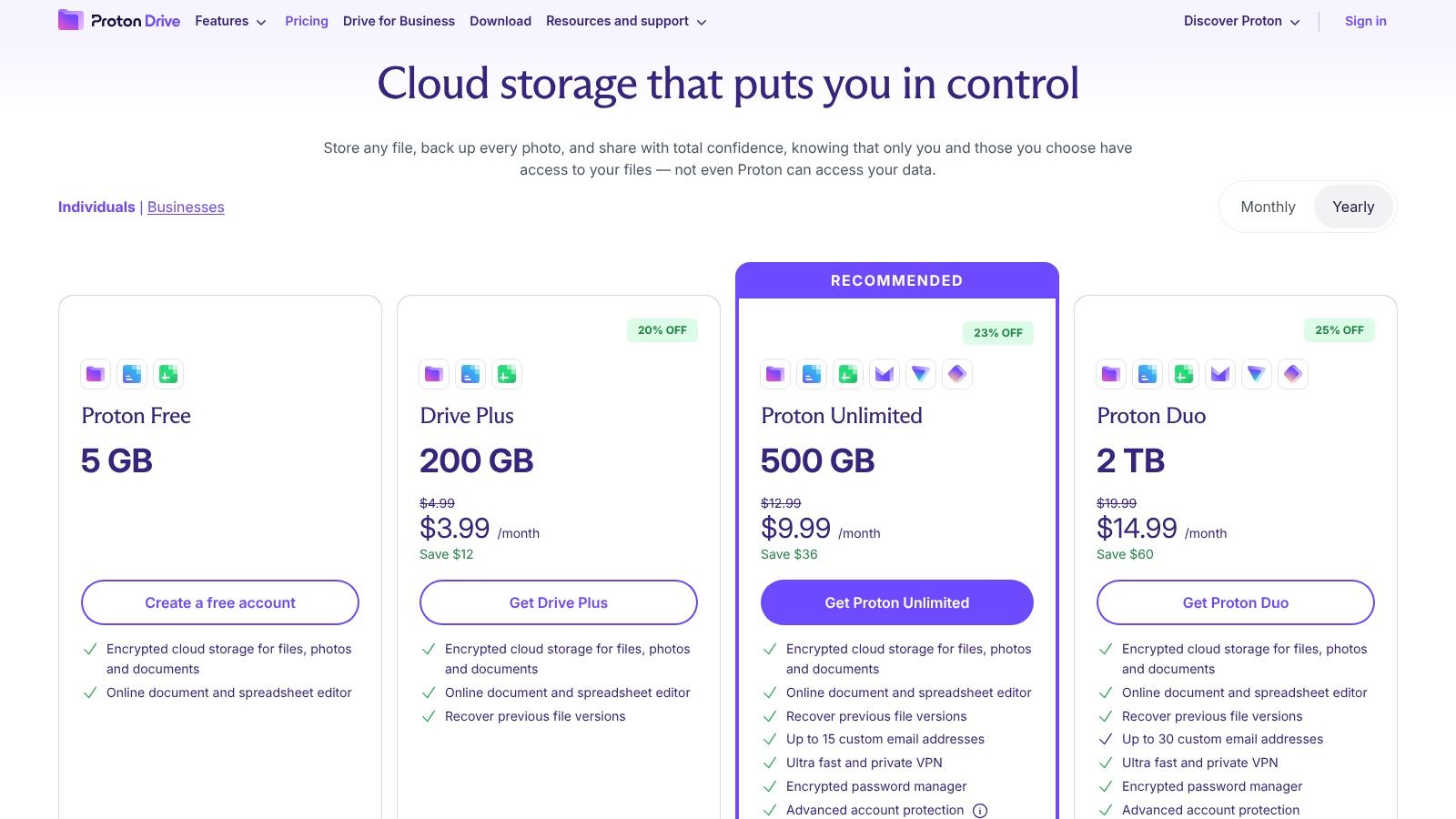
- Free: Up to 1 GB of storage (can be increased to 5 GB through a get-started guide).
- Drive Plus: 200 GB for €3.99/month.
- Proton Unlimited: 500 GB for €7.99/month (includes all premium features for Mail, Calendar, VPN, and Pass).
The best value comes from the bundled plans, which provide a complete suite of privacy-focused tools for a single subscription fee.
Best For: Journalists, activists, lawyers, and any individual or business handling highly sensitive data that demands the highest level of privacy and security.
Hostmora is a better fit when... you need to publish a file as a live, publicly accessible webpage or a secure, password-gated portal for a client, transforming your cloud storage into a simple web publishing tool.
9. Tresorit
Tresorit positions itself as a premium, security-first alternative of Google Drive built for individuals and businesses that cannot compromise on privacy or compliance. It utilizes zero-knowledge, end-to-end encryption, meaning not even Tresorit's own staff can access the content of your files, providing a powerful layer of protection against data breaches and unauthorized access.
This focus makes it an exceptional choice for sectors like legal, healthcare, and finance, where data sensitivity is paramount. The user experience across its desktop and mobile apps is clean and professional, prioritizing security controls without feeling overly complex for day-to-day file management.
Key Features & Use Cases
- Zero-Knowledge End-to-End Encryption: Your files are encrypted on your device before they are uploaded, and only you hold the decryption key. This is the core of Tresorit's security promise.
- Granular Link Controls: When sharing files, you can enforce password protection, set expiration dates, limit downloads, and even require email verification for access, giving you complete control over shared data.
- Secure Data Rooms: Ideal for sensitive external collaborations, such as due diligence or client projects. These digital rooms provide detailed access logs and strict policy controls for all invited members.
- Compliance & Data Residency: Tresorit helps businesses meet compliance standards like HIPAA and GDPR, offering options to store data in specific geographic regions to satisfy data sovereignty requirements.
Pricing & Value
- Free: 3 GB of storage with limited features.
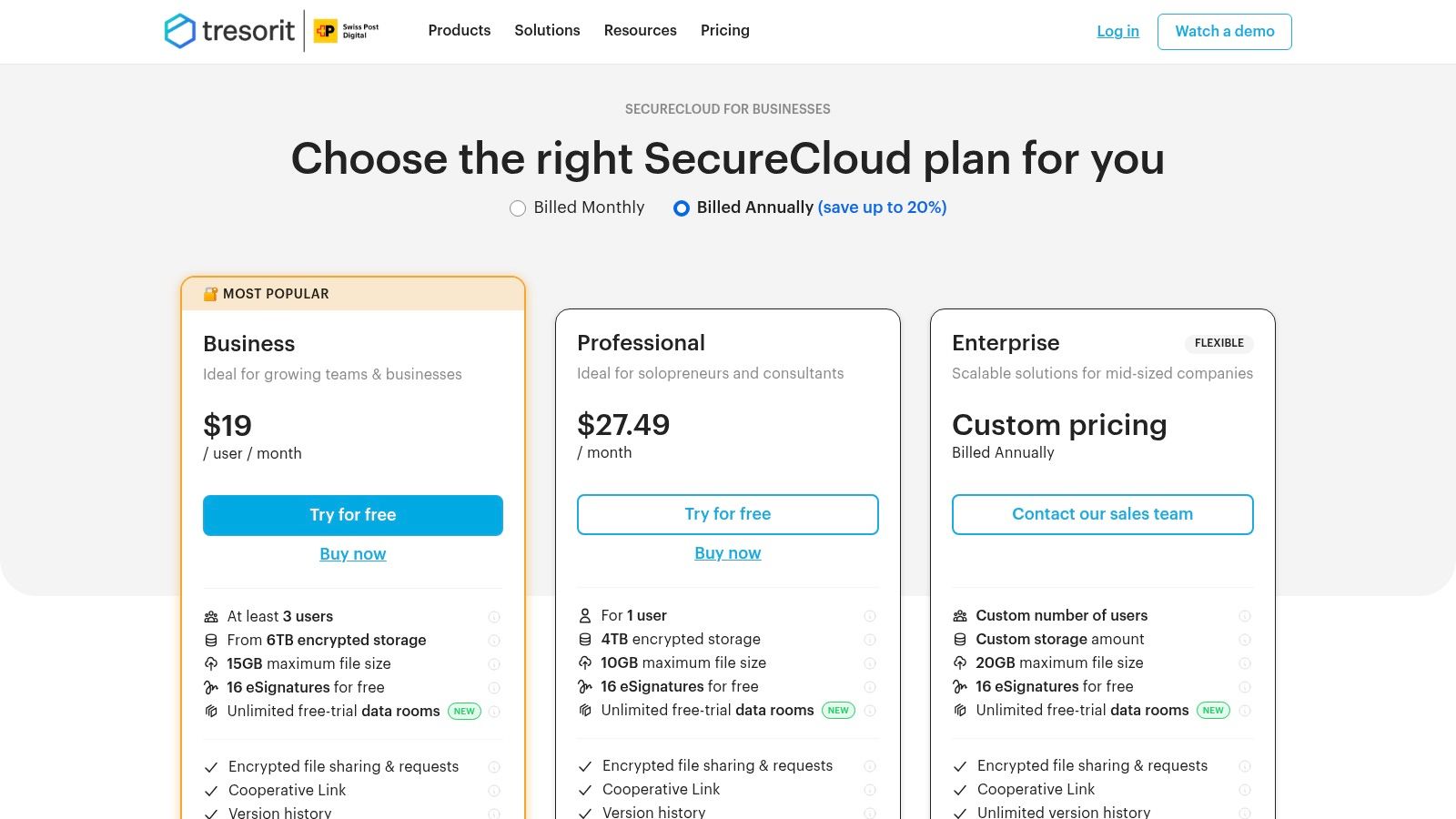
- Personal: 1 TB for €11.99/month.
- Professional: 4 TB for €27.49/month.
- Business Standard: Starts at €14.50 per user/month (3-9 users) with 1 TB per user.
The value proposition is not in raw storage per dollar but in the unparalleled security, compliance, and control features included.
Best For: Lawyers, healthcare professionals, financial advisors, and security-conscious businesses who handle highly sensitive client data and require auditable, compliant, and zero-knowledge storage.
Hostmora is a better fit when... your primary need is to publish a secure file as a live, password-protected webpage for a client review, rather than managing it within a high-compliance encrypted vault.
10. Zoho WorkDrive
Zoho WorkDrive is a team-first alternative of Google Drive designed from the ground up for business collaboration. Instead of individual storage quotas, it provides a pooled storage space for teams, encouraging a more centralized and organized approach to file management. This makes it an excellent choice for businesses already using or considering the extensive Zoho ecosystem of business apps.
The platform's interface is clean and business-oriented, focusing on team folders and collaborative workflows rather than personal file hoarding. It offers a smooth transition for teams accustomed to traditional shared drives but seeking modern cloud capabilities and tighter integration with productivity tools.
Key Features & Use Cases
- Team-Centric Storage: Files are owned by the team, not individuals. When an employee leaves, their files remain in the Team Folder, preventing data loss and access issues.
- Built-in Office Suite: Zoho includes its own Writer (documents), Sheet (spreadsheets), and Show (presentations) editors. This allows for seamless real-time collaboration directly within the WorkDrive interface.
- Granular Admin & Security Controls: Business plans offer advanced features like password-protected links, download restrictions, detailed activity timelines, and simple approval workflows.
- Deep Zoho Ecosystem Integration: WorkDrive connects seamlessly with other Zoho apps like Zoho CRM, Projects, and Mail, creating a unified workspace for businesses invested in their platform.
Pricing & Value
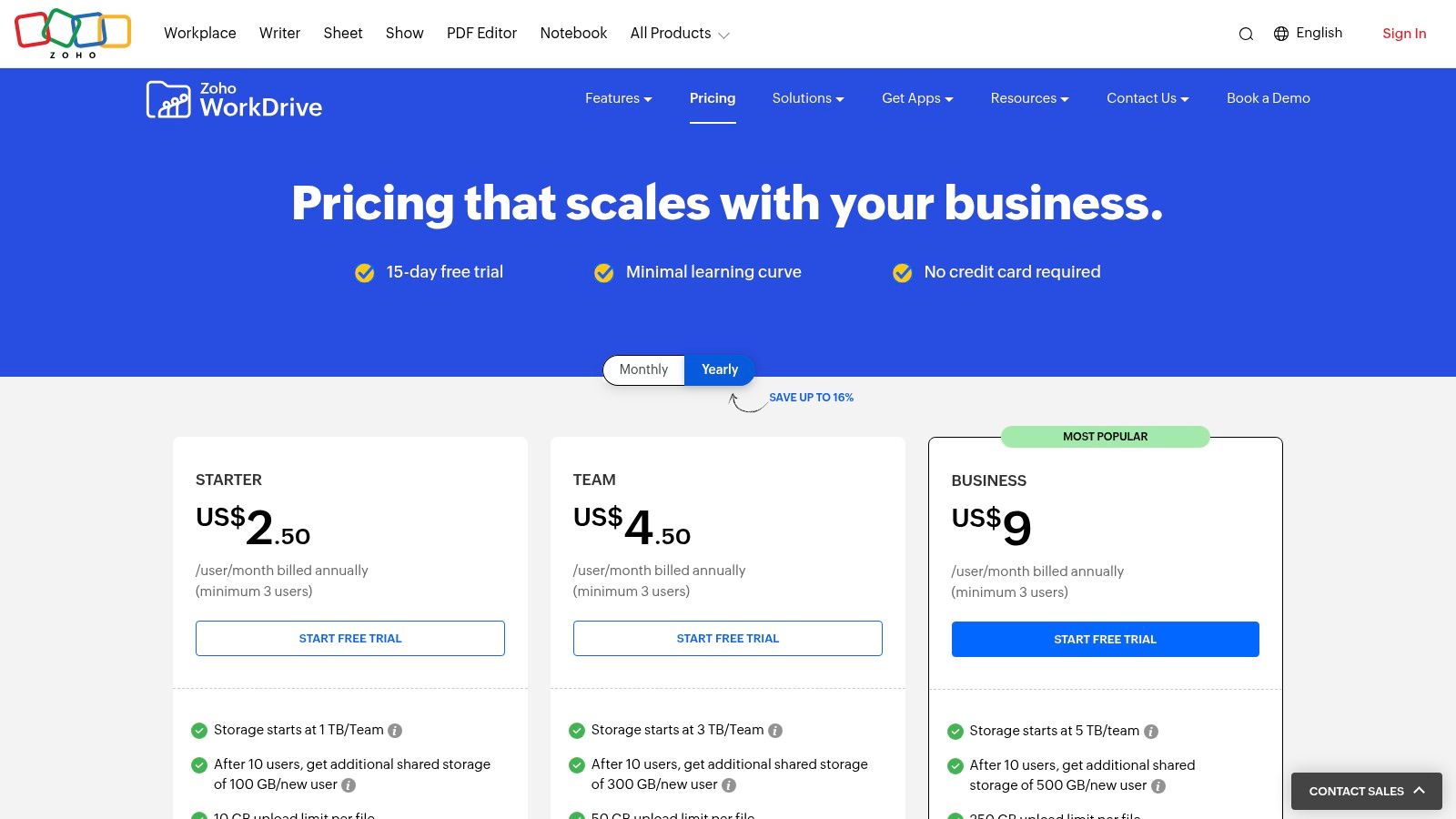
- Starter: $2.50/user/month (3-user minimum) with 1 TB of team storage.
- Team: $4.50/user/month (3-user minimum) with 3 TB of team storage.
- Business: $9/user/month (3-user minimum) with 5 TB of team storage and advanced security controls.
The value is exceptional for small to medium-sized teams, especially those looking to consolidate their software stack within the Zoho environment. The team-based pricing model is a key differentiator.
Best For: Small businesses, agencies, and teams that need a centralized, secure, and collaborative file management system that integrates deeply with a wider suite of business applications.
Hostmora is a better fit when... your goal is to publish a single file or a collection of assets as a live, instantly shareable webpage or client portal, avoiding the team-folder structure for direct public or private sharing.
11. Internxt
Internxt positions itself as a private and secure alternative of Google Drive, built on open-source principles and zero-knowledge encryption. Unlike mainstream providers that can access user data, Internxt ensures that only you can ever see or decrypt your files, offering a compelling solution for privacy-conscious users who want to escape the big tech data ecosystem.
The user interface is modern and clean across its web, desktop, and mobile applications, making the high-security features accessible without a steep learning curve. The platform's commitment to transparency is backed by its source code being publicly available on GitHub for anyone to audit.
Key Features & Use Cases
- Zero-Knowledge & End-to-End Encryption: Your files are encrypted on your device before they are ever uploaded, and only you hold the decryption key. This makes it ideal for storing sensitive personal documents, legal paperwork, or confidential business data.
- Lifetime Plans: Internxt offers one-time payment options for lifetime storage, which is a rare and attractive feature for users looking to avoid recurring monthly or annual subscription fees for their cloud storage needs.
- Open-Source & Audited: The client-side applications are open source, allowing for community verification of their security claims. This transparency builds a high level of trust for those who are technically savvy.
- WebDAV Support: Advanced users can integrate Internxt with other applications or access their cloud drive directly from their desktop file manager using the WebDAV protocol, adding a layer of flexibility.
Pricing & Value
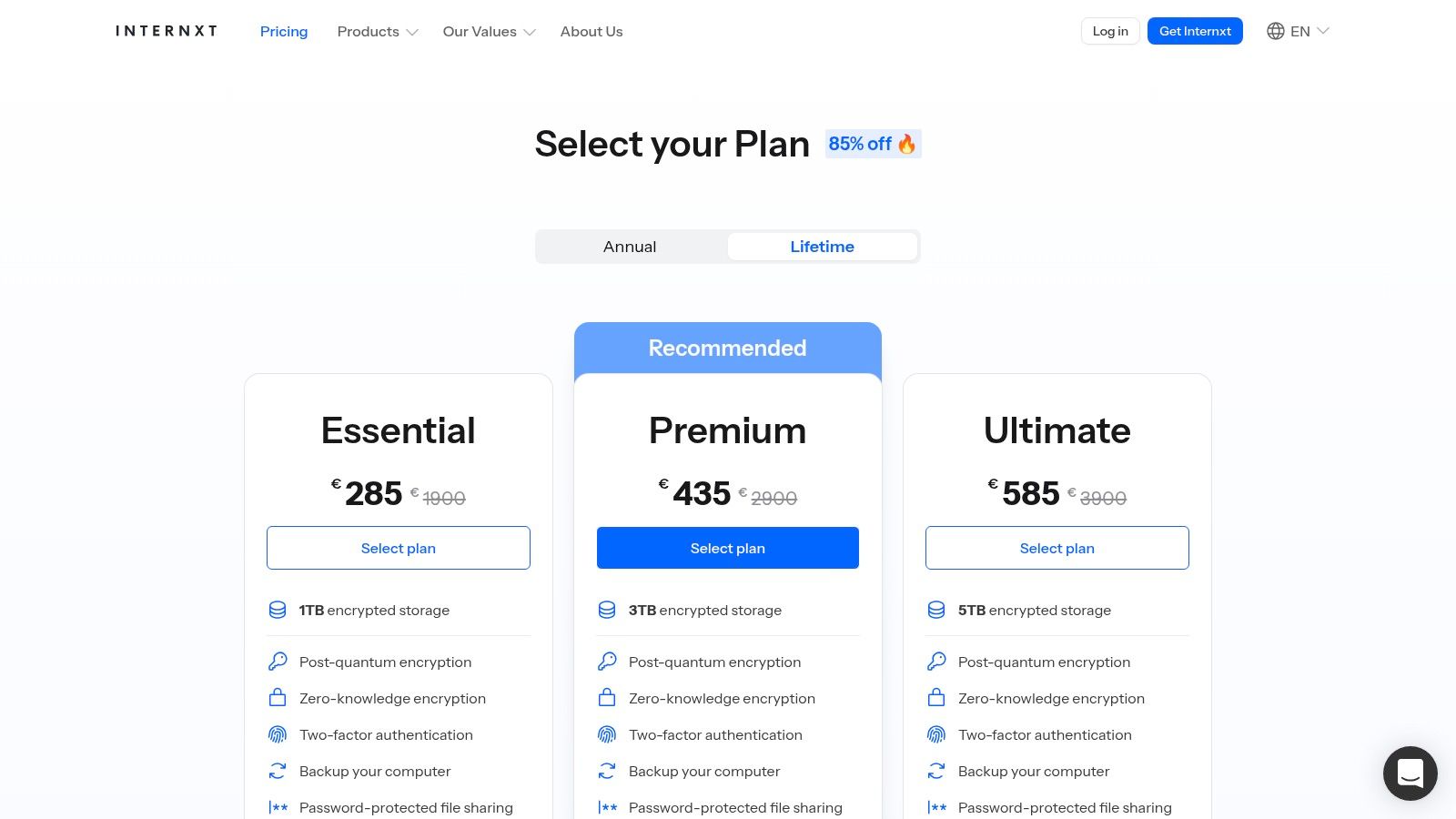
- Free: 10 GB.
- Monthly: 20 GB for €0.99/month, 200 GB for €4.49/month, 2 TB for €9.99/month.
- Annual: Offers a discount on monthly rates.
- Lifetime: One-time payments for up to 10 TB of storage (pricing varies based on promotions).
The primary value proposition is long-term, predictable cost and uncompromising privacy rather than extensive collaboration tools.
Best For: Privacy advocates, journalists, and anyone wanting to own their data with a one-time payment. It's excellent for secure, long-term archival of sensitive personal or business files.
Hostmora is a better fit when... you need to immediately publish a file as a live webpage with a custom subdomain, providing an instantly shareable link for portfolios, client previews, or public documents.
12. Nextcloud (self-hosted or managed)
Nextcloud is the ultimate open-source alternative of Google Drive for users who demand complete control over their data. As a self-hostable platform, it allows you to create your own private cloud on your own server, ensuring total data sovereignty and privacy.
This approach gives you a full productivity suite that goes beyond simple file storage, encompassing tools for collaboration, communication, and organization. The user experience is clean and web-based, comparable to mainstream services, but with the power to customize and expand it to your exact needs.
Key Features & Use Cases
- Complete Data Sovereignty: Since you host it yourself, you control where your files are stored, who can access them, and how they are secured. This is critical for meeting strict data residency and compliance regulations like GDPR or HIPAA.
- Extensive App Ecosystem: Go beyond file sync with integrated apps for calendars, contacts, chat (Nextcloud Talk), and real-time document editing through integrations with ONLYOFFICE or Collabora Online.
- Advanced Security & Authentication: On enterprise editions, features like Single Sign-On (SSO), LDAP integration, robust auditing logs, and file retention policies make it suitable for corporate environments.
- Managed Hosting Options: For those who want the benefits of Nextcloud without the server administration overhead, numerous third-party providers offer managed Nextcloud instances.
Pricing & Value
- Self-Hosted Community Edition: Free (you pay for your own server hardware and maintenance).
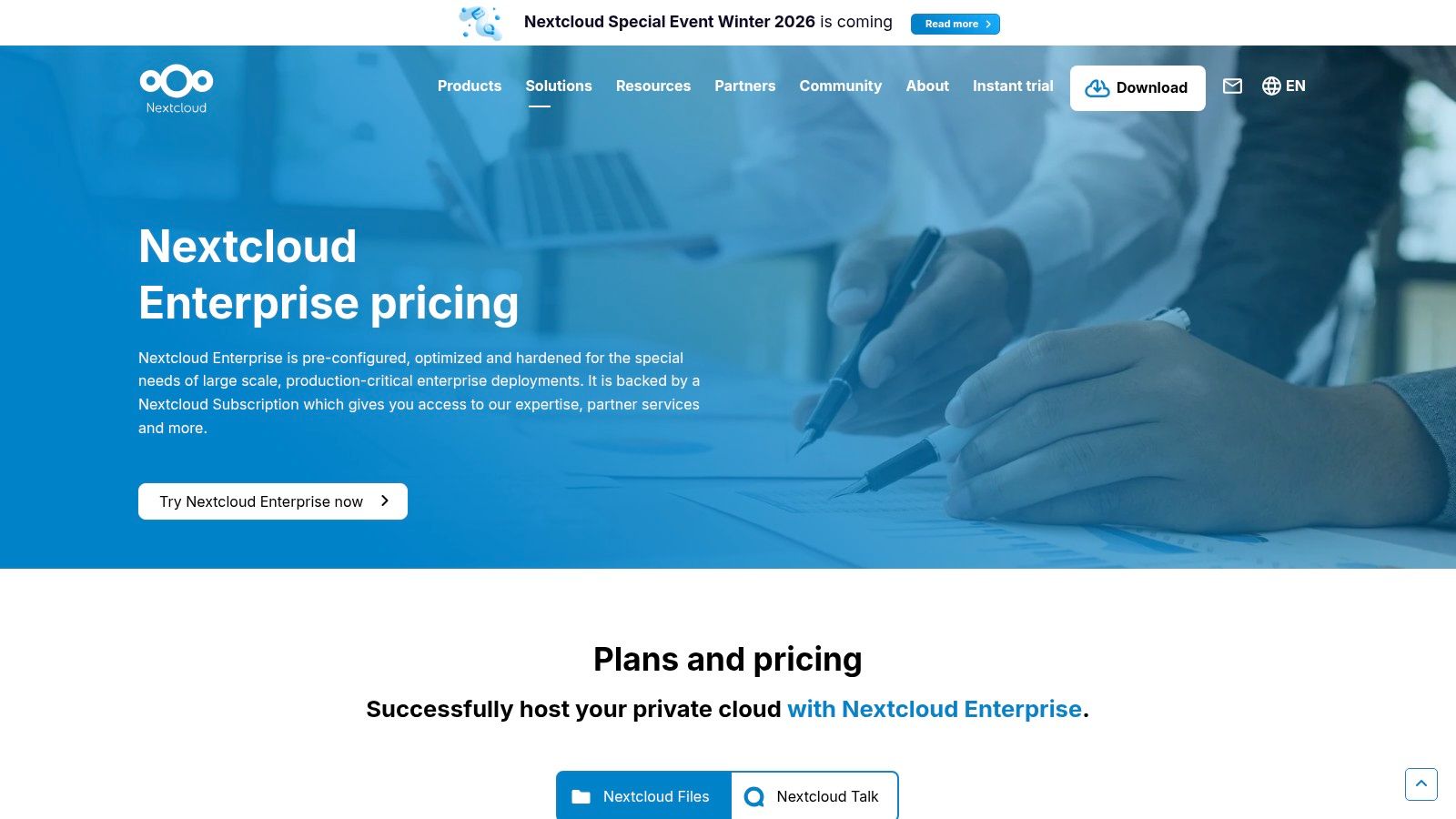
- Nextcloud Enterprise: Subscription-based, starting from €36/user/year, providing access to enterprise-grade features and professional support.
- Managed Nextcloud: Varies by provider, often starting around $5-$10/month for personal plans.
The value lies in its unparalleled flexibility and control. It’s an investment in a secure, private, and scalable platform that you truly own.
Best For: Tech-savvy individuals, privacy-conscious users, and organizations with strict compliance or data-residency requirements who need a customizable, all-in-one productivity platform.
Hostmora is a better fit when... you need the simplicity of drag-and-drop file sharing combined with the power of instant web publishing, without configuring or managing your own server infrastructure.
12 Google Drive Alternatives — Quick Feature Comparison
| Service | Core features | Quality (★) | Price/value (💰) | Target (👥) | Unique selling points (✨/🏆) |
|---|---|---|---|---|---|
| Microsoft OneDrive | Windows & Office integration; Personal Vault; ransomware detection | ★★★★☆ | 💰 Free 5GB; best value with Microsoft 365 bundle | 👥 Office users & families | ✨ Deep OS + Office tie‑ins 🏆 |
| Dropbox | Reliable cross‑platform sync; Smart Sync; e‑sign & PDF tools | ★★★★☆ | 💰 Small free tier; paid plans from ~2TB | 👥 Freelancers & small teams | ✨ Mature integrations & workflow tools |
| Box | Enterprise CMS; compliance controls; unlimited storage on business plans | ★★★★☆ | 💰 Free 10GB; business pricing for enterprise needs | 👥 Agencies & regulated orgs | ✨ Strong compliance & admin controls 🏆 |
| Apple iCloud Drive (iCloud+) | Photo/file backup; Private Relay; Family Sharing; large tiers | ★★★★☆ | 💰 Free 5GB; paid up to 12TB | 👥 Apple device users & families | ✨ Apple privacy features & ecosystem |
| pCloud | Lifetime plans; virtual drive; media playback & RAW previews | ★★★★☆ | 💰 One‑time lifetime option; competitive recurring plans | 👥 Long‑term archives & media owners | ✨ Lifetime plans & virtual disk 🏆 |
| Sync.com | Default zero‑knowledge E2E; expiring/password links; admin console | ★★★★☆ | 💰 Competitive pricing for encrypted storage | 👥 Privacy‑focused users & teams | ✨ Default E2E encryption 🏆 |
| MEGA | Zero‑knowledge encryption; generous free quota; S4 object storage | ★★★★☆ | 💰 Generous free (~20GB); paid high‑capacity (EUR) | 👥 Users needing large free quotas & privacy | ✨ Large free quota & S4 storage |
| Proton Drive | E2E encrypted storage; Proton Docs; bundled privacy services | ★★★★☆ | 💰 Paid tiers include bundled Mail/VPN/Pass | 👥 Privacy‑centric creators & teams | ✨ Encrypted Docs + Proton ecosystem 🏆 |
| Tresorit | End‑to‑end encryption; data rooms; compliance & audit tools | ★★★★☆ | 💰 Pricier; limited free tier | 👥 Compliance‑sensitive orgs (legal/health/finance) | ✨ Secure data rooms & granular controls 🏆 |
| Zoho WorkDrive | Team folders; built‑in Writer/Sheet/Show; approvals & DLP | ★★★★☆ | 💰 Good price‑to‑feature ratio (team minimums) | 👥 Small businesses & agencies | ✨ Integrated office editors & workflows |
| Internxt | Open‑source E2E; lifetime plans; WebDAV/Rclone support | ★★★★☆ | 💰 Lifetime & annual options; predictable cost | 👥 Privacy seekers wanting one‑time payment | ✨ Open‑source + lifetime plans |
| Nextcloud (self‑hosted/managed) | Self‑hosted control; apps (files, chat, calendar, office) | ★★★★☆ | 💰 Free self‑hosted; paid managed/enterprise plans | 👥 Orgs needing data sovereignty & custom branding | ✨ Full control & extensibility 🏆 |
Beyond Storage: Choosing a Hub for Your Digital Life
Navigating the landscape of cloud storage in 2024 reveals a crucial truth: the debate is no longer just about finding a direct, feature-for-feature replacement for Google Drive. Instead, it's about making a strategic choice for a central hub that powers your specific workflow, respects your privacy, and scales with your ambitions. The "one-size-fits-all" model of cloud storage is fading, replaced by a diverse ecosystem of specialized tools. Your ideal alternative of google drive isn't just a different folder in the cloud; it's a platform intentionally selected to remove friction from your most important tasks.
Throughout this guide, we've explored a wide spectrum of options, from the enterprise-grade security of Box to the uncompromising, zero-knowledge privacy offered by providers like Sync.com and Proton Drive. We've seen how Microsoft OneDrive seamlessly integrates into the Windows and Office 365 ecosystem, making it a powerful, almost default choice for millions. We've also examined cost-effective powerhouses like pCloud and MEGA, which offer incredible value for individuals and small teams who need massive storage capacity without the enterprise price tag. The key takeaway is that the "best" service is entirely dependent on your primary use case.
Distilling Your Decision: Key Takeaways
To move from analysis to action, it's vital to crystallize what matters most to you. Reflect on the options presented and consider these core decision-making pillars:
- Privacy vs. Convenience: Are you comfortable with a major tech provider having access to your file metadata for product improvement, or is end-to-end, zero-knowledge encryption non-negotiable? This is the fundamental trade-off between platforms like Dropbox (convenience-focused) and Tresorit (privacy-first). Your answer will immediately narrow your choices by half.
- Storage vs. Publishing: Is your primary need a secure digital vault for backups and internal collaboration, or is it a system to quickly publish files for public consumption? Traditional cloud storage is built for the former. If your goal is to turn a PDF into a client-gated proposal, a design file into a live portfolio, or a document into a public resource page, a specialized publishing platform will serve you far better than a share link.
- Ecosystem Integration vs. Standalone Power: How deeply are you embedded in an existing software suite? For dedicated Apple users, iCloud Drive offers a level of system-level integration that third-party apps can't match. Similarly, Zoho WorkDrive is an undeniable powerhouse for businesses already using the Zoho suite. If you prefer a more agnostic setup, standalone services offer greater flexibility.
- Control and Ownership: For the technically inclined, the allure of a self-hosted solution like Nextcloud is powerful. It offers complete data sovereignty and infinite customization but comes with the responsibility of maintenance, security, and updates. This path provides the ultimate control but requires a commitment of time and expertise.
Your Actionable Next Steps
Feeling overwhelmed by the options is a natural response. The goal isn't to find a perfect, flawless service, but to find the one that aligns best with your 80% use case. Here’s a simple, practical plan to finalize your choice and make the switch.
- Identify Your Top Two Contenders: Based on the categories in this article (privacy, collaboration, cost, etc.), select the two services that resonate most with your needs.
- Start a Free Trial: Nearly every service listed offers a free tier or a trial period. Sign up for both of your top choices. Don't just look at the interface; actively use them for a real-world task.
- Perform a Mini-Migration: Move a single project folder-one with various file types like documents, images, and spreadsheets-into each trial account. This small test will reveal more about the user experience, sync speed, and organizational quirks than any review ever could.
- Test the Core Feature: If collaboration is your priority, invite a colleague to edit a document. If secure sharing is key, test the password-protection and link expiry features. If you're considering a publishing tool, see how quickly you can get a file live on its own URL.
Choosing an alternative of google drive is an opportunity to be more intentional about how you manage your digital life. It’s a chance to select a tool that doesn’t just store your files but actively supports your work, protects your privacy, and empowers your creative or business goals. Move beyond the default and invest the time to find a platform that truly works for you. The right digital hub can transform your productivity and give you peace of mind.
Tired of clunky "share links" that look unprofessional? If your goal is to turn files into fast, polished, and secure web pages for clients, portfolios, or public resources, then Hostmora is the specialized tool you need. Move beyond simple storage and start publishing your work with intent. Try Hostmora today.