

Three.js has transformed the web from a 2D canvas into a limitless 3D playground. But moving from theory to a stunning, interactive experience requires inspiration and practical examples. This guide goes beyond simple demos, breaking down a curated collection of powerful Three.js examples to kickstart your next project. We will explore everything from official documentation and interactive playgrounds to production-ready courses and asset libraries, giving you a comprehensive roadmap for development.
For designers and developers alike, the primary challenge is bridging the gap between a concept and a tangible, interactive WebGL application. This listicle solves that problem by providing a curated tour of resources where you can find inspiration, deconstruct code, and learn best practices. We will analyze official showcases, community-driven platforms, and professional courses, each offering a unique perspective on building with Three.js. This collection is designed to help you quickly find the right starting point, whether you are prototyping a new UI, building a complex data visualization, or launching a full-scale immersive game.
Each entry includes a strategic breakdown, direct links, and actionable takeaways you can implement immediately. You will learn not just what was built, but how it was built and why certain techniques were used. We'll also provide insights into efficiently publishing your finished creations, so you can move from a local prototype to a live, shareable URL quickly. Get ready to see what is possible when creativity meets code.
1. threejs.org/examples
The absolute best place to start your search for three js examples is the source itself: the official examples page on the Three.js website. Maintained by the core library contributors, this massive, filterable gallery is the canonical reference for how to implement virtually any feature the library offers. It’s less of a curated showcase and more of a comprehensive, living documentation of possibilities.
This platform is invaluable because every single example is built using the latest, recommended patterns and coding standards for the library. As Three.js evolves, so do these examples, making them an authoritative source for up-to-date techniques, especially concerning modern JavaScript features like ES6 modules and import maps.

Strategic Analysis & Key Features
The primary strength of this resource is its direct link between a live demo and its source code. For every interactive example you see, there's a corresponding .html file in the project's GitHub repository. This one-to-one mapping allows you to instantly deconstruct how a specific effect was achieved, from loading a glTF model to implementing complex post-processing shader passes.
- Live, Runnable Demos: Instantly test and interact with hundreds of examples directly in your browser.
- Direct Source Code Access: Each demo includes a link to its source file, providing a clear, functional implementation.
- Comprehensive Categories: The examples are neatly organized into categories like
geometry,materials,post-processing,physics, andWebGPU, making it easy to find what you need. - Authoritative Patterns: The code reflects the most current and correct ways to use the Three.js library.
Actionable Takeaway: Use the official examples as your first stop when troubleshooting or learning a new Three.js feature. If you want to implement orbit controls or a specific loader, find the corresponding example, view its source, and adapt the essential code blocks into your own project. This is far more reliable than following potentially outdated third-party tutorials.
Practical Tips for Effective Use
To get the most out of this resource, use the search and filter functionality on the left-hand menu to narrow down the vast list. For instance, if you're interested in environment maps, you can search for "envmap" to see all relevant implementations. Don't just look at the visuals; make it a habit to click the <> icon to view the source code for every example that catches your eye. This practice of connecting visual output to the underlying code is one of the fastest ways to build your Three.js expertise.
Website Link: https://threejs.org/examples/
2. threejs.dev
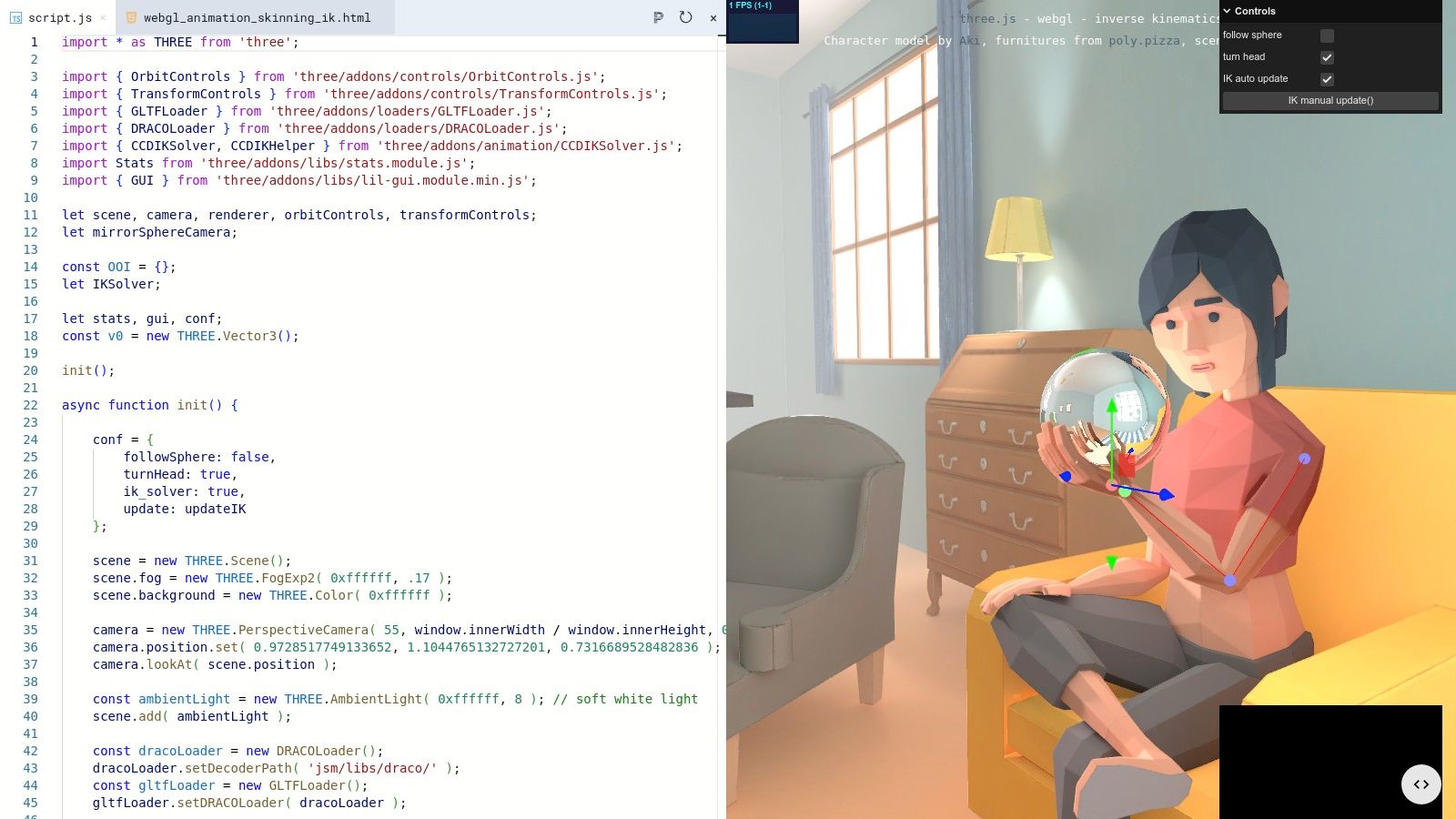
While the official examples are the authoritative source, what if you want to experiment with them without cloning the entire repository and setting up a local server? Enter threejs.dev, a brilliant community-driven tool designed for rapid prototyping and learning. It acts as a live editor overlay for the official examples, allowing you to tweak code and see the results instantly, directly in your browser.
The genius of this platform is its simplicity: just change .org to .dev in the URL of any official Three.js example. This single change transports you from a static demo to a fully interactive coding environment. This seamless transition removes all friction associated with local development, making it one of the most effective ways to deconstruct and learn from the official three js examples by actively experimenting with their code.
Strategic Analysis & Key Features
The core value of threejs.dev is its ability to turn passive viewing into active learning. It empowers developers and artists to "poke and see" what happens when they change a parameter, swap a material, or adjust animation logic. This immediate feedback loop is critical for building an intuitive understanding of the Three.js API and seeing the direct visual consequences of code modifications.
- One-Click Editing: Instantly opens any official example in an editable format by simply changing the domain in the URL.
- Live Preview Editor: Features an inline Monaco-style code editor (the same one used in VS Code) alongside a real-time preview of the 3D scene.
- Zero Installation: Entirely browser-based, requiring no local server, package managers, or complex setup.
- Rapid Prototyping: Ideal for quickly testing small code changes, debugging snippets, or experimenting with new features.
Actionable Takeaway: Use
threejs.devto prototype small features before implementing them in your main project. If you're unsure how a specific material property or post-processing effect works, open a relevant example on.dev, modify its parameters in real-time, and observe the results. This is the fastest way to validate an idea without disrupting your local development workflow.
Practical Tips for Effective Use
To maximize this tool's potential, use it as a scratchpad. When you find an interesting official example, immediately switch to the .dev version and start experimenting. Change color values, adjust camera positions, and try swapping out different geometries. Once you have created a variation you are happy with, you can copy the modified code and integrate it into your project. When you're ready to publish your creation, you'll need a place to host it; explore some options for fast and free static site hosting to get your work online quickly. Keep in mind that while it's a powerful tool for tinkering, it's not a full-fledged IDE for building complete applications from scratch.
Website Link: https://threejs.dev/
3. GitHub – mrdoob/three.js
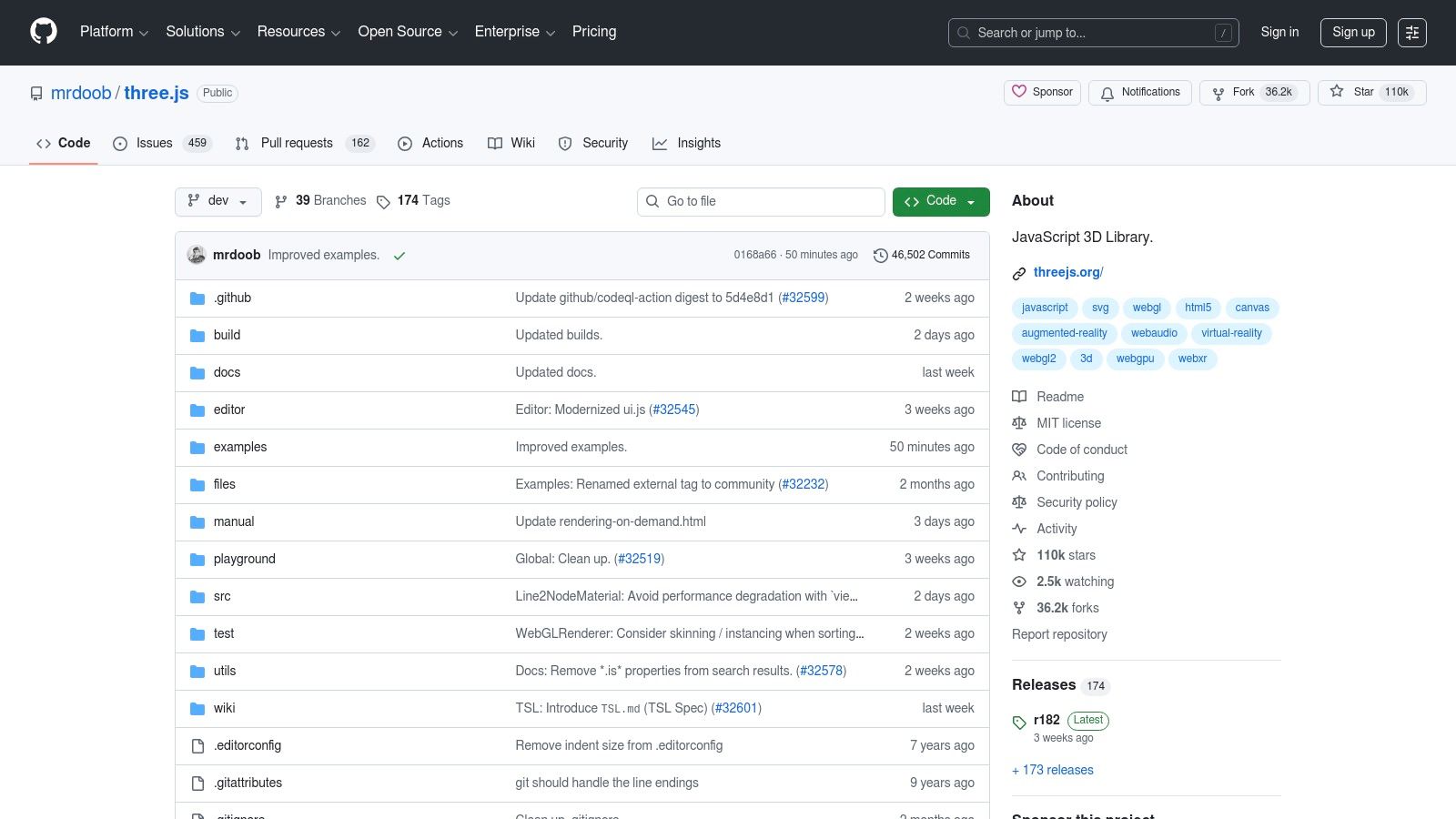
While the official examples page provides the interactive frontend, the official Three.js GitHub repository is the backend powerhouse where the source code for every demo lives. This repository is the ultimate ground truth for three js examples, offering direct, unfiltered access to the canonical code that powers the entire ecosystem. It's the definitive place to understand not just what an effect looks like, but precisely how it's built, version by version.
For any serious developer, this repository is more than just a code dump; it's a living library of solutions and architectural patterns. It contains the core library, all the essential add-ons in the /examples/jsm/ directory (like GLTFLoader and OrbitControls), and the raw .html files for every visual demo. Understanding how to navigate this repository is a fundamental skill for moving beyond copying snippets to truly mastering Three.js.
Strategic Analysis & Key Features
The repository's core strength lies in its transparency and completeness. Unlike curated tutorials, this is the raw material from the library's creators. You can trace the history of a file to understand why a change was made, read through active issue discussions to see how problems are solved, and grab the latest, most performant version of a utility like the GLTFLoader. It provides the foundational building blocks that almost every complex Three.js project depends on.
- Canonical Example Code: The
/examplesfolder contains the exact source files for the live demos, ensuring what you see is what you get. - Essential JSM Add-ons: The
/examples/jsm/directory is a goldmine of modules for controls, loaders, post-processing effects, and more, all ready to be imported into modern projects. - Version History & Changelogs: You can track every update to the library and its examples, which is crucial for maintaining and upgrading long-term projects.
- MIT License: The permissive license allows you to freely use, modify, and distribute the code, even for commercial applications.
Actionable Takeaway: When you find an example on the official site, immediately open its corresponding source file on GitHub. Don't just copy the code; read it to understand the dependencies it imports from the
/jsm/folder. This practice helps you build a clean, modular project structure instead of relying on monolithic script includes.
Practical Tips for Effective Use
To maximize this resource, use GitHub's file finder feature (press t on the repository page) to quickly locate specific files like OrbitControls.js or webgl_postprocessing_unreal_bloom.html. When building a project, consider cloning the repository locally to have the entire collection of examples and utilities available for reference. This is also the best way to ensure your local dependencies match the version of the library you are using, which can prevent version mismatch errors that often cause issues with tools like npm. In some cases, these issues may require you to learn how to clear your npm cache to resolve dependency conflicts effectively.
Website Link: https://github.com/mrdoob/three.js
4. Three.js Journey (Bruno Simon)
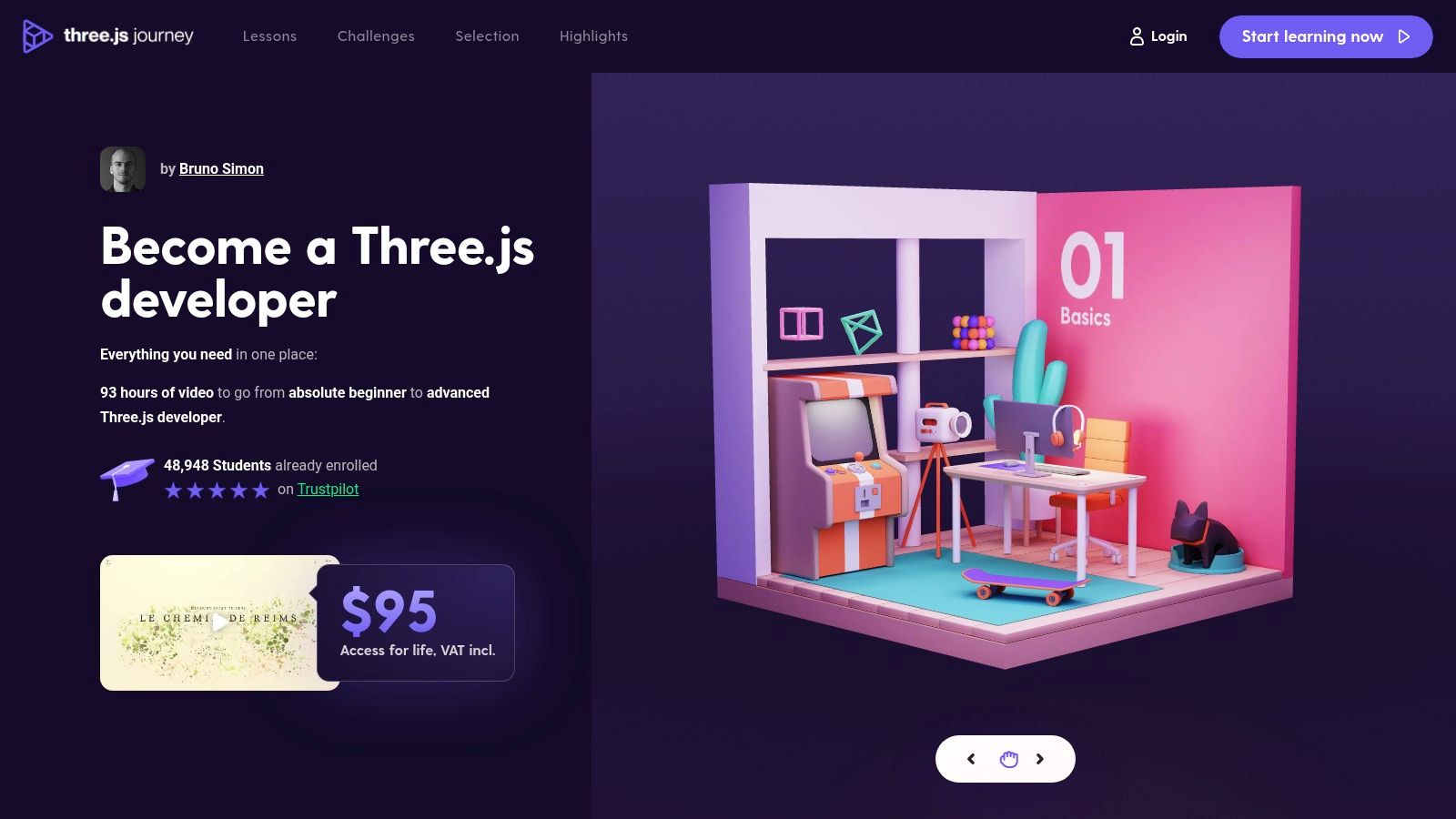
While not a gallery of isolated examples, Bruno Simon's Three.js Journey is an immersive educational platform that teaches you how to build professional-grade three js examples from the ground up. This premium course is structured around creating stunning, portfolio-worthy projects, making it one of the most effective resources for moving beyond basic demos to crafting complete, interactive 3D web experiences. It's a guided tour through the entire production pipeline.
The course's value lies in its focus on production-ready techniques. Bruno doesn't just show you how a feature works; he explains the "why" behind each decision, covering crucial topics like performance optimization, structuring large projects, and creating custom shaders with GLSL. This approach transforms learners from passive observers into capable developers who understand the craft behind high-quality 3D websites.
Strategic Analysis & Key Features
The core strength of Three.js Journey is its project-driven learning path. Each lesson culminates in a tangible, impressive result, which keeps motivation high and provides you with real-world code to reference. Unlike sifting through disconnected examples, the course builds a cohesive skillset, ensuring you understand how different components of the Three.js ecosystem work together in a real project.
- Project-Driven Curriculum: Build complete projects from scratch, including portfolio pieces, games, and creative experiments.
- Production-Focused Techniques: Learn performance optimization, baking, post-processing, and shader development practices used by top creative agencies.
- Lifetime Access & Updates: A one-time payment grants lifetime access to all 66+ lessons (over 90 hours) and future updates.
- Active Community: Gain access to a dedicated Discord server with thousands of students and alumni, perfect for getting feedback and solving problems.
Actionable Takeaway: Enroll in the course not just to learn Three.js, but to build a professional portfolio. Complete a few key projects from the curriculum and then use the skills learned to create a unique piece of your own. This final project can serve as the centerpiece for your own creative portfolio, which you can build quickly after reviewing some tips for creating a free portfolio website for beginners.
Practical Tips for Effective Use
To maximize your investment, don't just follow along with the videos. After completing a lesson, challenge yourself to modify the final project in a unique way. Change the models, experiment with the colors and materials, or add a new interactive feature. This active application of learned concepts is crucial for retention. Participate actively in the Discord community by asking questions, sharing your work, and helping others. This engagement will accelerate your learning and connect you with other developers in the field.
Website Link: https://threejs-journey.com/
5. Udemy
While not a direct gallery of finished projects, Udemy is a massive educational marketplace where you can find structured, project-based courses that provide some of the most in-depth three js examples available. Instead of just showing you a final result, these courses walk you through the entire creation process, from setting up the initial scene to deploying a complex, interactive application. It's a goldmine for learners who want to understand the "why" and "how" behind the code.
This platform's value lies in its guided learning approach. Instructors package their knowledge into comprehensive curricula, often centered around building one or more portfolio-worthy projects. This makes it an ideal resource for moving beyond isolated code snippets to understanding architectural patterns for real-world Three.js development, including modern workflows with tools like TypeScript, Vite, and React Three Fiber.

Strategic Analysis & Key Features
Udemy’s core strength is turning abstract concepts into concrete, buildable projects. A course might dedicate hours to recreating a popular interactive website or developing a 3D browser game from scratch. This project-centric model ensures you are not just passively consuming information but are actively writing code, debugging issues, and understanding the complete development lifecycle. The quality can vary, but top-rated courses are frequently updated to keep pace with the Three.js library's evolution.
- Project-Based Learning: Courses are built around creating complete applications, providing practical, end-to-end examples.
- Lifetime Access & Self-Paced: Purchase a course once and learn at your own speed, with the ability to revisit lessons anytime.
- Source Code Repositories: Most high-quality instructors provide full access to the project's source code and assets for every lesson.
- Diverse Topics: Find courses covering everything from absolute fundamentals and shader programming to game development and professional website builds.
Actionable Takeaway: Use Udemy to fill specific knowledge gaps with project-based learning. Instead of searching for a tutorial on a single feature, find a highly-rated course that builds a project using that feature. This contextual learning is far more effective for long-term retention and helps you understand how different parts of the Three.js ecosystem fit together in a real application.
Practical Tips for Effective Use
To get the most value from Udemy, always filter your search for Three.js courses by "Highest Rated" and check the "Last updated" date on the course page. An out-of-date course can teach deprecated patterns, so recency is crucial. Read the reviews and preview the curriculum before purchasing to ensure the instructor's style and the project's scope align with your learning goals. Take advantage of frequent sales events, where even premium courses become highly affordable, making it a cost-effective way to build a personal library of advanced Three.js projects.
Website Link: https://www.udemy.com/
6. Sketchfab
While not a gallery of code-based three js examples, Sketchfab is an indispensable resource for creating them. It's a massive platform for publishing, sharing, and discovering 3D content, but its strategic value for developers is its role as an asset pipeline. It provides a virtually limitless library of 3D models ready to be loaded directly into your Three.js projects, dramatically accelerating development from prototype to production.
Instead of spending hours or days modeling a character, vehicle, or environment, you can find a suitable asset on Sketchfab, download it in the web-friendly glTF format, and load it with Three.js's GLTFLoader. This allows you to focus on the interaction, animation, and logic of your application rather than getting bogged down in asset creation, making it a critical tool for rapid prototyping and building visually rich scenes.

Strategic Analysis & Key Features
Sketchfab's primary strength is its seamless integration with modern web development workflows, particularly through its emphasis on the glTF format. This focus removes much of the friction traditionally associated with getting 3D assets from a modeling program into a live web application. The platform acts as both a marketplace and a utility, offering everything from free, community-provided models to professional, commercial-grade assets.
- Vast Asset Library: Access millions of 3D models, with a substantial collection available for free under Creative Commons licenses.
- glTF Standard: Many models can be downloaded directly as
.glbor.gltffiles, the standard format for efficient delivery and rendering in Three.js. - Embeddable Viewer: The built-in viewer can be embedded on any website, which is perfect for client previews or portfolio showcases without writing any code.
- Viewer API: For advanced use cases, the Viewer API allows you to programmatically control the embedded viewer, creating interactive configurators or guided tours.
Actionable Takeaway: Use Sketchfab as your go-to asset source for any new Three.js project. Before starting to model, search for free, downloadable glTF assets with a compatible license (like CC Attribution). This can save you hundreds of hours, allowing you to build a complex, visually compelling demo in a fraction of the time.
Practical Tips for Effective Use
To maximize your efficiency, use Sketchfab's powerful search filters. You can filter specifically for downloadable models and sort by polygon count to find assets that are optimized for real-time web performance. Always check the license terms for each model before using it, as they can vary significantly. When you find a model, inspect it thoroughly in the 3D viewer, paying close attention to its topology, textures, and animation rigs to ensure it meets your project's technical requirements.
Website Link: https://sketchfab.com/
7. TurboSquid (by Shutterstock)
While not a direct source of code, a crucial component of compelling three js examples is high-quality 3D assets. TurboSquid, now part of Shutterstock, is a leading professional marketplace for 3D models. It serves as an essential resource when your project requires polished, production-ready assets that go beyond simple geometric primitives or free community models.
This platform is geared toward commercial and enterprise-level projects where asset quality, legal clarity, and support are paramount. Its vast library includes everything from detailed architectural visualizations and realistic characters to complex industrial machinery. The availability of models in web-friendly formats like glTF and GLB makes it a direct pipeline for sourcing assets for sophisticated Three.js scenes.
Strategic Analysis & Key Features
The primary strength of TurboSquid lies in its robust licensing framework and enterprise-grade asset selection. Unlike community sites, TurboSquid provides clear, tiered licensing (Standard, Small Business, Enterprise) that includes indemnification, offering legal protection for commercial deployments. This is a critical factor for agencies and businesses building client projects or public-facing applications where intellectual property rights are a concern.
The platform’s search and filtering tools are specifically designed for professional workflows. You can filter directly by file format (glTF), polygon count, and whether a model is rigged for animation, saving significant development time that would otherwise be spent on asset conversion and optimization.
- Enterprise-Friendly Licensing: Clear license tiers with indemnification provide legal peace of mind for commercial use.
- Deep Commercial Catalog: An extensive selection of high-fidelity models suitable for polished, professional scenes.
- glTF Format Filter: Easily find web-ready models that can be loaded directly into a Three.js scene with minimal effort.
- Quality Assurance: Models often come with detailed specifications and support from the creators, ensuring a higher standard of quality.
Actionable Takeaway: When building a commercial Three.js application or a high-stakes client prototype, source your key 3D models from a professional marketplace like TurboSquid. Use the "glTF" format filter to find assets that can be dropped directly into your project with the
GLTFLoader. This approach minimizes technical debt from asset conversion and mitigates legal risks associated with unclear licensing.
Practical Tips for Effective Use
To maximize your efficiency on TurboSquid, always start your search by applying the "glTF" or "GLB" file format filter. Before purchasing, carefully inspect the model's specifications, including polygon count, texture resolutions, and included animations, to ensure it meets your performance budget. Many assets are not natively created in glTF, so double-check that the listing explicitly includes a web-ready version. For important projects, consider investing in models that are part of the "StemCell" program, which guarantees a clean, standardized geometry and UV layout for easier modification and use across different platforms.
Website Link: https://www.turbosquid.com/
Three.js Examples — 7-Source Comparison
| Resource | Implementation complexity 🔄 | Setup & resources ⚡ | Expected outcomes 📊 | Ideal use cases 💡 | Key advantages ⭐ |
|---|---|---|---|---|---|
| threejs.org/examples | Low 🔄 | Minimal — browser, modern WebGL/WebGPU | Stable canonical demos; great reference ⭐⭐⭐⭐ | Learn official patterns; copy runnable examples | Authoritative, up‑to‑date, free |
| threejs.dev | Low 🔄 | Minimal — browser editor, no install ⚡ | Instant edits and live feedback ⭐⭐⭐ | Tinkering, quick prototyping, debugging examples | Zero setup, live Monaco editor |
| GitHub – mrdoob/three.js | Medium–High 🔄🔄🔄🔄 | Dev environment (git, Node/npm) for builds | Full source access, version history, production code ⭐⭐⭐⭐ | Inspect source, clone library, track issues | Canonical repo, MIT license |
| Three.js Journey (Bruno Simon) | Medium 🔄🔄🔄 | Paid course + time commitment (~90h) ⚡ | Production‑ready skills; portfolio projects ⭐⭐⭐⭐⭐ | Professionals, agencies, deep structured learning | Curated curriculum, active community |
| Udemy | Variable 🔄🔄 | Paid per course (often discounted) | Skill level depends on course; targeted learning ⭐⭐–⭐⭐⭐⭐ | Topic‑specific learning, budget options | Wide selection, self‑paced access |
| Sketchfab | Low 🔄 | Browser downloads; check licenses ⚡ | Fast asset integration for demos; many free models ⭐⭐⭐ | Sourcing glTF assets for prototypes | Large library, glTF support, embeddable viewer |
| TurboSquid (Shutterstock) | Low 🔄 | Paid assets; verify format & license | High‑quality, commercially licensed assets ⭐⭐⭐⭐ | Commercial projects needing clear licensing | Enterprise licensing, professional catalog |
Bringing Your 3D Vision to the Web
We've journeyed through a comprehensive landscape of resources, from the foundational official documentation and GitHub repositories to inspirational showcases and professional asset marketplaces. The path from a novice developer to a seasoned 3D web creator is paved with the very three js examples we explored. Each one is more than just a demonstration; it is a blueprint for innovation, a collection of techniques, and a testament to the library's immense power.
The key takeaway is that learning and building with Three.js is not a solitary endeavor. It's an ecosystem rich with tools and communities designed to support your growth. The official examples provide the canonical "how-to" for specific features, while platforms like Bruno Simon's Three.js Journey offer a structured, expert-led curriculum. Meanwhile, asset libraries like Sketchfab and TurboSquid bridge the gap between code and artistry, allowing developers to integrate stunning, pre-made models without needing deep 3D modeling expertise.
Synthesizing Inspiration into Action
The true value of these resources emerges when you begin to synthesize their lessons. An effect you admired in a shader example from the official docs can be combined with a physics-based particle system you dissected from a community project. A user interface technique from one tutorial can be applied to an interactive data visualization you’re building for a client.
This modular approach is central to mastering Three.js. Think of each example not as a final product, but as a repository of reusable strategies:
- Deconstruct: Break down complex scenes into their core components. Identify the camera setup, lighting choices, geometry, and materials.
- Isolate: Focus on a single technique within an example. How did the creator achieve that specific reflection, particle effect, or camera movement?
- Replicate: Rebuild that isolated technique in your own minimal project. This solidifies your understanding far more than just reading the code.
- Integrate: Combine your newly mastered techniques into a unique creation. This is where your distinct creative voice begins to emerge.
Key Strategic Insight: The most effective developers don't reinvent the wheel for every project. They build a mental and practical library of solutions gleaned from high-quality three js examples, allowing them to rapidly prototype and execute complex ideas.
The Final, Critical Step: Publishing Your Work
Creating an immersive 3D experience is only half the battle; sharing it with the world is the other. In the past, this final step involved daunting hurdles like server configuration, domain management, and deployment pipelines. This complexity often stalls momentum, leaving brilliant projects stranded on a local machine. For designers, freelancers, and developers who need to move quickly, this friction is a significant bottleneck.
The modern workflow demands simplicity and speed. Your focus should remain on the creative and technical aspects of your Three.js project, not on infrastructure management. The ideal deployment solution should be as intuitive as the library itself, enabling you to go from a completed project folder to a live, shareable URL in mere seconds. This is crucial for gathering client feedback, updating a portfolio, or launching a marketing landing page without delay. A zero-configuration platform removes the final barrier between your vision and your audience, ensuring your work gets seen.
Ready to share your interactive 3D creations instantly? Stop wrestling with complex hosting setups and let Hostmora handle the heavy lifting. Simply drag and drop your project folder to deploy a blazing-fast, globally-available website in seconds, so you can focus on building the next amazing Three.js experience.