
Building a simple HTML site is a surprisingly powerful way to get a webpage online fast, without getting bogged down by complicated builders. It’s a classic approach that gives you total control over every pixel and every line of code, which is perfect for portfolios, slick landing pages, or even quick client proposals.
Why a Simple HTML Site Is Your Secret Weapon
With all the complex content management systems out there, you might think coding a site from scratch is a step backward. It's not. In reality, it’s one of the most efficient ways to launch a professional project in minutes. This method delivers pure speed, tight security, and unmatched flexibility.
Working directly with HTML frees you from the creative box of pre-made templates. Imagine you're a designer who needs a pixel-perfect portfolio or a startup that needs to launch a single-page marketing campaign yesterday. In these cases, a lean, clean HTML page will always outperform a bloated CMS. You get to build your brand exactly how you see it.
The Power of Simplicity and Control
When you create a site with plain HTML, you're tapping into the largest publishing platform ever built. There are nearly two billion websites out there, but get this—only about 17–20% of them are actively maintained. That gap highlights how many projects get abandoned after a campaign ends or a prototype is done. This is where tools like Hostmora come in, making it incredibly simple to make quick edits and republish your site without the fuss. You can read more about current website statistics to see the full picture.
This hands-on approach really pays off with a few major advantages:
- Blazing-Fast Performance: Static HTML files load in a blink. There’s no database to call or server-side code to run, just pure content delivered straight to the browser.
- Rock-Solid Security: Without plugins or a complex backend, there are far fewer doors for hackers to try and open. It's a much smaller target.
- Ultimate Flexibility: You’re never locked into a specific platform's ecosystem. Your code is your own, and you can host it anywhere you want, anytime.
A static HTML site isn’t a step backward; it’s a strategic choice for speed and reliability. It puts you, not the platform, in the driver's seat.
By sticking to the essentials, your HTML site becomes a powerful asset for anyone who needs a professional web presence without the overhead. It’s the ideal foundation for projects that demand speed and custom touches, minus the weight of a massive software stack.
Building Your Core Website Files From Scratch
Alright, let's roll up our sleeves and build the actual foundation of your site. We're going to create the three core files that power just about every website out there, and we'll do it without any complex frameworks. Think of it like framing a house—get this right, and everything else falls into place.
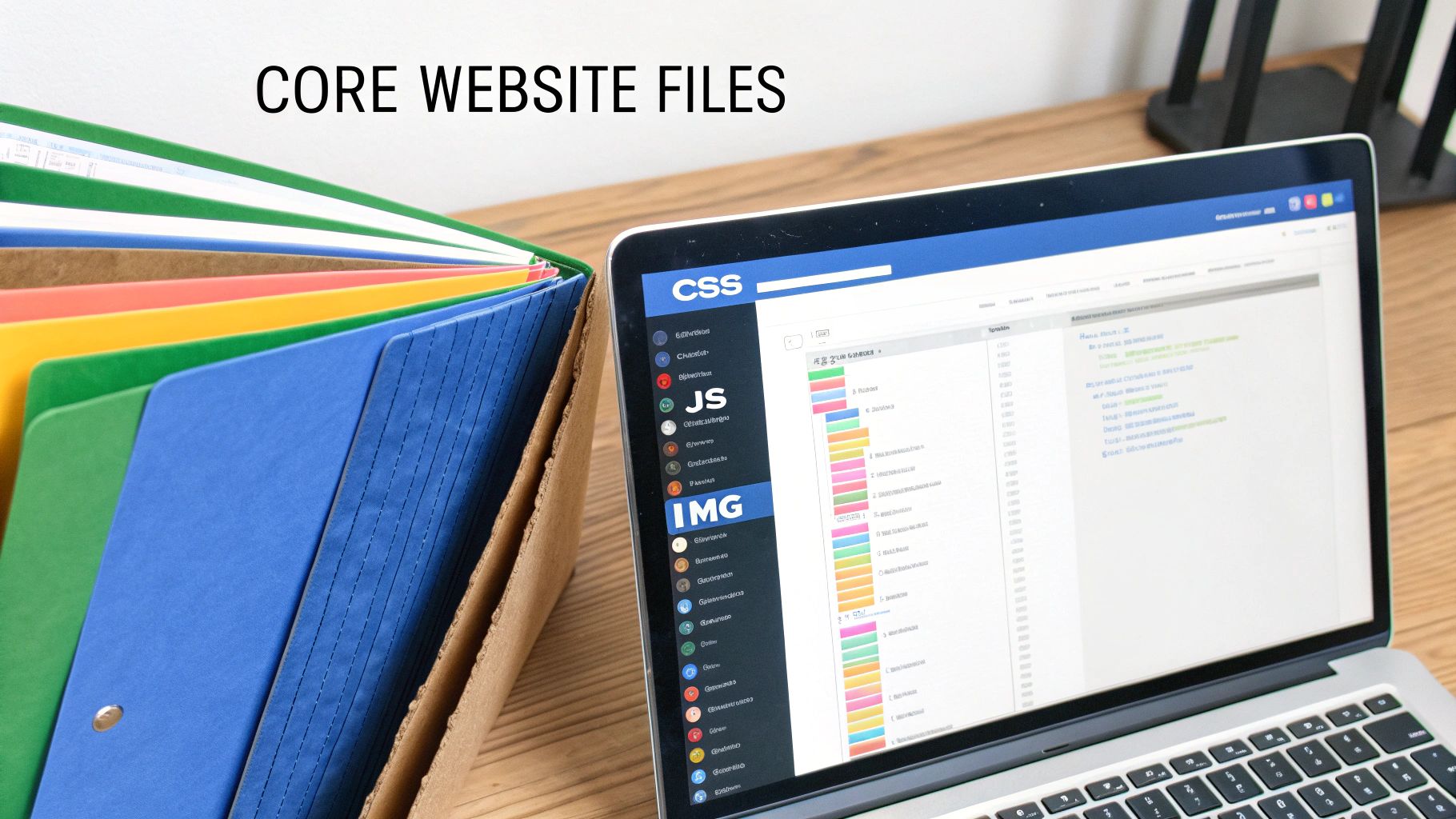
Before you even think about writing a line of code, let’s get organized. On your computer, create a new folder for your project. Inside that main folder, immediately create three subfolders: one named css, one js, and one img. Trust me, this simple habit will save you from a world of headaches and broken file paths down the road.
Laying the Foundation: index.html
Every website needs a front door, and in the web world, that’s your index.html file. When someone types in your domain, web servers are programmed to look for this specific file first. It's the starting point for everything.
In your main project folder (not inside any of the subfolders), create a new file and name it index.html. Open it up in your favorite text editor and paste in this standard boilerplate code:
Welcome to My Website!
This is my first site built from scratch.
<script src="js/script.js"></script>
The <head> section is for all the behind-the-scenes stuff, like your page title and the link to your stylesheet. The <body> is where the magic happens—it holds all the content people will actually see. If you're curious about how browsers piece this all together, playing around with an online HTML viewer can be really insightful.
Adding Some Style with CSS
An HTML-only website is functional, sure, but it's not exactly going to win any design awards. It's like a house without any paint or furniture. To bring your site to life, you need CSS (Cascading Style Sheets).
Remember that /css folder you made? Go inside it and create a new file called style.css. The <link> tag you put in your index.html is already pointing right to this spot. Now, add these simple styling rules to your new style.css file:
body { font-family: sans-serif; line-height: 1.6; background-color: #f4f4f4; color: #333; padding: 20px; }
h1 { color: #0056b3; } Just like that, you've set a clean, modern font for your text, tweaked the spacing, and given your main heading a nice pop of blue.
Making It Interactive with JavaScript
Let’s add a little spark of interactivity with JavaScript. Even the most basic site en html can use it to feel more dynamic.
Head over to your /js folder and create a file named script.js. The <script> tag at the bottom of your index.html is already set up to load it. For now, just add this single line to script.js:
console.log("My site is loaded and ready!");
This code won't change anything visually on the page, but it's a perfect test. If you open your index.html file in a web browser and then open the developer console (usually by right-clicking and selecting "Inspect"), you’ll see this message printed out. It’s your confirmation that everything is wired up correctly.
Pro Tip: Always place your
<script>tag just before the closing</body>tag. This lets the browser load all the visible content first, making your site feel much faster to visitors. It’s a small detail that makes a big difference in user experience.
And there you have it. With these three files and a clean folder structure, you've officially built a professional, launch-ready website project right on your computer.
Alright, let's get that website of yours ready for the world. You’ve built it, polished it, and it looks fantastic on your own computer. But getting it from your local machine to a live server without a hitch? That's a crucial step that trips up a surprising number of people.
Properly packaging your site is what separates a smooth launch from a frustrating afternoon of troubleshooting. It’s all about making sure every file—your HTML, CSS, JavaScript, and images—arrives on the server exactly where it needs to be.
Compressing Your Project Into a ZIP Archive
The go-to method for this is creating a ZIP archive. Think of it as carefully packing all your files into a single box for shipping. This keeps your folder structure intact, which is non-negotiable for your site to work correctly. A broken image or a missing stylesheet is almost always the result of a messy upload.
Here’s how to do it right:
- Open your main project folder—the one holding your
index.htmland your subfolders likecss,js, andimg. - Now, this next part is critical: Select everything inside that folder, not the folder itself.
- Right-click the selected files and choose "Compress" on a Mac or "Send to > Compressed (zipped) folder" on Windows.
This creates a neat .zip file, perfect for a drag-and-drop platform like Hostmora. By zipping the contents directly, you're telling the server to place index.html at the top level when it unpacks everything. That’s exactly where it needs to be.
A Tip from Experience: Get into the habit of naming your ZIP file something descriptive, like
my-portfolio-v1.2.zip. When you're making quick updates, this little detail can save you from the headache of uploading the wrong version.
The Essential Pre-Launch Checklist
Before you zip it up, take five minutes to run through a quick pre-flight check. I can't tell you how many times a simple once-over has saved me from embarrassing live errors. This is your final quality control step.
I’ve put together a small checklist I run through before any site goes live. It covers the most common "oops" moments.
Pre-Launch Checklist for Your HTML Site
| Check | Why It Matters | How to Verify |
|---|---|---|
| Relative Paths | This ensures your images and scripts load on the server, not just your computer. Absolute paths (C:/...) will break instantly. |
Glance through your index.html. All links should look like img/hero.jpg or css/style.css. |
| HTML Validation | Simple typos like an unclosed <div> tag can make your site look completely broken in some browsers. |
Pop your code into a free tool like the W3C Markup Validation Service. It’ll spot errors in seconds. |
| File Names | Most web servers are case-sensitive, meaning Image.PNG and image.png are seen as two different files. Inconsistency here is a recipe for broken images. |
Do a quick scan. Make sure all file names are lowercase and use hyphens instead of spaces (e.g., contact-us.html). |
Once you’ve gone through this checklist and compressed your files, you have a professional, deployment-ready package. Your site en html is no longer just a local project; it’s a polished archive ready for a flawless launch.
Ready to Go Live? It Takes Less Than a Minute.
You've done the hard work—your site is coded, your assets are organized, and you have a neat little ZIP file ready to go. Now for the best part: publishing. Gone are the days of firing up an old-school FTP client and wrestling with server settings. With modern tools, you can get your HTML site live on the web in under 60 seconds.
This is the moment all that careful preparation pays off. You're bridging the gap between a project sitting on your computer and a live, shareable website that anyone can visit. Platforms like Hostmora have turned what used to be a technical headache into a simple drag-and-drop.
Your ZIP File is Your Launchpad
The whole process boils down to one simple action: uploading the .zip archive you just created. That's it. The platform takes over from there, automatically unzipping your files, keeping your folder structure intact, and deploying everything to a global network.
The second your upload finishes, you get an instant, secure URL. No waiting for servers to update or DNS to propagate. Your site is officially live. It really is that fast.
This infographic captures that simple pre-launch workflow perfectly.
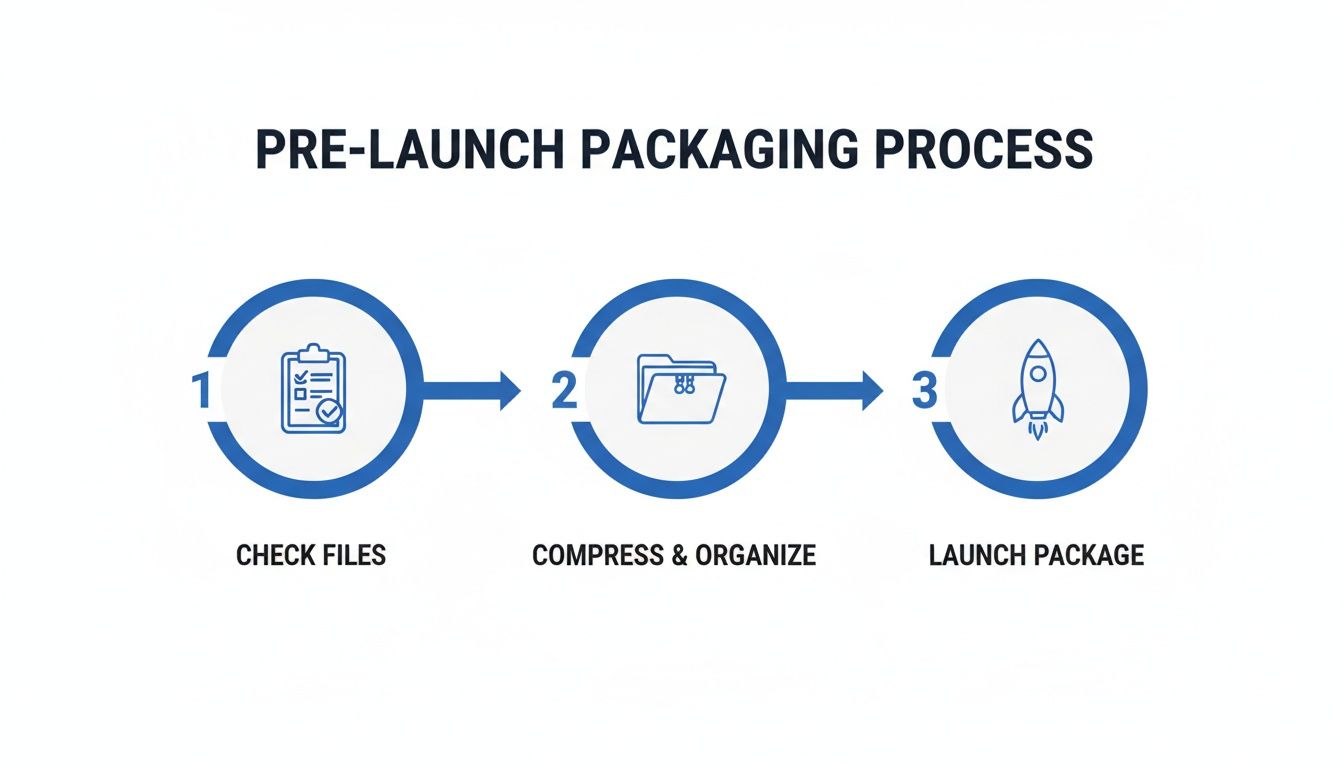
It’s a great reminder that a smooth launch starts with good habits—checking your file paths, keeping things tidy, and creating a clean package. Do that, and you'll get a predictable, successful result every time.
This move toward simpler publishing isn't just a niche trend; it’s a massive shift in how the web is built. The data shows a huge migration away from manually managed hosting. Back in 2013, 68.2% of websites didn't use a recognizable content management system (CMS). By early 2026, that number plummeted to just 28.5%. This nearly 40-point drop in 13 years shows just how much people prefer systems that let them focus on what matters: the actual content and design of their site. You can see the full CMS market share research to get a sense of this industry-wide change.
Hooking Up Your Custom Domain
An instant subdomain is perfect for testing or sharing a quick preview, but for any serious project, you’ll want your own custom domain. This is another area where things have gotten much, much easier. Forget about manually editing confusing DNS records and waiting hours for the changes to kick in.
Now, you just type in your domain name, and the platform gives you simple instructions for a quick update you make with your domain registrar. With Hostmora, the process is even more hands-off.
- Automatic SSL Certificates: Your site is automatically secured with HTTPS. This is non-negotiable for building trust and for SEO, and you never have to worry about buying or renewing a certificate.
- Zero-Configuration DNS: The platform handles the technical connection, which means you don’t have to guess at settings that could take your site down.
This shift is a real game-changer. It lets you stay focused on building great websites instead of forcing you to become a part-time server admin.
Adding the Finishing Touches
Once your site is live on your domain, you can start adding professional features with just a few clicks. These are the small things that can elevate a simple HTML project into a polished, useful tool.
A great example is password protection. Let's say you're building a new design for a client and want their feedback. Instead of sending a public link anyone can stumble upon, you can lock the page with a password. It's a simple way to add a layer of security and professionalism to your client workflow.
Another handy tool is a built-in QR code generator. In one click, you can create a QR code that points straight to your new site—perfect for business cards, event flyers, or restaurant menus. If you're curious about other modern hosting solutions, our guide to Firebase website hosting is a great next read.
By pairing your clean HTML and a smart publishing platform, you can launch a secure, professional, and surprisingly powerful site faster than ever before.
Getting Found: Making Your Site Ready for Search Engines and AI
Getting your website live is a fantastic first step. Now, how do you make sure people—and search engines—can actually find it? Making your site en html discoverable goes way beyond just stuffing it with keywords. It’s about building a solid foundation of speed, clarity, and trust that both Google and the new wave of AI tools can easily understand.
Performance isn't just a technical detail anymore; it’s a core part of the user experience. With 63–66% of all web traffic now coming from mobile devices, a slow site is a dead site. Think about it: research shows 47% of people expect a webpage to load in two seconds or less. Worse, a whopping 88.5% will bounce if it takes any longer.
Since 68% of all online journeys begin with a search engine, your site's speed is directly linked to its visibility. That's why a host like Hostmora can make a real difference, automatically serving your HTML files from over 35 global locations to get your content in front of visitors as fast as possible. You can read more about these crucial web traffic stats and see just how much they shape the modern web.
Getting the On-Page SEO Basics Right
You don’t need to be an SEO wizard to make a big impact. Some of the most powerful optimizations happen right in your HTML code. Start by nailing these three fundamentals:
- Title Tags (
<title>): This is the headline Google shows in its search results. Make it clear, compelling, and unique for every single page. It's your first impression. - Meta Descriptions (
<meta name="description">): This is the short blurb that appears under your title in search results. While it doesn't directly influence your rank, a well-written one is your sales pitch—it convinces someone to click on your link instead of the next one. - Image Alt Text (
<img alt="...">): Every image needs a descriptivealtattribute. This simple text helps search engines "see" your images and is absolutely essential for accessibility, allowing screen readers to describe visuals to users.
Thinking Ahead: Is Your Site Ready for AI?
SEO is no longer just about Google. Tools like ChatGPT and Claude are quickly becoming go-to sources for information, and they need to be able to make sense of your content. To do that, they rely on clean, well-structured code.
This is where semantic HTML becomes your superpower. Instead of wrapping everything in generic <div> tags, use HTML elements that describe the meaning of your content. It’s a game-changer.
- Use
<article>for a blog post or a portfolio project. - Wrap your main menu in a
<nav>. - Place sidebar content in an
<aside>. - Define your page's top and bottom with
<header>and<footer>.
This kind of logical structure gives AI models the context they need to understand the hierarchy and purpose of your information. In turn, it makes your site a more reliable source, increasing the chances it will be cited correctly. It also makes your code infinitely easier for you to manage down the road. And when you do need to make changes, like moving a page, our guide on implementing an HTML URL redirect shows you how to do it without breaking your links.
When you write clean, semantic HTML, you're doing more than just optimizing for today's search engines. You're building a site that's ready to be a trusted source for the next generation of AI-powered discovery tools.
Common Questions About Building an HTML Site
Even when the process is pretty direct, a few questions always pop up when you're building your first site en html. Let's tackle some of the most common ones I hear, so you can keep your project on track without getting stuck.
One of the first things people ask is, "How do I update my site once it's live?" What if you spot a typo or want to swap out an image? With a drag-and-drop host like Hostmora, it's just as easy as the first time you published. You just make the changes to the files on your computer, zip up the entire project folder again, and upload the new ZIP. The platform takes care of the rest, instantly replacing the old files with your new version. Simple as that.
How Do I Add a Contact Form to a Static Site?
This is a classic question. A static HTML site, by itself, can't process information like a form submission because it doesn't have a backend to do the work. But don't worry, you absolutely do not need to learn a server-side language to solve this.
The modern way to handle this is by using a third-party form service. These tools do all the heavy lifting for you. You build a form on their site, and they give you a little piece of code to paste right into your HTML. When a visitor fills it out, the service processes the data and emails it to you.
A few excellent options are:
- Tally: Known for its generous free plan and super intuitive form builder.
- Formspree: A favorite among developers for its simplicity—it works with a standard HTML form tag.
- Netlify Forms: If you ever decide to host with Netlify, their platform can automatically detect and handle any HTML form you create.
It’s a fantastic way to add interactive features without ever touching a server.
The main thing to remember is that "static" doesn't mean "stuck." By plugging in modern services, a simple HTML site can do almost anything, from collecting leads to processing payments.
What Is the Best Editor for Writing HTML?
You could write HTML in a basic program like Notepad, but a proper code editor will make the experience infinitely better. These tools are built from the ground up to make writing code faster and less error-prone.
Hands down, the most recommended code editor right now is Visual Studio Code (VS Code). It’s completely free, maintained by Microsoft, and has a massive community building tools for it.
Here’s what makes it so good for beginners and pros alike:
- Syntax Highlighting: VS Code automatically color-codes your code. HTML tags are one color, attributes are another. This makes your code so much easier to read and helps you spot mistakes at a glance.
- IntelliSense: This is basically smart auto-completion. As you start typing
<im..., it will suggest<img>and even show you the available attributes likesrcandalt. It saves a ton of time and reduces typos. - Extensions: The real power comes from its huge library of free extensions. An absolute must-have is "Live Server," which automatically refreshes your browser every time you save your file. No more manual refreshing!
Switching to a real code editor like VS Code is a small step that makes a huge difference in how efficiently you can build your site en html.
Ready to launch your HTML site in seconds? Hostmora turns your ZIP file into a live, secure website with a simple drag-and-drop. Get started for free and publish your first project today at https://hostmora.com.