
Attaching a PDF to an email feels like a throwback, doesn't it? In an age of instant updates and data-driven decisions, sending a static file is a huge professional handicap. A modern PDF to link converter breathes new life into your documents, turning them into secure, trackable, and easily updatable web links. It’s the answer to file size limits, messy version control, and the complete lack of engagement analytics.
Why Emailing PDFs No Longer Cuts It
We've all been there. You spend hours crafting the perfect proposal, attach the PDF, hit send, and then... crickets. You're left wondering: did the client even get it? Did it bounce because the file was too big? Are they looking at the version you sent yesterday or the outdated one from last week?
Emailing PDFs creates a communication black hole. The second that file leaves your outbox, you lose all control and visibility. This is more than just a minor annoyance; it’s a major strategic disadvantage when your business depends on speed, security, and insight.
The Everyday Headaches of PDF Attachments
The problems go way beyond that infamous "file too large to send" error. When you rely on attachments, you're actively introducing friction and risk into your workflow.
Think about these all-too-common scenarios:
- Version Control Chaos: You email a design mockup to a client. They reply with feedback, and you send back
mockup_v2.pdf. Then another stakeholder chimes in, and suddenly you’re jugglingmockup_v2_final.pdfandmockup_v2_final_FINAL.pdf. Before you know it, no one knows which version is the source of truth. - Zero Security: An attached PDF with sensitive financial data can be forwarded, downloaded, and shared with anyone, forever, without you ever knowing. There's no "unsend" button and no way to revoke access.
- A Complete Lack of Insight: You have absolutely no idea if a potential client even opened your proposal, let alone which pages they spent the most time on. This leaves you guessing about their interest and unable to tailor your follow-up.
The core problem is that a PDF attachment is a dead end. It offers no analytics, no update path, and no access control. A link, however, is a living asset.
Old School Attachments vs Smart PDF Links
To see the difference in black and white, here's a quick comparison showing the practical benefits of switching from email attachments to a dedicated link converter like Hostmora.
| Feature | Emailing PDFs | Using a PDF to Link Converter (Hostmora) |
|---|---|---|
| File Size | Strict limits (10-25 MB), bounces often | No size limits; send massive files instantly |
| Version Control | Nightmare; leads to _v2_final_final.pdf |
Simple; update the source file, the link stays the same |
| Security | None; once sent, it's out of your control | Robust; password protection, link expiration, access control |
| Analytics | Zero; you have no idea who viewed it or when | Detailed; track opens, views, downloads, and engagement |
| Accessibility | Requires download; clunky on mobile | Instant viewing in any browser, fully mobile-responsive |
| Professionalism | Can look amateurish and clog inboxes | Sleek, professional, and easy for recipients to access |
The takeaway is clear: using a link is just a smarter way to work, giving you control and insights that attachments could never provide.
The Strategic Shift to Link-Based Sharing
Using a PDF to link converter is more than just a technical workaround; it’s a fundamental change in how we should be managing and sharing documents. Instead of sending a clunky file, you provide a single, elegant link.
This approach instantly solves the biggest problems. Need to update the document? Just replace the file on the back end—the link stays the same, guaranteeing everyone always sees the latest version. This simple change gets rid of confusion and makes you look far more professional. If you're looking to overhaul your file management, you might also find our guide on powerful alternatives to Google Drive helpful.
The market confirms this shift. The PDF editor software market is expected to rocket from USD 3.97 billion to a massive USD 17.71 billion by 2033. This growth is fueled by the demand for tools that do more than just view files—professionals need to turn static documents into interactive, secure web assets.
How to Convert Your PDF to a Link in Minutes
Alright, let's get down to brass tacks. You have a PDF, and you need it online as a shareable link—fast. Forget complicated server setups or technical jargon. I’m going to show you how to get from a local file to a live URL in just a few minutes, and the best part is, you can get started without pulling out your wallet.
Most platforms make you sign up for a trial or enter credit card details just to see if their service is a good fit. Hostmora skips all that. You can create a free account, no strings attached, which is a huge relief for freelancers, small business owners, or anyone who just needs to get something online quickly.
This lets you test the whole process from start to finish. Once you’re in, you’re ready to go.
The Drag-and-Drop Experience
The real magic here is the simplicity. We’re talking about a genuine drag-and-drop uploader. There are no confusing menus or settings to tweak beforehand. You literally just drag your PDF file from your computer and drop it into the upload box. That’s it.
This intentionally simple design means there’s practically no learning curve. If you can move a file on your desktop, you can use this pdf to link converter.
The moment your file hits that box, the system takes over. You don't have to hit a "publish" or "convert" button; the upload itself kicks off the entire process. This is where the heavy lifting happens automatically in the background.
What Happens When You Upload
While it feels simple on your end, some serious tech is firing up behind the scenes. This isn't just about dumping your file into a cloud folder. It's about turning it into a fast, secure, and globally accessible asset.
Here's a quick rundown of what Hostmora automates for you instantly:
- Instant SSL Encryption: The second your file is uploaded, it’s secured with a free SSL certificate. This gives your link that little padlock icon in the browser, which immediately tells visitors that the connection is safe and trustworthy.
- Smart File Optimization: The platform automatically analyzes your PDF, compressing and optimizing it for the web without sacrificing quality. This is a game-changer for people opening your link on a spotty mobile connection.
- Global CDN Distribution: Your file isn't just parked on a single server in one location. It’s immediately pushed out across a global Content Delivery Network (CDN) with nodes in over 35 locations. This means it loads just as quickly for someone in London as it does for someone in Los Angeles.
Here's the key takeaway: The entire process, from that simple drag-and-drop to having a globally distributed, SSL-secured link, is over in a matter of minutes. You're getting the kind of performance and security that used to require a dedicated IT team.
The final result is a clean, professional, and seriously fast link that’s ready to be shared anywhere.
If you want to see it in action for yourself, the best way is to just try it. You can start your first file upload here and get a feel for just how quick it really is.
Smart Ways to Manage Your New Shareable Link
Getting that shareable link is a great start, but the real magic happens in what you do next. A raw URL is just a tool; how you manage and present it is what turns your PDF into a polished, professional asset. It’s the difference between a simple file and a powerful piece of communication.
Think of it this way: you wouldn't hand a critical business proposal to a client in a plain, unmarked envelope. Your digital delivery deserves that same level of care. Let's dig into a few practical ways to take your links from purely functional to truly exceptional.
Create Clean Branded URLs with a Custom Domain
Want to look instantly more professional? Use a custom domain. A generic link like hostmora.com/xyz123 works, but it doesn't do much for your brand. Now, imagine sending proposals.youragency.com/client-project instead. The psychological impact is huge.
This small tweak builds immediate trust and reinforces your brand identity every single time the link is shared. A design agency, for example, could send all client previews from a branded subdomain, creating a high-end, consistent experience from the very first click. It’s a subtle signal that you’ve invested in your presentation and you mean business.
And don't worry, setting this up isn't as technical as it sounds. Tools like Hostmora are built to connect your domain with just a few clicks, handling the backend stuff so you can focus on the impression you're making.
Secure Sensitive Documents with Password Protection
Not everything you create is meant for public consumption. Whether it's a confidential business plan, a client's financial data, or an internal report, security is non-negotiable. Any solid pdf to link converter should give you an easy way to lock down your documents.
Imagine you're a consultant sending a detailed strategy document to a prospective client. By adding a simple password, you guarantee that only the intended recipient can open it. It's a simple, effective gate.
This isn't just about security; it’s about professionalism. It tells your client you take their confidentiality seriously, which can be a massive factor in building a strong business relationship.
Key Insight: Adding a password isn’t just a security feature; it's a statement about how much you value the information you're sharing. It transforms a public link into a private, controlled-access document room.
Once you have your link, it’s worth thinking about all the ways you can securely and efficiently share PDF files, from access controls to ensuring safe delivery.
Optimize Your Link for Discoverability
Here’s something many people miss: your hosted PDF can actually show up on Google. By treating your document like a mini-webpage, you can give search engines the right signals to find and rank it. This is a game-changer for public-facing content like product catalogs, research papers, or community event flyers.
Modern PDF to link converters, Hostmora included, usually provide a few basic SEO settings you can tweak. You'll want to pay attention to these:
- Page Title: This is what shows up in the browser tab and as the main headline in search results. Make it descriptive and clear. For example, "Maple & Co. Fall 2024 Furniture Catalog."
- Meta Description: This is your sales pitch on the search results page. Write a short, compelling summary of what’s inside to convince people to click your link over someone else's.
For a real-world example, a restaurant could optimize its menu's page title to something like "Spring Menu - The Corner Bistro - Local & Organic." This helps local customers find their latest offerings directly through a quick search. Spending just a few minutes on these fields turns your static file into a discoverable asset that can pull in a new audience all on its own.
Go Beyond the Link: QR Codes, AI, and More
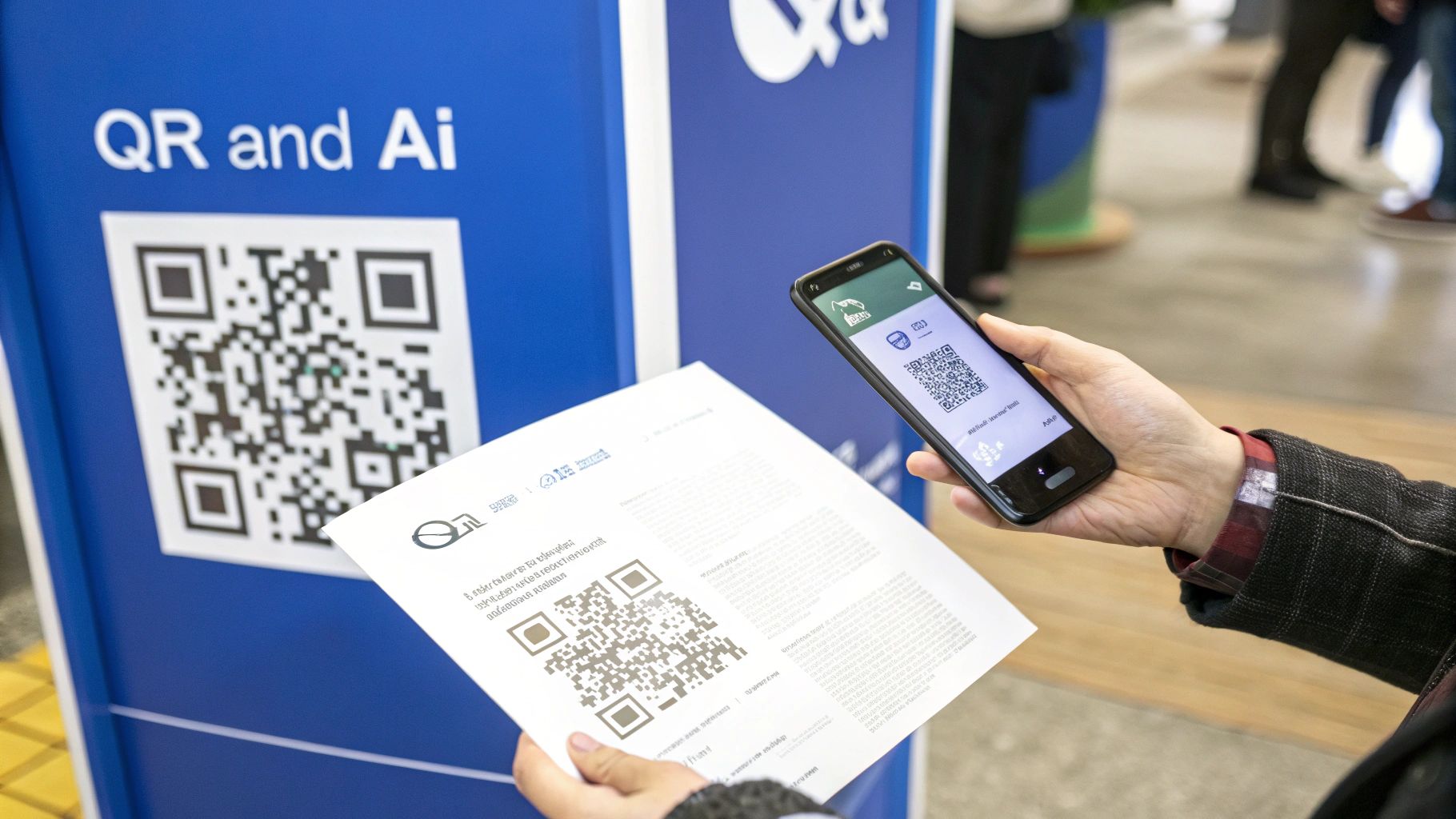
Creating a shareable link is a great first step, but it’s really just the beginning of what’s possible. The right tools can do so much more, bridging the gap between your physical and digital marketing and even preparing your content for the future of AI.
Let's look past simple sharing and dive into the features that can turn your static PDF link into a truly dynamic asset. This is where a simple pdf to link converter becomes a strategic powerhouse in your workflow.
Bridge Print and Digital with Instant QR Codes
Think about this for a second. You’re a restaurant owner who just updated the menu and you need it in every customer's hands, right now. Or maybe you're at a trade show and want attendees to grab your product catalog without you having to haul around stacks of paper.
This is exactly what QR codes were made for.
With a platform like Hostmora, a unique QR code is created for you the moment your PDF is uploaded. You don't need another tool or any extra steps. Just download the code and slap it onto any physical material:
- Restaurant menus or table tents
- Event flyers and conference banners
- Product packaging or business cards
- Real estate signs linking to property brochures
The real magic happens when you need to update something. If you change a price on the menu or add a new product to your catalog, you just replace the PDF file. The QR code stays the same, always pointing to the latest version. This is a massive time-saver. For a deeper dive, check out our guide on how to generate a QR code for your PDF.
Make Your Documents AI-Friendly
Here’s a feature you might not have even considered yet: making your documents readable by AI. With tools like ChatGPT and Gemini becoming a standard part of how we all work and research, you want them to be able to find and understand your content.
Unfortunately, many file-hosting services store your documents in a way that blocks AI crawlers or makes the text a jumbled mess for them. An AI-friendly link from Hostmora, however, structures your PDF so these tools can easily ingest and analyze the information inside.
Key Takeaway: An AI-readable link ensures that your research papers, technical manuals, or company reports can be cited, summarized, and understood by the next wave of AI tools, which dramatically expands their reach and impact.
This isn't just a "nice-to-have" feature anymore; it's becoming essential. The PDF software market, currently valued at USD 2.15 billion, is on track to hit USD 5.72 billion by 2033. A huge driver for that growth is the need to turn files into standardized, shareable formats that play nice with new technologies. From freelancers building portfolios to businesses using QR-linked materials, everyone is turning static PDFs into dynamic, AI-ready assets. You can discover more insights about the growing PDF software market in this report.
The table below shows just a few advanced ways different professionals are putting their PDF links to work.
Creative Use Cases for Your PDF Link
| User Type | Advanced Use Case | Hostmora Feature Used |
|---|---|---|
| Marketer | Gate a whitepaper behind an email signup form to capture leads. | Password Protection, Analytics |
| Real Estate Agent | Add a QR code to a "For Sale" sign that links to a dynamic property brochure. | QR Code Generation |
| Educator | Share a course syllabus that can be updated in real-time without breaking the link. | Version Control (File Replacement) |
| Consultant | Deliver a client proposal with a custom domain for a professional touch. | Custom Domains |
As you can see, the right features transform a simple link into a versatile tool for lead generation, marketing, and professional branding.
Turn Your Link into a Lead Magnet
Finally, remember that your link isn't just for sharing information—it's a powerful tool for growing your business. By pairing password protection with a simple call-to-action, you can easily turn your high-value PDF into a lead-generating machine.
For example, you could offer a free ebook, a detailed market analysis, or an exclusive guide. On your website or social media, simply ask users for their email address in exchange for the password. This simple "gate" turns passive browsers into active leads, making your PDF link a key part of your marketing funnel.
Troubleshooting Common PDF Sharing Snags
Even with a tool as simple as Hostmora, you might run into the occasional hiccup. It happens to everyone. Let's walk through some of the most common questions I hear and get you the solutions you need.
First up, the dreaded stuck upload. You drag your PDF over, the progress bar appears... and then nothing. It just hangs there. Nine times out of ten, the culprit isn't the pdf to link converter but your own internet connection. Before you do anything else, try a simple browser refresh. If that doesn’t work, check if you have other heavy-duty tasks running, like a video stream or a large download, and pause them for a moment.
Another classic "uh-oh" moment is spotting a mistake after you’ve already shared the link. We've all been there—you send a proposal to a huge potential client and then see a glaring typo on page two. What now?
What Happens When You Need to Update a File?
This is where the real magic happens. You don’t need to send a frantic follow-up email with a new link. With Hostmora, your link is permanent.
Just upload the corrected version of your PDF, and it automatically replaces the old one. The process is completely seamless for your audience.
- No Broken Links: The URL you shared is still the one that works. It never changes.
- Instant Updates: The moment you upload the new version, it’s live. Anyone clicking the link gets the corrected file.
- No More
_v2_final_finalChaos: Everyone you've sent the link to will always see the most current version.
Think of the link as a permanent doorway to your document. The doorway stays the same, even if you redecorate the room inside. It’s a simple concept that ensures a professional, reliable experience for everyone.
Answering Performance and Compatibility Questions
I often get asked, "How are these links so fast?" The answer is a technology called a Content Delivery Network, or CDN. When you publish your PDF, it’s not just sitting on one server in one location. Hostmora distributes it across a global network.
When someone in London clicks your link, the file is delivered from a server nearby, not one all the way in California. This is what guarantees those lightning-fast load times, no matter where your audience is.
As for compatibility, Hostmora handles pretty much any standard PDF you can create. There isn't a hard file size limit on paid plans, but common sense applies. A multi-gigabyte PDF will naturally take longer to process than a 2-page invoice. Thinking about how to upload files for efficient file sharing in other contexts, like with AI tools, can offer some great general best practices for managing file sizes.
Knowing these quick fixes ahead of time means you can share your documents with total confidence.
Got Questions? We've Got Answers
Whenever you're trying out a new tool, a few questions are bound to pop up. It's totally normal. To save you some time, I’ve pulled together answers to the most common things people ask about turning their PDFs into shareable links. We'll cover everything from security to analytics.
How Secure Is My PDF Link, Really?
This is the big one, and for good reason. When you upload your PDF to a service like Hostmora, it's immediately wrapped in SSL encryption. Think of this as an armored car for your data while it's in transit, making sure no one can peek inside.
Once it arrives, your file lives in a secure cloud environment with tightly controlled access. But you also get to be the gatekeeper. You can add your own layer of security by password-protecting any link, making it a private document that only people with the magic word can open.
What if I Need to Update My PDF? Will the Link Break?
Nope, and this is probably one of the best parts about using a link instead of an attachment. We've all been there—you send a huge email attachment, only to spot a typo two minutes later. It's a pain.
With a shareable link, you just upload the corrected version of your PDF. The link itself doesn't change. It simply starts pointing to the new file instantly.
Here's the bottom line: Your link is permanent, but your content doesn't have to be. Update your file as many times as you need. Everyone with the original URL will always see the very latest version, which saves you the headache of sending out correction emails.
Can I See Who Is Looking at My Link?
Yes, you can track engagement. The built-in analytics won't tell you who is looking (to respect everyone's privacy), but it will give you some incredibly valuable metrics. You'll be able to see things like:
- Total number of views
- How many times the file has been downloaded
This kind of data is gold. A proposal with a ton of views might mean your client is seriously interested and sharing it with their team. On the other hand, if a new product catalog isn't getting much traction, it might be a sign to rethink how you're sharing it.
Do These Links Ever Expire?
By default, no. Your links stay live as long as you want them to. You're in complete control. If you ever want to take a document offline, you can "unpublish" or delete it in a single click, and the link will instantly stop working.
For situations that demand a bit more urgency, some platforms let you set custom expiration dates. This is perfect for limited-time offers or sensitive documents you only want accessible for a short period. Using a pdf to link converter really gives you full command over your document's entire lifecycle.
Ready to stop wrestling with email attachments and start sharing your files the smart way? You can get started with Hostmora for free and see just how easy it is to publish your PDFs online. Give Hostmora a try.