
Turning a PDF into a link is surprisingly simple. You just upload your file to a service like Hostmora, and it instantly gives you a secure, shareable URL. In that one move, you've transformed a static document into a dynamic asset, completely side-stepping the hassle of bulky email attachments.
Why Share a PDF as a Link Instead of a File?
Let's be honest, sending a PDF as an email attachment feels like a holdover from the dial-up days. It's slow, it clogs up inboxes, and the moment you hit "send," you've lost all control. You’re left in the dark, wondering if your recipient ever opened it, if they're looking at the right version, or if their email server just flagged your file as a security threat.
Converting your PDF to a link is the fix for all these headaches. Instead of a clunky file, you're sharing a clean, professional URL. This isn't just a minor convenience—it's a fundamental shift that puts you back in the driver's seat.
The Problem with Traditional File Sharing
Think about the last time you tried to email a large design portfolio or a detailed annual report. Chances are, you ran into some familiar frustrations:
- File Size Limits: Most email providers cap attachments at 25MB. Anything larger gets bounced back, forcing you to scramble for a workaround.
- Version Control Chaos: Spot a typo after sending? You have to resend the entire file to everyone, creating a confusing trail of V1, V2, and "FINAL_final_I_swear" versions in everyone's inbox.
- Zero Engagement Insight: You have no clue who viewed your file, when they opened it, or how long they spent reading it. For a sales proposal, a resume, or marketing materials, that's a massive blind spot.
A hosted link acts as a single source of truth. Any updates you make to the original file are instantly reflected for everyone who has the link, ensuring they always see the latest version without you resending a single email.
The visual below really drives home the differences between the old way and the new way of sharing documents.
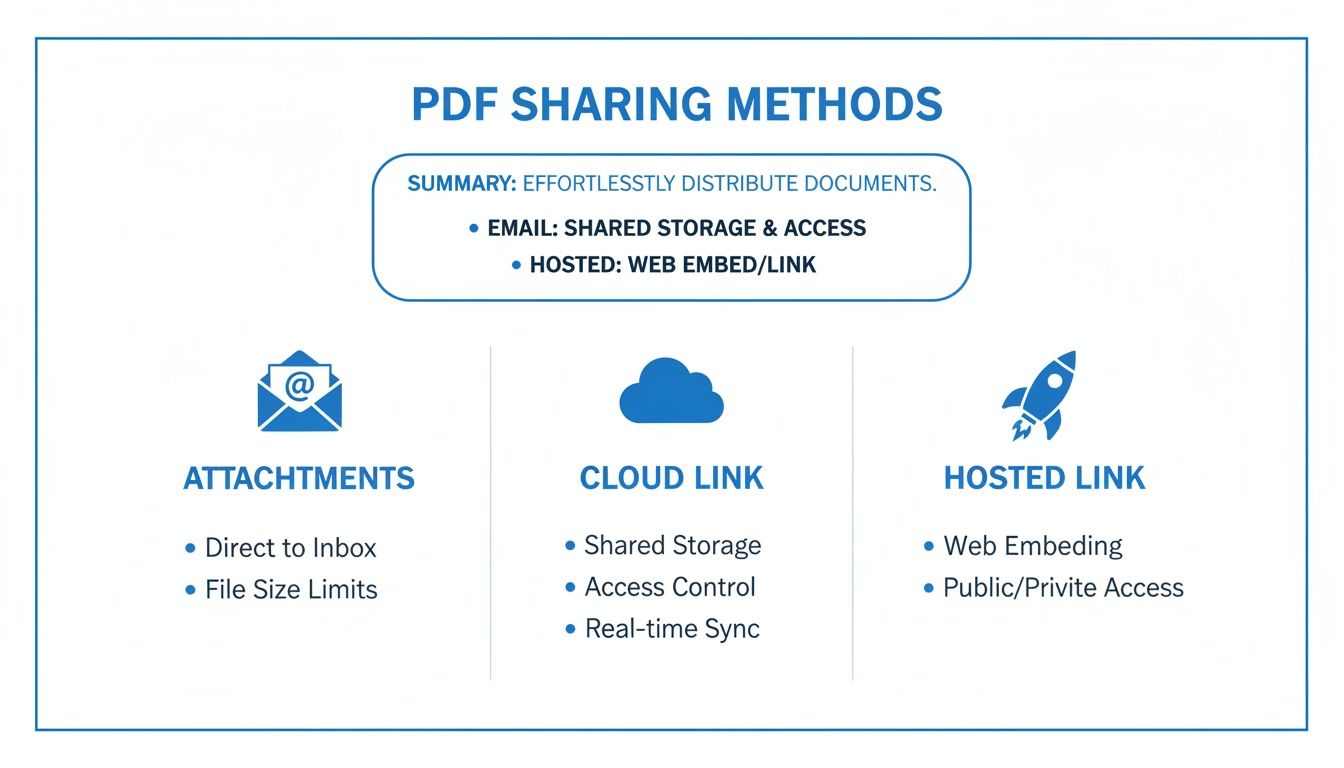
As you can see, a dedicated hosted link just gives you far more performance, security, and control than the alternatives.
Comparing Document Sharing Methods
Here's a quick look at how traditional PDF attachments stack up against modern link-based sharing, highlighting key differences in performance and security.
| Feature | Email Attachment | Cloud Storage Link | Dedicated Hosted Link |
|---|---|---|---|
| Performance | Slow to send/receive | Fast to share | Instant, optimized for speed |
| File Size Limit | Low (e.g., 25MB) | High | Virtually unlimited |
| Version Control | Manual (resend file) | Manual (resend link) | Automatic updates |
| Security | Low (no password protection) | Basic (password option) | Advanced (passwords, expiration) |
| Analytics | None | Limited (sometimes views) | Detailed (views, time, location) |
| Branding | None (email client UI) | Limited (Google/Dropbox UI) | Fully customizable |
This table makes it clear: while a basic cloud link is a step up from an attachment, a dedicated hosted link offers the most professional and powerful solution.
The Modern Solution: A Live, Intelligent Link
The need for better ways to manage documents is exploding. The global PDF software market, valued at USD 2,150.75 million, is on track to hit USD 4,305.60 million by 2032. You can read more about these market trends to see just how big this shift is. People are moving away from static files and demanding tools that make PDFs more dynamic and accessible online.
When you use a service like Hostmora to generate a link, you're not just sharing a file—you're creating a professional, trackable asset. It's the difference between handing out a paper flyer and launching a targeted digital campaign. You get control, you look more professional, and you give your audience a much smoother experience.
Alright, let's get that PDF turned into a fast, shareable link. Theory is great, but seeing this in action is where it really clicks. We'll walk through the process using Hostmora, and I'll show you just how simple it is.
Imagine you're a freelance designer. You've just put the finishing touches on a killer portfolio and you need to get it in front of a new client—like, right now. The goal is to get a professional, live link in their inbox in under a minute, without messing with server settings or code.
Step 1: Getting Set Up
First things first, you'll need a Hostmora account. The good news is that it's completely free to get started, and they don't ask for a credit card. This isn't some limited-time trial; it's a free tier that lets you publish documents and see the results for yourself.
Once you’re in, you'll notice the dashboard is clean and simple. There are no confusing menus or a dozen options to sift through. It's built to do one thing exceptionally well: get your files online fast.
Step 2: The Magic of Drag and Drop
This is the part that feels like cheating. On the dashboard, you’ll see the uploader. For our designer, this means literally grabbing that portfolio PDF from their desktop and dropping it straight into the browser window.
It’s as simple as it sounds.
The second your file hits the box, the system takes over. There’s no progress bar slowly inching along or a "your file is being processed" message. It’s pretty much instant. You can start uploading your files right away and see for yourself.
Behind the scenes, the platform is optimizing the file and pushing it out to its global network. The entire thing, from dropping the file to getting a live link, takes just a few seconds.
Step 3: Your New Link's Built-In Superpowers
The URL you get isn't just a simple link to a file. It comes loaded with some serious professional features right out of the box, making sure your document is secure, fast, and easy to share.
- Automatic SSL Encryption: Every link is secured with SSL. That little padlock icon in the browser gives people confidence that the link is safe and the content is legitimate.
- Global CDN Delivery: Your PDF is immediately cached on a global Content Delivery Network (CDN). This is huge. It means your client in London will see it load just as quickly as someone in Tokyo.
- Instant QR Code: A QR code is also generated automatically. This is perfect for things like restaurant menus, event handouts, or business cards where you want to bridge the physical and digital worlds.
The big takeaway here is that you're getting enterprise-grade performance and security with zero configuration. You just upload the file, and Hostmora handles all the heavy lifting on the backend.
And just like that, you've transformed a static PDF into a dynamic, globally-accessible asset. Our designer can now send that clean, professional link to their client, knowing it will load instantly and make a fantastic first impression. It’s a simple process that completely changes how you share your work.
Unlocking Advanced Features for Your Link
Getting a basic link for your PDF is a solid start, but the real magic happens when you dive into the professional-grade features. Think of your link as more than just a shortcut to a file—it's a smart, secure, and customizable asset. This is how you go from simply "sharing" a document to "presenting" it professionally.
For example, a digital agency I know connects a custom domain to send branded proposals to new clients, which immediately makes them look more established. A financial advisor can slap a password on a sensitive quarterly report before it goes out to stakeholders. Each feature adds a layer of control and polish that you just don't get with standard file-sharing.
Custom Domains and Branding
Sure, a generic shortened URL works, but it does absolutely nothing for your brand. Connecting a custom domain is a total game-changer. Imagine sending a prospect a link like proposals.youragency.com/project-alpha instead of some random string of letters and numbers.
It's a small detail, but it has a huge psychological impact. It signals professionalism, builds trust from the get-go, and keeps your brand front and center. For agencies using Hostmora, there are even white-label controls that let them manage multiple client projects under different domains, all from one dashboard. It’s a super efficient way to deliver a fully branded experience without the logistical headache.
Enhanced Security and Access Control
Let's be real: not every document is meant for the whole world to see. When you're handling sensitive information, security isn't just a nice-to-have; it's essential. This is where advanced access controls come in clutch.
- Password Protection: This is your first line of defense. You can set a unique password for a financial report, a pre-launch product catalog, or a confidential internal memo. Only people with the password can get in. Simple and effective.
- Link Expiration: Got a time-sensitive offer or event details? Set the link to automatically expire on a certain date. This keeps outdated information from circulating and automates your content cleanup.
If you want to add another layer of security before you even upload the file, you can make a PDF document password protected at the source.
Tracking and Analytics
So you've sent the link out—now what? How do you know if anyone is even looking at it? Basic analytics give you crucial insights without drowning you in data. A job seeker, for instance, can see if a recruiter has actually viewed their resume, giving them a good signal on when to follow up. A marketer can track views on a new brochure to see if their campaign is getting any traction. This feedback turns a static document into a tool you can actually measure.
The fact that PDFs work everywhere is a huge reason they’re so popular. The global PDF software market is expected to jump from USD 1.5 billion in 2023 to USD 3.2 billion by 2032, all because people need to share things securely and instantly. Turning those PDFs into smart links just amplifies their usefulness.
All these features can work together, too. Combine a custom domain with password protection and analytics, and you’ve got a secure, branded, and trackable asset. You can even take it a step further and find out more about turning your PDFs into scannable codes here: https://hostmora.com/use-case/pdf-to-qr-code/.
Real-World Scenarios for Your PDF Link
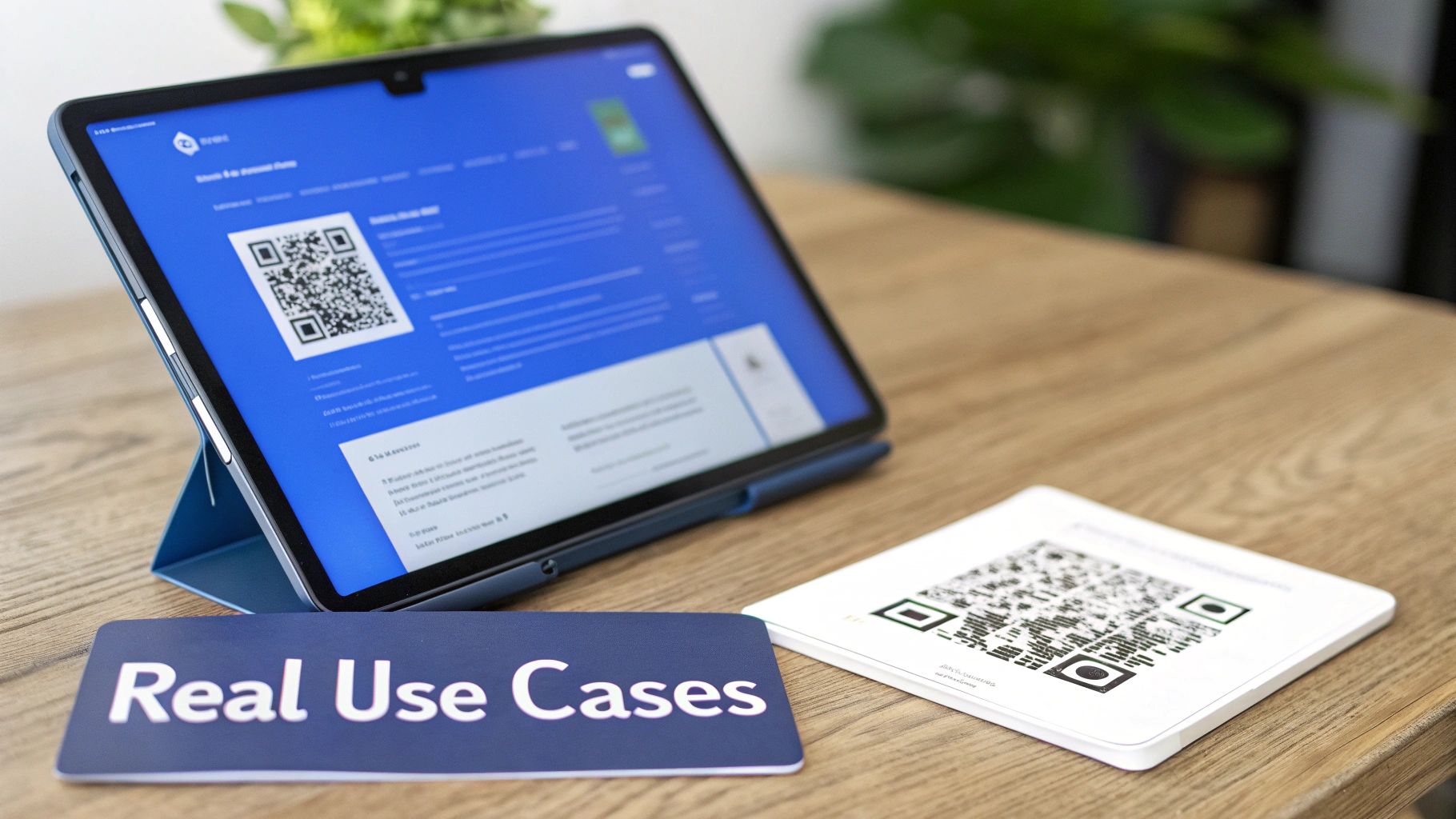
Thinking about how to turn a pdf to link is one thing, but seeing it solve real problems is where the idea really clicks. The true value isn't just the technical trick; it's how a simple, hosted link can transform a static document into a dynamic tool across almost any industry.
It’s all about practical application. I've seen a restaurant owner completely sidestep the headache of reprinting menus for daily specials. Instead, they just upload a new PDF each morning. The link, which is connected to a QR code on every table, instantly points to the latest version. Simple, fast, and no more outdated menus.
Freelancers and Creatives
For freelancers, a portfolio is everything. But let's be honest, emailing a massive PDF is a terrible experience. It's slow, clogs up inboxes, and often gets blocked by attachment size limits. Converting that portfolio into a shareable link changes the game entirely.
A freelance graphic designer can send a single link to a potential client, giving them instant access to their entire body of work. The best part? When they finish a new project, they just update the source PDF. The link automatically shows the fresh content, so they never have to resend it. The same goes for proposals—a clean link just looks more professional than a clunky attachment.
Small Businesses and Restaurants
Small businesses live and die by their ability to adapt quickly. A local boutique, for instance, can turn its seasonal catalog into a link and blast it out on social media, in email newsletters, or on a QR code in their storefront window. This makes it incredibly easy for customers to see what's new.
The core benefit is the "single source of truth." Whether you're a cafe updating a menu or a retailer sharing a lookbook, one link ensures everyone—from customers to staff—sees the most current version.
Agencies and Client Work
Digital agencies are constantly juggling client proofs, reports, and white-label projects. Sending files back and forth is a classic recipe for version-control chaos. A hosted link brings some much-needed sanity to that process.
An agency can share a design proof with a client using a password-protected link. The client views it right in their browser—no downloads, no special software. This not only streamlines feedback but also helps maintain a professional, branded appearance, especially when using a custom domain for the links.
For more client-facing ideas, you can explore a full breakdown of turning a PDF into a website.
Developers and Students
This isn't just for marketing materials. In tech and academia, quick information sharing is key. A developer can quickly share a lightweight app prototype or technical documentation with investors or team members. It’s a fast, no-fuss way to distribute information without messing with server setups.
Students can use it too. Submitting assignments or sharing group presentations with a single link ensures their work is delivered exactly as intended and is viewable on any device without weird formatting issues.
Making Your PDF Link Work for You: Search and Engagement
Getting a live link for your PDF is a great start, but what if that link could actually bring people to you? When you turn a PDF into a link, you're essentially creating a new webpage. With a little bit of prep work, you can help search engines and potential readers find it, turning a simple document into a real asset that drives traffic.
This process really begins before you even think about uploading the file. Think of it as setting your document up for success from the get-go. A few simple tweaks can make a massive difference in how both people and search engine bots see your content.
Getting the PDF Ready for the Web
First things first, look at the file name. Something like report_v3_final.pdf doesn't tell anyone anything. A much better approach is a descriptive name, like 2025-digital-marketing-trends-report.pdf. This gives search engines instant context and looks far more professional when someone downloads it.
Next, open your PDF and try to highlight some text. If you can't, it's likely just a flat image, which means search engines can't read it either. For your content to be indexed and found, the text has to be selectable. This is a non-negotiable step.
Finally, keep an eye on file size. Big images make for big PDFs, and that means slow load times. A document that takes too long to appear is a surefire way to lose your audience's attention. Compress your images before saving the final PDF to ensure a quick, snappy experience for every visitor.
By optimizing your PDF before creating the link, you’re setting the foundation for better performance. A clean file name, selectable text, and compressed images are non-negotiable for a professional, search-friendly document.
Using SEO Tools to Boost Your Link
Once your file is uploaded, many platforms—including Hostmora on its paid plans—give you access to SEO settings. These are your tools for telling search engines exactly what your document is all about.
- Custom Page Titles: This is the headline that shows up in the browser tab and on a Google search results page. Make it count! It should be compelling and include your most important keywords.
- Meta Descriptions: Think of this as the little ad for your link in search results. It's the short summary that appears under the title, and a good one can convince someone to click on your link instead of someone else's.
To really nail this, exploring the best AI SEO tools can give you a serious edge in crafting titles and descriptions that grab attention and rank higher.
Don't Forget About AI
Optimizing for search isn't just about Google anymore. It's also about making your content easy for AI models like ChatGPT and Claude to understand. People are using these tools for research every day, and they can only pull information from links that are properly structured and readable.
The market reflects this shift. The PDF data extraction niche was already valued at $400 million in 2020 and is on track to hit an incredible $4.90 billion by 2027. This explosion highlights just how critical AI-friendly links have become. Making sure your PDF has selectable, machine-readable text is your ticket to being discovered in this new era of information gathering.
Got Questions? Let's Talk PDF Links
When you're looking to turn a PDF into a simple link, a few questions naturally pop up. You’re right to think about things like security or how this stacks up against tools you’re already using, like Google Drive. Let’s clear those up so you can be sure you’re making the right call.
How Secure Is My Data?
This is a big one, especially if you're sharing anything sensitive. When you use a service built for this, you're getting multiple layers of protection right out of the box. Every link is automatically wrapped in SSL encryption, which is the industry standard for keeping data safe as it travels across the internet.
For documents that need an extra lock on the door—think confidential reports, client proposals, or internal memos—you can add password protection. This way, only the people with the password can open it. It’s a simple but powerful way to control access.
Can I Update My PDF After I’ve Already Shared the Link?
Yes! And honestly, this is one of the best parts. The link you share is permanent. You never have to email out a "version 2" or worry that someone is looking at an old draft.
Need to fix a typo? Or maybe you're updating your entire product catalog for the new season? Just upload the new file. The link automatically points to the latest version, instantly.
Anyone clicking that original link will always see the most up-to-date document. This "single source of truth" approach is a lifesaver. It completely eliminates the headache of version control and ensures your audience always has the correct information.
What’s the Difference Between This and Just Using a Google Drive Link?
It's a fair question. While sending a Google Drive or Dropbox link works, it’s a bit like showing up to a business meeting in sweatpants. It gets the job done, but it doesn't look great. Using a dedicated service like Hostmora is about professionalism and control.
The differences are pretty stark when you look closer:
- A Clean, Professional Look: Your recipient just sees your document, not a cluttered interface asking them to log in or suggesting other files. You can even use a custom domain for a fully branded experience.
- A Better Viewing Experience: No extra clicks, no downloads, no third-party branding. The PDF opens right in their browser, clean and simple.
- More Control: You get features like advanced password options and link expiration, which you just don't get with standard cloud storage.
- Seriously Fast Loading: Your file is served from a global CDN, meaning it loads quickly for everyone, no matter where they are. No more waiting for a massive file to buffer.
- Built-in Analytics: This is a game-changer. You can actually see who is viewing your document and when, giving you insight you can’t get from a basic cloud link.
At the end of the day, it’s about presenting your work in the best possible light while having complete control over the entire experience.
Ready to see the difference for yourself? You can create fast, secure, and professional links for your documents in seconds. Get started with Hostmora for free and turn your files into shareable assets. Start sharing your PDF as a link today.