
Sending a PDF as an email attachment might feel like second nature, but honestly, it's a practice that's become a professional liability. A simple shareable link does more than just deliver your file—it transforms it from a clunky, static document into a dynamic, trackable asset. It’s the modern way to stay in complete control of your work.
Why Emailing PDFs Is a Thing of the Past
Let's be real: hitting "send" on a PDF attachment is a gamble. One moment you've sent off a critical sales proposal, and the next, you're hit with a bounce-back message. Your file was too big for the client's server. We've all been there. And that's just one of the many headaches this old-school method causes.
The Version Control Nightmare
Picture this: you've just emailed a 50-page catalog to your entire client list. A minute later, you spot a glaring typo on page two. If you sent it as an attachment, that mistake is now permanently sitting in hundreds of inboxes. You can't recall it or fix it. Your only option is to send a confusing "Correction" email, which just creates chaos.
With a shareable link, you can simply update the source file. The link never changes, but everyone who clicks it sees the corrected version. Problem solved.
Unprofessional and Inefficient Workflows
This kind of friction really adds up. Dealing with bulky attachments just makes everything harder, both for you and your recipients. It's why generating links has become such a standard feature in the booming PDF software market. It bypasses the clogs in professional workflows, like the high abandonment rates you see when people have to download, fill out, and re-attach a form.
The biggest problem with attachments is the total loss of control. The second you hit "send," you can't track who viewed the file, you can't manage who has access, and you certainly can't make corrections. It's not just inefficient; it's a professional risk.
Sticking with email attachments creates unnecessary hurdles. For a deeper look into this, check out our guide on how to send large files without the usual email headaches. Switching to a link-based system is a simple upgrade that makes a huge difference.
Getting Your PDF Link with Hostmora
Forget wrestling with complicated settings. When you need a link for a PDF, you need it now. A tool built for the job, like Hostmora, turns a technical chore into a simple, seconds-long task. It's designed around a drag-and-drop workflow that gets you from a file on your desktop to a professional, shareable link in under a minute.
Think about it this way: you've just put the finishing touches on a big client report. The PDF looks great, but you know that emailing a massive attachment is a good way to get it flagged as spam or annoy your client. Instead, you can just drag that final report right onto the page.
It’s that simple. The interface is clean and gets straight to the point.
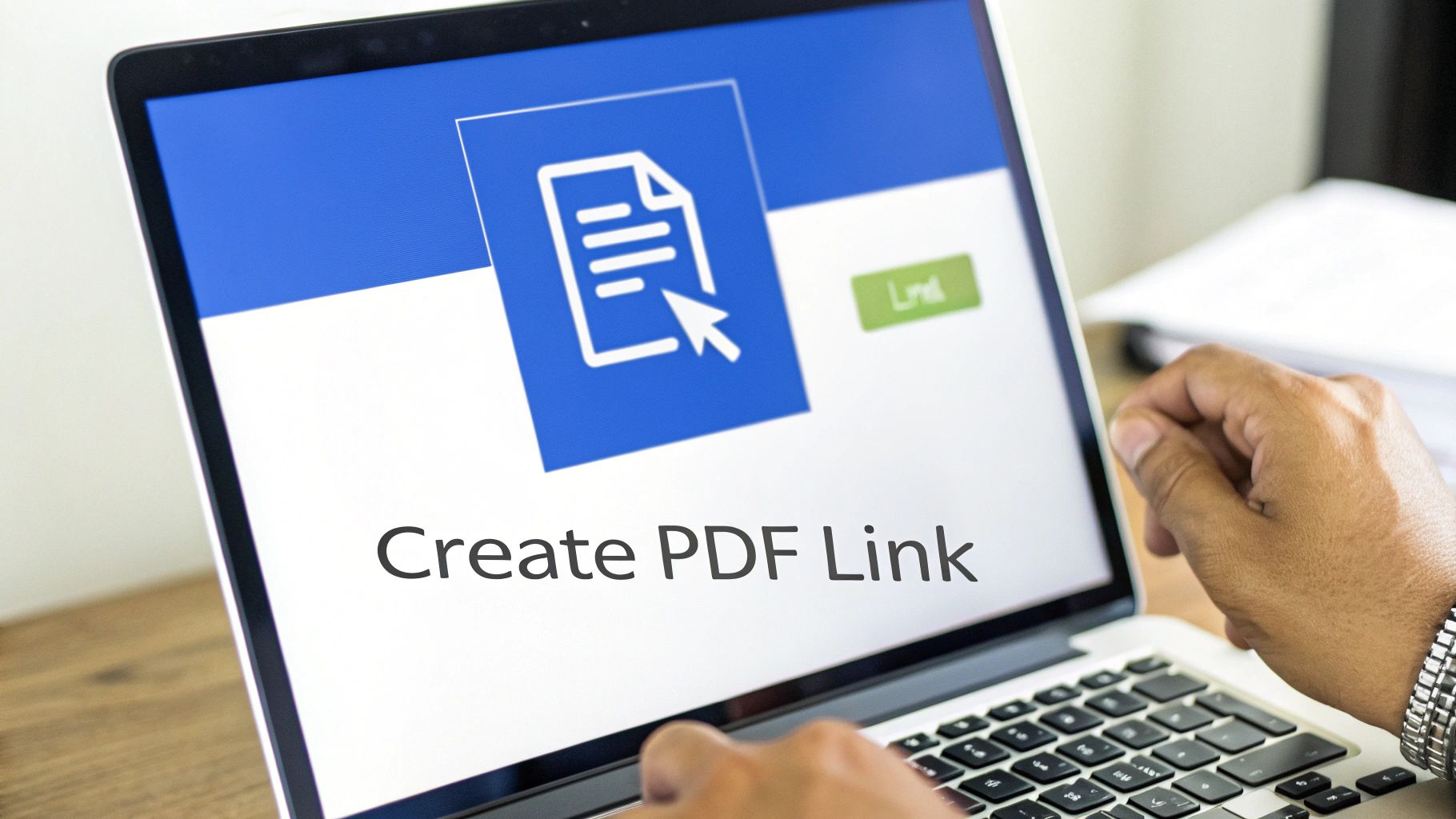
There are no confusing menus to dig through. Just upload your file, and instantly, a secure, live link is generated for you to copy and share.
From Your Desktop to a Live Link in Seconds
The second your upload finishes, Hostmora gets to work behind the scenes. It’s not just sticking your file on a server; it's automatically securing it with an SSL certificate and placing it on a global edge network. This means when your colleague in London clicks the link, the PDF loads just as fast as it does for you in New York.
This is the real difference between just storing a file and professionally publishing it. It’s a seamless transition from a static document to an active web asset. If you want to see all the features in action, you can explore the PDF link generator and see how it works.
The link you get is clean, professional, and ready for any situation—an email signature, a Slack message, or a project brief in Asana.
Key takeaway: The goal isn't just to get a URL. It's about the confidence you have in that link. You know it will work for everyone, on any device, without forcing them to download something or log into an account they don't have.
It’s More Than Just a Link
Okay, your link is live. But what happens when you send out that client report and immediately spot a typo on page three? The old way involved a frantic "disregard my last email!" message.
With a modern approach, the fix is much less dramatic:
- Just Upload the New Version: Drag and drop the corrected PDF to replace the old one.
- The Link Stays the Same: Your original link doesn't change. It now automatically points to the updated file.
- No More Confusion: Your client will only ever see the latest, most accurate version of the document. No new emails, no messy version control issues.
This simple workflow completely sidesteps the versioning headaches we've all dealt with. It shows you don't need a technical background to get professional, reliable results every single time you share a PDF.
Making Your PDF Link Work Smarter
Getting a link for your PDF is just the first step. The real magic happens when you turn that simple URL into a smart, controlled, and branded asset. A basic link just points to a file; a smart link changes the way you share, giving you complete control over who sees your document and how they see it.
This is where you graduate from just "sharing" to "strategic distribution." You can shape the entire experience for your audience, whether you're trying to protect sensitive info or just build a stronger brand.
Add Layers of Security and Branding
Let's walk through a common scenario: you need to share a confidential financial report with a few key stakeholders. Just sending a public link and crossing your fingers isn't an option. With a tool like Hostmora, you can add password protection with a single click. This simple action adds a crucial layer of security, making sure only the right people can open the document, without making it a hassle for them.
Another game-changer is using a custom domain. Imagine you're a freelance designer sending out your portfolio. A generic, auto-generated link can look a bit amateur.
Instead, you can share a link like
portfolio.yourname.com. This small tweak makes a huge difference in how your brand is perceived, reinforcing your professional identity every time you send it out. It immediately signals to clients that you're serious about your craft.
Bridge the Physical and Digital Worlds
Smart links are also fantastic for connecting your physical marketing materials to your online content. Think about a restaurant menu or a flyer for a community event. You can generate a QR code that points directly to your hosted PDF in seconds.
The practical applications here are endless:
- Restaurants can update their menu PDF every single day without having to reprint a single thing.
- Event Organizers can link a poster directly to a detailed schedule or a sign-up form.
- Retailers can use in-store signs to link customers to a full product catalog or a special offer.
This turns a static piece of paper into a dynamic, interactive experience. You can learn more about how to create a QR code from a PDF and see just how easy it is to get started.
Create AI-Friendly Links
Finally, one of the most forward-thinking features you can look for is the ability to create AI-friendly links. Most standard PDF links are firewalled from automated tools. An AI-friendly link, however, gives services like ChatGPT or Claude direct permission to access and analyze the content of your PDF right from the URL.
For a researcher sharing a new study or an analyst distributing a market report, this is huge. It means your audience can use their AI assistants to instantly summarize, ask questions, and pull key insights from your document. This makes your information dramatically more accessible and useful.
Choosing the Right PDF Sharing Tool
When you need to turn a PDF into a link, you've got a few paths you can take. While familiar names like Google Drive and Dropbox might be your first thought, they're really built for personal file storage, not for professionally sharing documents. This often leads to a clunky experience for the people you're trying to share with.
Ever gotten tangled up in Google Drive's sharing permissions? Trying to figure out if someone should be a ‘Viewer,’ ‘Commenter,’ or ‘Editor’ can be a headache, and it's easy to accidentally block access for the very person you're sending the file to. A Dropbox link can be just as awkward, often dropping your recipient into a cluttered file browser and sometimes even nagging them to sign up. These tools just weren't designed for a clean, public-facing presentation.
Why a Dedicated Tool Makes a Difference
This is where a purpose-built tool like Hostmora really shines. It's designed from the ground up to remove those roadblocks, making the sharing process feel effortless and look professional. When you're weighing your options, look for platforms that offer a simple process for uploading your PDFs and getting a direct link without jumping through hoops. You want a tool that's laser-focused on creating a clean, direct path from your file to your audience.
This flowchart can help you connect your specific sharing needs to the right features.
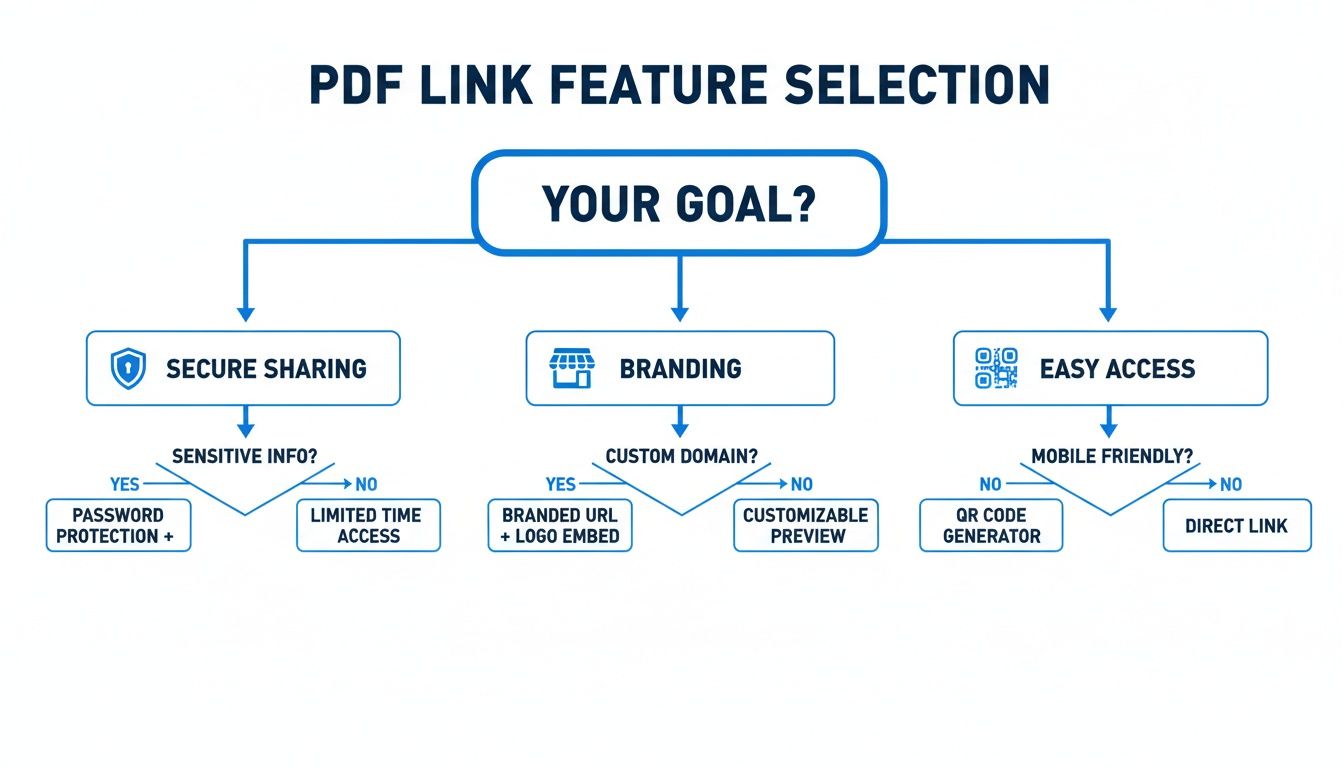
As the chart shows, if you're concerned about branding or security, you'll need features that most generic storage tools simply don't offer.
Key Takeaway: The core difference is intent. Storage services are designed to hold your files. A dedicated publishing tool is designed to present them. This shift in focus is what creates a more reliable and polished outcome for your important documents, ensuring your audience sees your work exactly as you intended.
PDF Link Generation Tool Comparison
To put it into perspective, here’s a quick look at how these services stack up for the features that matter most when sharing PDFs publicly.
| Feature | Hostmora | Google Drive | Dropbox |
|---|---|---|---|
| Instant Link | Yes, direct link | No, requires sharing | No, requires sharing |
| Custom Domain | Yes | No | No |
| QR Code | Yes, built-in | No | No |
| Password | Yes | No | Yes, on paid plans |
| User Experience | Clean, no distractions | Cluttered, requires login | Cluttered, can ask to signup |
| AI-Friendly | Yes, optimized | Limited | Limited |
In the end, the best tool is the one that gets out of your way. It should let you share documents with total confidence, knowing the link will just work—every time, on any device, without confusing pop-ups or login demands. Your focus should be on your content, not on troubleshooting your sharing settings.
So, you've got the link. That’s the easy part. The real trick is making that link work for you. With a bit of forethought, you can turn a simple shared file into a powerful asset for marketing, SEO, and client communication.
It all starts before you even upload the file.
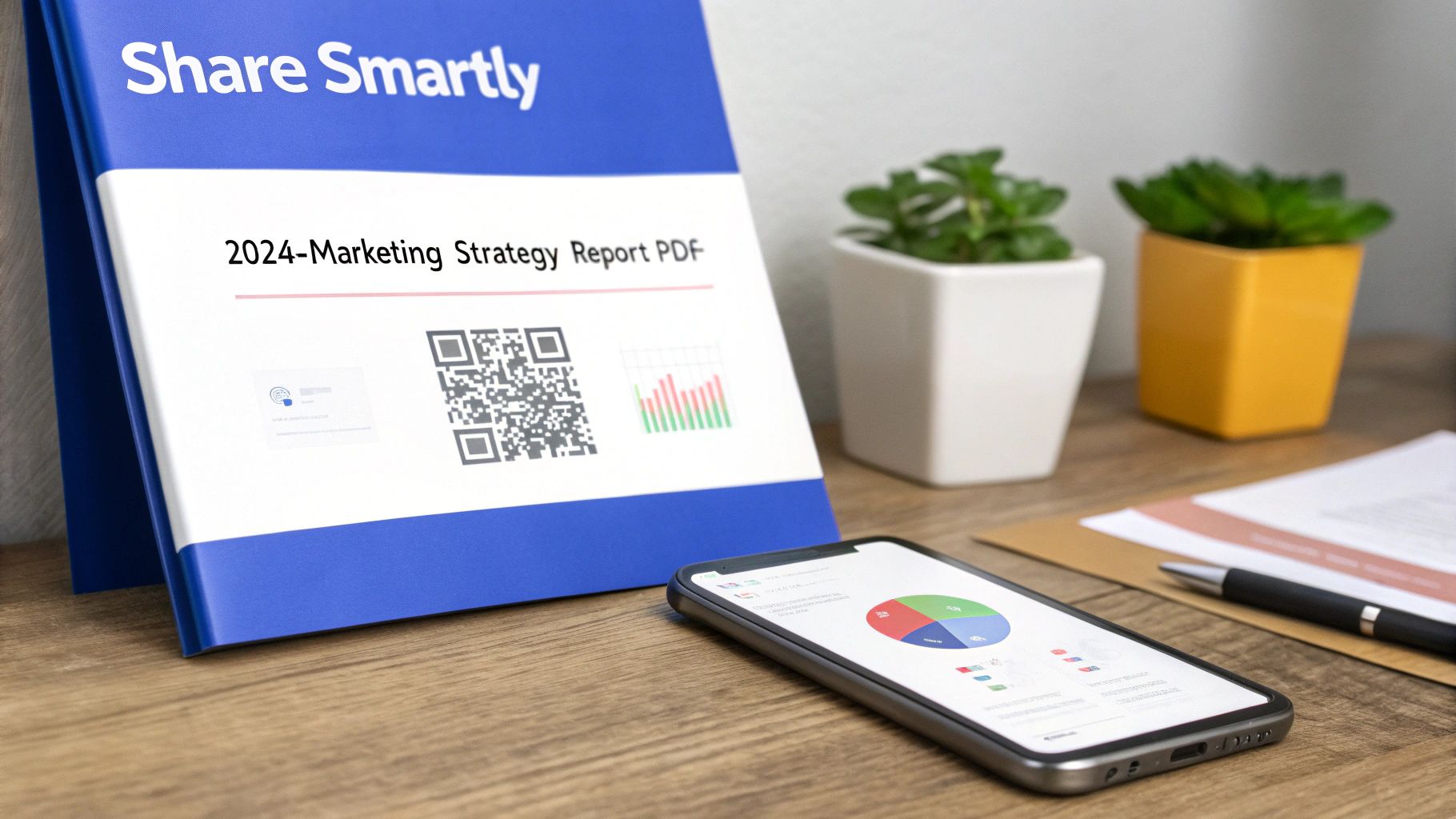
Seriously, take a look at the filename. A name like final_draft_v3.pdf is a dead end for search engines and tells users nothing. A quick change to something descriptive, like 2024-marketing-strategy-report.pdf, makes all the difference. This simple tweak helps search crawlers and AI tools immediately grasp what the document is about, which is a huge boost for discoverability.
Match Your Security to Your Goal
The security you wrap around your PDF should directly map to its purpose. You wouldn't treat a sensitive client proposal the same way you'd handle a public-facing e-book, right?
For Confidential Information: Always use password protection. This is non-negotiable for financial reports, project drafts, or internal strategy documents where you need to control exactly who sees it.
For Public Assets: Keep it open. If you’ve created a whitepaper, a case study, or a free guide, the goal is maximum reach. You want zero friction for visitors who want to read and share it.
Thinking about your PDF as a link-building tool is a game-changer. It shifts your perspective from just sharing a file to actively building your online authority. A well-crafted PDF is more than just information; it's a valuable piece of content.
This mindset plugs directly into your SEO strategy. We know from experience and data that long-form content like detailed reports can get 3.5x more backlinks than short-form blog posts. And according to a recent analysis of link-building statistics, educational assets attract links 5x better than other content types.
Suddenly, that static PDF becomes a dynamic tool for driving traffic and building credibility.
Got Questions? We’ve Got Answers.
Once you start sharing PDF links, a few practical questions always come up. I’ve heard them all over the years. Let’s walk through the big ones so you can share your files like a pro.
What if I Need to Update the PDF?
This is probably the #1 question I get. You've sent out a link to your new report, and then you spot a typo. Panic sets in. Do you need to send out a whole new link with an embarrassing "Correction" email?
Nope. If you're using a proper hosting service like Hostmora, you just swap the file on the backend. The link you shared stays exactly the same, but it now points to the corrected version. It’s seamless. Your audience will never know there was an issue, which saves you a lot of headaches.
Will People Need to Install Anything to View It?
Another common worry is putting barriers in front of your audience. Will they need to download Adobe Reader or sign up for an account just to see your file?
Absolutely not. A direct web link to a PDF opens right in any modern web browser. It doesn't matter if they're on a laptop, a tablet, or their phone. They click, they see it.
The whole point is to make it effortless. Your recipient clicks the link, and your document just appears. That’s the gold standard for professional file sharing.
Is a Custom Domain Really Worth It?
So, why go the extra mile for a branded link like downloads.yourcompany.com? While a generic link works, a custom one does something more important: it builds trust.
When someone sees your brand in the URL, they know the link is legitimate and safe to click. It reinforces your professionalism and makes your documents feel like an official extension of your brand, not just a random file floating on the internet.
Ready to create secure, professional links for your PDFs in seconds? Try Hostmora and see how easy it is to share your work with the world. Get started for free at hostmora.com.