
Hosting an MP3 file is pretty straightforward: you upload your audio to an online service, and in return, you get a direct link you can share or embed anywhere. For creators, this is huge. It means you can instantly get your demos, podcast episodes, or website audio out there without being tied to a major streaming platform. It gives you complete control over your content.
Why Smart MP3 Hosting Is Still Essential
With streaming giants like Spotify and Apple Music everywhere, you might think hosting your own MP3s is a thing of the past. But for creators, businesses, and agencies, direct MP3 hosting is still a foundational—and incredibly powerful—tool.
It gives you a level of control, simplicity, and flexibility that the big platforms just can't offer. Think of it as the difference between renting a storefront in a massive mall versus owning your own boutique shop. You get to set the rules.
This control is a game-changer in a lot of real-world situations. Let's say you're a musician sending a private demo to a record label. You need a simple, unbranded link that just works, without making a busy executive log into a specific app. Or maybe you're a podcaster offering exclusive bonus content to your patrons. A password-protected MP3 link is the perfect way to deliver it.
Common Use Cases for Direct MP3 Hosting
Here's a quick look at practical scenarios where hosting your own MP3 files provides the most control and flexibility.
| Scenario | Primary User | Key Benefit |
|---|---|---|
| Private Demos & Previews | Musicians, Producers | Share high-quality tracks with labels or collaborators without public access. |
| Podcast Episodes | Podcasters | Host audio files for RSS feeds, ensuring compatibility with all podcast apps. |
| Website Background Audio | Web Designers, Businesses | Add ambient sound or narration to a site with a lightweight, reliable solution. |
| E-learning & Course Material | Educators, Coaches | Embed audio lessons or instructions directly into learning platforms. |
| Paid/Exclusive Content | Creators, Membership Sites | Deliver bonus episodes or audio content to paying subscribers securely. |
These are just a few examples, but they highlight how direct hosting puts the power back in your hands, letting you decide exactly how your audio is experienced.
The Power of Universal Compatibility
One of the MP3 format's biggest strengths is that it just works. Everywhere. In the three decades since it was standardized, the MP3 has become the default for online audio. Despite newer codecs popping up, some industry analysis estimates that roughly 85% of all audio files shared online are still MP3s. It’s just that deeply embedded in our digital lives. You can find more insights on the format's longevity over at Free-Codecs.com.
This universal compatibility means your audio will play back reliably, whether it's a background track on a website or a voice note attached in a project management tool. While more complex solutions are out there, sometimes the simple, direct approach is the most effective one. This is especially true when you compare it to alternatives that demand a more involved setup, like those we cover in our guide on Firebase website hosting.
The core benefit of hosting your own MP3s is autonomy. You're not subject to a platform's changing algorithms, branding requirements, or monetization rules. Your audio, your link, your terms.
In the end, learning the basics of hosting MP3 files isn't about ditching modern streaming services. It’s about adding a vital skill to your digital toolkit. It ensures you can deliver your audio content exactly how you want, to whomever you choose, with no middlemen getting in the way.
Turning Your MP3 File Into a Shareable Link
Alright, let's get practical. It's time to take that MP3 file sitting on your hard drive and turn it into a live, shareable link that anyone in the world can access. The whole process takes less than a minute, and you’ll see firsthand how modern tools have completely removed the technical headaches that used to make hosting mp3 files a chore.
With a service like Hostmora, it’s really as simple as dragging a file from your desktop into your web browser. You can forget about wrestling with server settings, figuring out SSL certificates, or setting up a Content Delivery Network (CDN) for speedy downloads. All that heavy lifting is now handled for you, automatically, behind the scenes.
What you get at the end is a clean, professional link to your audio, with no distracting branding. It’s ready to be shared anywhere, putting the power of global audio distribution right at your fingertips.
This simple workflow is the backbone for all sorts of creators, from musicians getting their next track out to podcasters publishing a new episode.
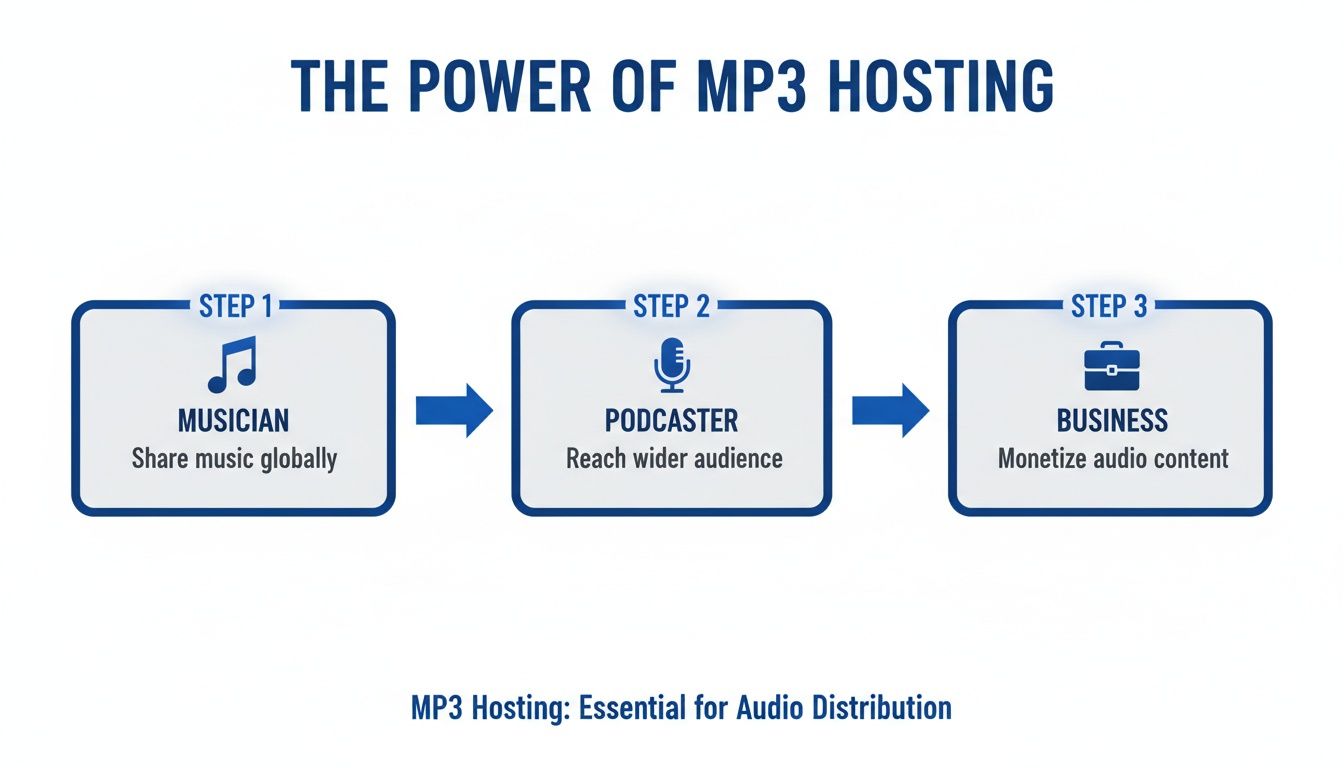
As you can see, whether you're sharing a demo, an interview, or a corporate announcement, the need for a reliable and straightforward hosting solution is universal.
The Drag-and-Drop Workflow
The beauty of this whole approach is its sheer simplicity. There’s no need to mess with old-school FTP clients or command-line tools. Everything is built for speed and ease of use.
Here’s a quick rundown of how it works:
- Head to the Uploader: Your first stop is the dedicated audio upload page. This is where the magic begins.
- Grab Your File: You can either click a button to browse your computer or, my personal favorite, just drag your MP3 file directly onto the upload area. It’s incredibly fast.
- Go Live Instantly: The platform takes over, processing the file and giving it a secure URL. In literally seconds, your link is live and ready for the world.
This entire process is designed to be frictionless. If you want to see it in action, we have a great walkthrough on how to upload audio files to get a live link.
What's Happening in the Background
While all you see is a simple drag-and-drop, a lot is going on behind the curtain to make sure your link is fast, secure, and professional.
When you upload that file, the system instantly gets to work on a few key things:
- Secure Connection: An SSL certificate is automatically applied. This gives you a secure
httpslink, which builds trust and is essential for compatibility with most platforms. - Global CDN: Your audio file isn't just sitting on one server. It’s pushed out to a global network of servers, meaning a listener in Tokyo gets the same quick load time as someone in New York.
- Direct Link Generation: You get a direct, clean URL that points straight to your MP3. No extra pages, no ads, no branding—just your audio.
This automation is what makes modern hosting so powerful. It gives you access to enterprise-level infrastructure without needing a degree in computer science.
Embedding Audio Directly Into Your Website
Having a direct link to your MP3 is handy for sharing, but let's be honest, embedding the audio right on your website is where the magic really happens. It creates a much cleaner, more professional experience for anyone visiting your site. Instead of kicking them over to a new tab (and potentially losing them), you bring the sound directly into your content. Good hosting mp3 solutions are built for exactly this.
This is how you turn a static page into something interactive and alive. Think about it: a potential client could hear a glowing testimonial right on your services page. A customer could get that satisfying click sound when they add an item to their cart. You could even greet new visitors with a personal welcome message on your portfolio. It’s all about weaving audio into the experience, not making it an afterthought.
The Basic HTML Audio Player
You absolutely do not need to be a developer to pull this off. The most straightforward way to embed your audio is with the standard HTML <audio> tag. Every modern browser supports it, and it works on pretty much any website builder that lets you add a custom HTML block—that includes popular platforms like WordPress, Squarespace, and Wix.
Here’s the only snippet of code you'll need to get started. Just swap out the placeholder URL with the direct link to your MP3 file from Hostmora.
That little controls attribute is what makes the player show up with the familiar play/pause button, volume slider, and progress bar. If you leave it out, the audio file is invisible on the page and your visitors have no way to interact with it.
Customizing the Player Experience
While the default player is perfectly functional, you can easily tweak its behavior by adding a few other attributes. These small additions can make a huge difference in how the audio fits into your page and what your visitors experience.
Here are a few common ones:
- Autoplay: Add the
autoplayattribute if you want the audio to start playing the moment the page loads. Be careful with this one—unexpected sound can really annoy visitors. - Loop: Use the
loopattribute to make the audio repeat automatically once it's finished. This is great for short, ambient background sounds. - Preload: The
preloadattribute tells the browser how to handle the audio file when the page loads. Setting it tometadataonly loads basic info (like the track length), whileautostarts downloading the whole file right away.
So, if you wanted to create a player for some background music that just loops endlessly, your code would look something like this:
Pro Tip: Context is everything when embedding audio. A quick, punchy sound effect on a sales page can be great for engagement. But for longer audio, like an interview, always give the user full control so they can decide when and how they listen.
This method of embedding audio is what powered the early days of music blogging. Pioneers like Fluxblog used self-hosted MP3s to share new tracks right inside their posts, which helped launch the careers of artists like LCD Soundsystem by making their music instantly playable.
When you embed your hosted audio, you take full control over how it's presented. You're not just sharing a file anymore; you're designing an experience. This direct integration keeps people on your site longer and makes your content far more engaging and memorable.
Optimizing Audio Files Before You Upload
Before you jump into uploading your audio, taking a few minutes to prep your files can make a world of difference. When you host mp3 files, the goal isn't just getting them online—it's about making sure they sound crisp and load fast for anyone, anywhere, even on a shaky mobile connection. A bloated, unoptimized file leads to buffering, which is the quickest way to get someone to close the tab.
The first thing to tackle is the classic balancing act: file size versus quality. This all comes down to the audio’s bitrate, which is measured in kilobits per second (kbps). Think of it this way: a higher bitrate gives you better sound but a bigger file, while a lower bitrate shrinks the file down but can start to degrade the audio.
You don't need a massive, uncompressed file for a simple voiceover, so finding that sweet spot is where the magic happens.
Choosing the Right Bitrate
Bitrate is basically the resolution for your audio. Just like you wouldn't use a massive 4K photo for a tiny website thumbnail, you don’t need a 320 kbps bitrate for every single audio file. Nailing this choice is what creates a smooth, buffer-free playback experience for your audience.
Here’s a quick guide I use for different projects:
- Spoken Word (Podcasts, Voiceovers): If your audio is mono (a single channel), 96 kbps is usually perfect. For stereo recordings, bumping it up to 128 kbps gives you fantastic clarity without adding unnecessary weight.
- Music (Demos, Website Tracks): For most music applications, 192 kbps hits that sweet spot, offering a great balance between sound quality and a manageable file size.
- High-Fidelity Music: When quality is everything—say, you're sending a final master to a client—then 256 kbps or 320 kbps is the way to go. Don't compromise here.
This isn’t just about speed; it has a global reach. In many parts of the world, MP3 is still king because its smaller size is essential for people on limited data plans. Smart bitrate choices can literally expand your potential audience by double-digit percentages compared to heavier formats. If you're curious about the data, you can find some fascinating insights on global audio trends over at Cognitive Market Research.
Editing Your ID3 Tags
Ever wondered how your phone or computer instantly knows the song title, artist, and album art? That’s all thanks to the file's ID3 tags. This is a small step that adds a massive dose of professionalism to your work.
An MP3 file with missing metadata just looks unfinished. Taking 30 seconds to add a title, artist name, and cover art ensures your audio looks professional in any player, on any device.
Almost any audio editor, including free workhorses like Audacity, lets you edit this metadata easily. Before you export that final MP3, make it a habit to fill in these key fields:
- Title: The name of your track or episode.
- Artist: Your name or your brand's name.
- Album: The podcast series or music project it belongs to.
- Artwork: Add a square image, like your logo or cover art, that will show up in players.
This simple cleanup prevents your file from showing up as "track_01_final_final.mp3" by "Unknown Artist" when someone downloads it. It's a tiny detail, but it polishes the entire experience.
Making Your Hosted Audio Secure and Professional
Okay, so you've got your audio file uploaded and it has a live link. What's next? Getting your MP3 online is just the first step; now it's time to control who gets to hear it and how it looks when you share it. This is where you move beyond a basic public link and turn that simple MP3 into a secure, professional asset that truly represents you or your brand.
Think about it. If you're a music producer sending a confidential demo to a label, you can't just throw a public link out there. Or maybe you're an educator with bonus audio for a paid course. You need a way to lock it down. That's where features like password protection and custom branding come in, giving you total command over your audio's journey.
Use a Custom Domain for a Branded Look
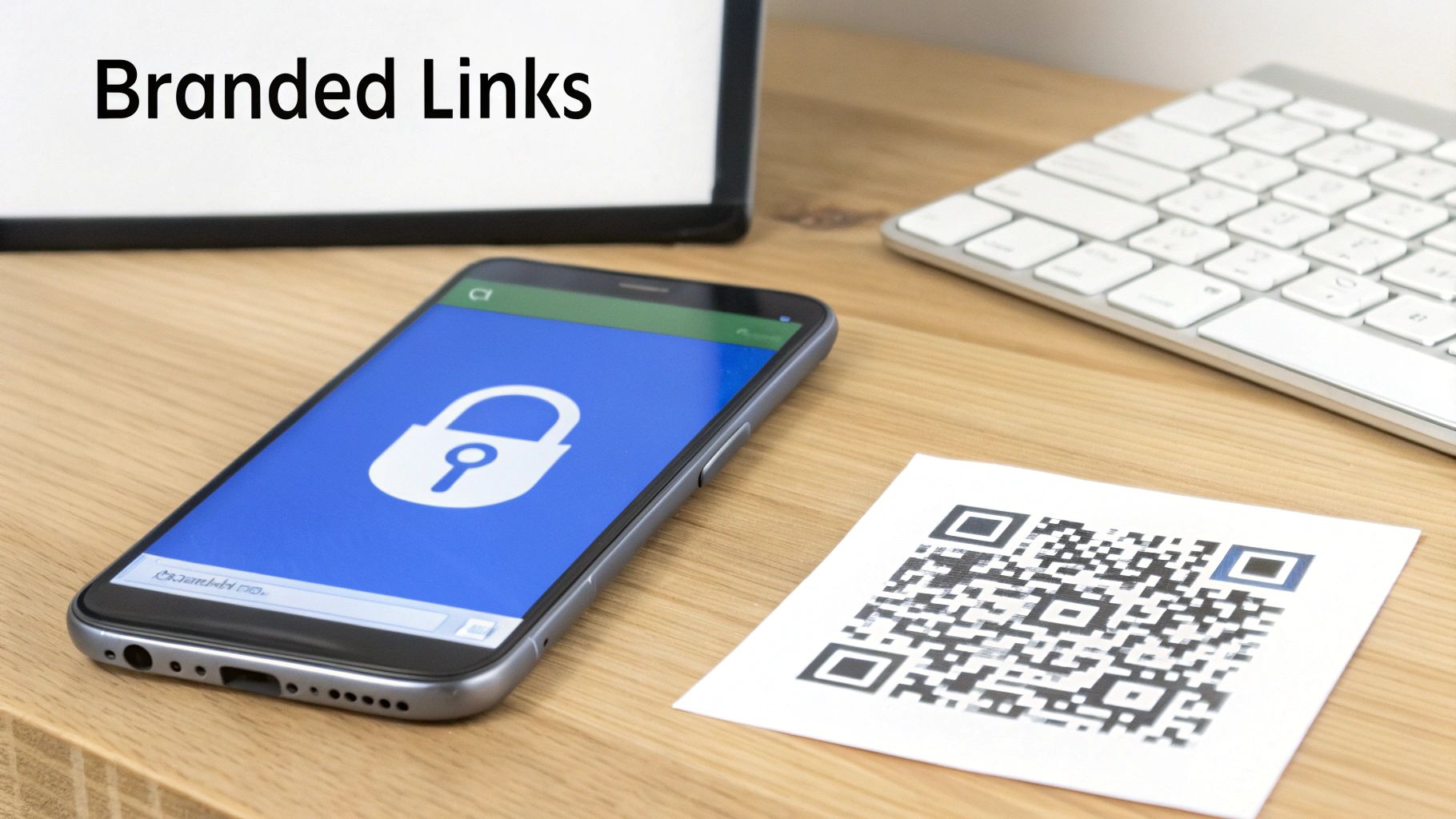
Let’s be honest, a generic sharing URL gets the job done, but it doesn't exactly scream "professional." A branded link, on the other hand, builds instant trust. When you’re hosting mp3 files for your podcast or business, every little detail matters, and that includes your links.
Connecting a custom domain lets you swap out the default Hostmora URL for one of your own, like audio.yourbrand.com/episode-preview. This is a game-changer for perception. It tells your audience that you’re serious about your work and that the content they're about to hear is the real deal. It’s a subtle but powerful way to keep your brand front and center.
If you've never done this before, getting familiar with how to manage an OVH domain name or a similar service is the perfect starting point. It's the key to creating those clean, custom links.
Lock Down Exclusive Content with Password Protection
Putting your audio behind a password is one of the easiest and most effective ways to control access. You don't need complicated user accounts or logins—just a simple password that you can share with the right people. This is my go-to solution for any content that isn't meant for public consumption.
Here are a few real-world scenarios where this is incredibly useful:
- Client Previews: Sending a voiceover demo or a first mix to a client? Protect it with a password so only they can access it before it’s finalized.
- Member-Only Content: If you run a membership or Patreon, you can offer exclusive podcast episodes or audio tutorials to your paying supporters.
- Internal Team Updates: Need to share a sensitive company announcement or an internal training module? A password-protected link keeps it secure.
Setting this up usually just takes a click. You check a box, type in your chosen password, and you're set. Just remember to share the link and the password separately for an extra layer of security.
A branded, password-protected link isn’t just a file—it's a secure digital package. It signals professionalism and respect for the content, assuring your listener that what they are about to hear is meant specifically for them.
Bridge the Physical and Digital Worlds with QR Codes
Finally, a great hosting setup should help you connect your online audio to real-world objects. A simple QR code pointing to your MP3 link does exactly that. Think of a musician putting a QR code on a t-shirt that links to a bonus track, or a museum adding one next to an exhibit for an audio tour. The possibilities are endless.
With an instant QR code generator, you can easily slap these codes onto:
- Business Cards: Let a new contact scan and hear a quick audio introduction from you.
- Product Packaging: Link customers to an audio guide on how to set up or use their new purchase.
- Event Flyers: Give attendees a sneak peek of the music or a personal welcome message from a speaker.
This simple tool creates an interactive bridge, turning static items into gateways for rich audio experiences. It makes your hosted content far more engaging and accessible than a simple link ever could.
Answering Your Top MP3 Hosting Questions
Even with a simple process, a few questions always seem to pop up when you're getting your audio files online. I've been there. Getting the right answers from the start can save you a lot of headaches down the road.
Let's walk through some of the most common questions I hear from creators. My goal here is to give you direct, no-fluff answers so you can get your audio out there with confidence.
Can I Host a Podcast This Way?
The short answer is: sort of. While you can definitely host individual podcast episodes as MP3 files, this direct hosting method isn't a replacement for a dedicated podcast hosting service like Libsyn or Buzzsprout. Those services are built to generate the special RSS feed that directories like Apple Podcasts and Spotify require to list your show.
However, direct MP3 hosting is a game-changer for a few key scenarios:
- Bonus Content: It's perfect for sharing private, ad-free episodes with your paying subscribers or Patreon members.
- Audio Clips: You can easily embed short audio highlights or teasers directly on your website or in your newsletter.
- Internal Shows: I've seen companies use this to create private, internal podcasts for their teams that don't need to be public.
What’s the Best Bitrate for an MP3?
Ah, the classic bitrate debate. It’s all about finding that sweet spot between audio quality and file size, which directly impacts your listener's experience. There’s no single "best" setting; it really depends on what you're sharing.
For spoken word content like a voiceover or an interview, 96 kbps (mono) or 128 kbps (stereo) is usually plenty. This keeps the file size small and ensures it loads quickly for everyone. When you get into music, 192 kbps is a solid baseline for great quality. If you're publishing high-fidelity tracks where every nuance matters, you'll want to aim for 256 kbps or even 320 kbps.
My advice? Always lean towards a smoother playback experience. A slightly smaller file that plays instantly is always better than a high-quality one that leaves your listeners stuck watching a buffering icon.
How Can I Make My Hosted MP3 SEO-Friendly?
This is a big one. Search engines can't exactly "listen" to your audio, but they are incredibly good at reading the text that surrounds it. To give your hosted MP3 a fighting chance in search results, you need to provide that crucial context.
Start with the filename itself. Before you even upload, name it descriptively—something like podcast-interview-jane-doe.mp3 is infinitely better than final_audio_01.mp3.
Even more important is what you do on your website. When you embed the audio player, make sure the page has a relevant title, a detailed description of what the audio is about, and—if you can—a full transcript. All that text gives search engines the keywords they need to index your content and help the right people find it.
I often see people trying to get by with free services, but it's a common misconception that they're "good enough" for professional work. A dedicated hosting service gives you unbranded links, a reliable CDN, and essential features like password protection that are non-negotiable for building a polished brand.
Ready to turn your audio files into professional, shareable links in just a few clicks? With Hostmora, you can drag, drop, and publish without any technical headaches. Get started for free and see just how easy audio hosting can be.