
For many, Google Drive is the automatic choice for cloud storage. It's integrated, familiar, and generally reliable. However, its one-size-fits-all model often creates friction for specialized tasks. If you've ever felt constrained by privacy concerns, frustrated with clunky web publishing workflows, or overwhelmed by features you don't need, you've likely started searching for a Google Drive alternative.
This guide is designed to end that search. We move beyond generic feature lists to provide a practical, use-case-driven breakdown of the top platforms available today. Whether you're a designer needing to instantly publish a portfolio, an agency managing white-label client projects, or a developer deploying a static site, the right tool can fundamentally improve your workflow. The "best" alternative isn't about finding a direct clone; it's about matching your specific pain point to a solution built to solve it.
Here, we'll explore 12 distinct options, organized by their primary strength:
- Privacy-First Storage: For those prioritizing zero-knowledge encryption.
- Seamless Collaboration: Tools that excel in team-based environments.
- Effortless Web Publishing: Platforms designed to turn files into live websites.
- Developer & Agency Toolkits: Solutions with features for testing, deployment, and client management.
Each entry includes a concise summary, pros and cons, pricing details, and an honest assessment of who it's truly for. Complete with screenshots and direct links, this resource will help you diagnose your exact need and confidently choose the service that fits your specific workflow, not the other way around. Let's find the right fit for your files.
1. Hostmora
Hostmora establishes itself as a powerful google drive alternative by fundamentally reimagining the role of cloud storage, shifting the focus from simple file hosting to instant, professional web publishing. Where Google Drive offers a shareable link to a file, Hostmora provides a shareable link to a live, globally-distributed website created from that file in seconds. This zero-configuration approach eliminates the technical barriers associated with web hosting, making it an exceptional tool for creators, agencies, and businesses that need to get content online immediately.
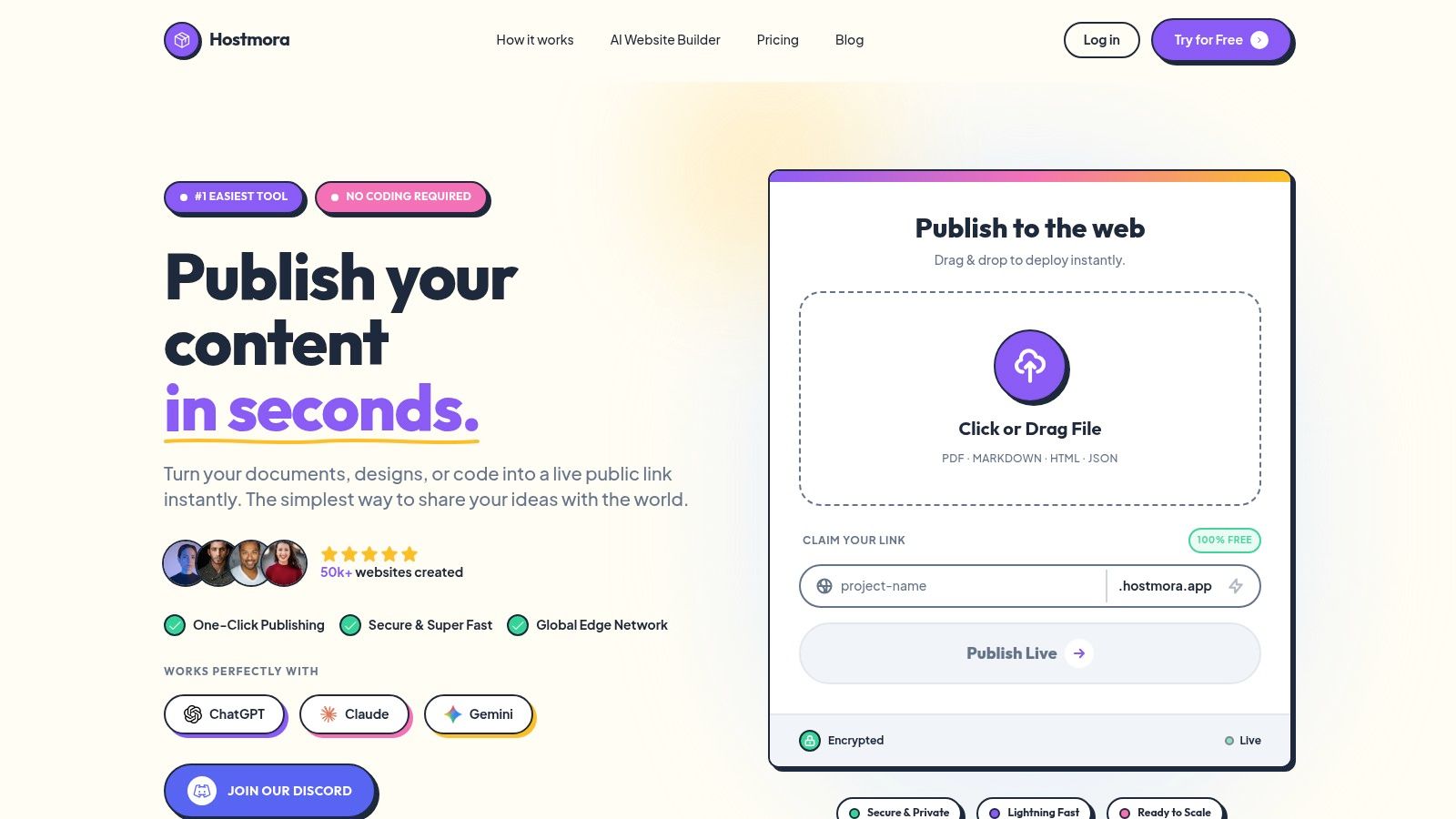
Its core strength lies in its "upload and go" workflow. Users can drag and drop common file types like PDFs, HTML/ZIP exports, Markdown, and even spreadsheets, and the platform automatically handles everything else: a subdomain, SSL certificate, and distribution across a global edge network with over 35 points of presence. This ensures sub-second load times worldwide, a level of performance typically reserved for high-end hosting solutions.
Key Features & Use Cases
- Instant Publishing: The platform’s main draw is its speed. Most sites publish in under three seconds, making it ideal for rapid prototyping, sharing investor decks, launching landing pages, or publishing documentation without any DevOps friction.
- Professional Tooling: Beyond basic hosting, Hostmora includes built-in professional features like password protection for gated content, instant QR code generation for menus or event materials, and simple, privacy-focused analytics.
- AI and Monetization Ready: Links are structured to be easily ingested by AI agents like ChatGPT and Claude, perfect for creating reference materials. Integrated monetization options allow creators to sell digital products directly.
- Agency-Centric Workflow: For agencies and freelancers, Hostmora provides a multi-client dashboard, one-click custom domains, and white-labeling capabilities, streamlining the process of deploying and managing dozens of client projects.
Pricing and Access
Hostmora operates on a freemium model. The free tier offers 1 project with 50 MB of storage, which is suitable for testing or small personal sites (note: you must log in every 14 days to keep it active). Paid plans scale affordably, starting with the Starter plan at approximately $4/month and increasing to Personal ($12/month), Pro ($29/month), and Business ($59/month) to accommodate more projects, storage, traffic, and advanced features.
Website: https://hostmora.com
Pros:
- Zero-config, drag-and-drop publishing for near-instant live URLs.
- Professional-grade infrastructure with a global CDN, automatic SSL, and 99.99% uptime.
- Built-in tools for monetization, password protection, and agency management.
- AI-optimized links for modern content distribution workflows.
Cons:
- Lower-tier plans have modest resource limits, requiring upgrades for high-traffic sites.
- It is not designed for dynamic, server-side applications; its focus is on static assets and pre-built files.
2. Microsoft OneDrive
For individuals and organizations deeply embedded in the Microsoft ecosystem, OneDrive presents itself as a powerful and seamless google drive alternative. Its primary strength lies in its native integration with Windows and the entire Microsoft 365 suite, including Word, Excel, and PowerPoint. This creates an exceptionally fluid workflow where documents are saved, synced, and co-authored in real-time directly within the applications users already know.
The platform is more than just a storage locker; it's a collaborative hub. Features like Files On-Demand on desktop save local disk space by keeping files in the cloud until they're needed. The sharing capabilities are robust, offering granular control with password protection, link expiration, and specific user permissions, which is crucial for business environments. Its tight integration with Outlook also streamlines the process of sharing large files that would otherwise be cumbersome email attachments.
Key Details & Pricing
| Feature | Details |
|---|---|
| Best For | Businesses & individuals using Microsoft 365/Windows. |
| Standout Feature | Deep, native integration with Office apps for live co-authoring. |
| Pricing | Starts at $5/user/month (Business Plan 1) with 1 TB. Often bundled with Microsoft 365 subscriptions. |
| Privacy Note | Offers strong enterprise security, but data is subject to Microsoft's privacy policy. Not zero-knowledge. |
- Pros: Unmatched integration with Windows and Office, robust administrative controls for business, and generous storage included in Microsoft 365 bundles.
- Cons: The user experience is heavily optimized for the Microsoft ecosystem, and expanding storage beyond the initial 1 TB can sometimes require administrative steps.
Website: https://www.microsoft.com/en-us/microsoft-365/onedrive/onedrive-business-plans-and-pricing
3. Dropbox
As one of the pioneers in cloud storage, Dropbox remains a formidable google drive alternative renowned for its simplicity, reliability, and platform-agnostic approach. Its core strength is its powerful and dependable file synchronization engine that just works, making it a go-to choice for individuals and teams who operate across different ecosystems like Windows, macOS, and mobile. The platform excels at making file access and sharing a frictionless experience for everyone, regardless of their technical skill.
Beyond simple storage, Dropbox has evolved into a smart workspace. It supports large file transfers (up to 100 GB on many plans) and offers robust features for businesses, including team folders with granular permissions, detailed activity logs, and extended version history. Its extensive ecosystem of third-party app integrations, from Slack to Trello, allows teams to embed Dropbox seamlessly into their existing workflows without being locked into a single suite of productivity tools, which is its key differentiator from Google Drive or OneDrive.
Key Details & Pricing
| Feature | Details |
|---|---|
| Best For | Teams using a mix of platforms (Mac, Windows) & diverse third-party apps. |
| Standout Feature | Rock-solid, fast file synchronization and a vast third-party app ecosystem. |
| Pricing | Business plans start at $15/user/month with 5 TB of team storage. |
| Privacy Note | Provides strong security controls but does not offer zero-knowledge encryption. |
- Pros: Easy for mixed-platform teams to adopt, mature and extensive app integrations, and clear, scalable business pricing tiers.
- Cons: Native document collaboration is less integrated than Google or Microsoft's editors, and premium features can be more expensive than some rivals.
Website: https://www.dropbox.com/overview
4. Box
For organizations where security, compliance, and content governance are paramount, Box stands out as a formidable google drive alternative. It positions itself less as simple cloud storage and more as a comprehensive content cloud, built for the enterprise. Its strengths are most apparent in regulated industries, thanks to robust features like data loss prevention (DLP), classification, watermarking, and compliance with standards like HIPAA and FedRAMP on its higher-tier plans.
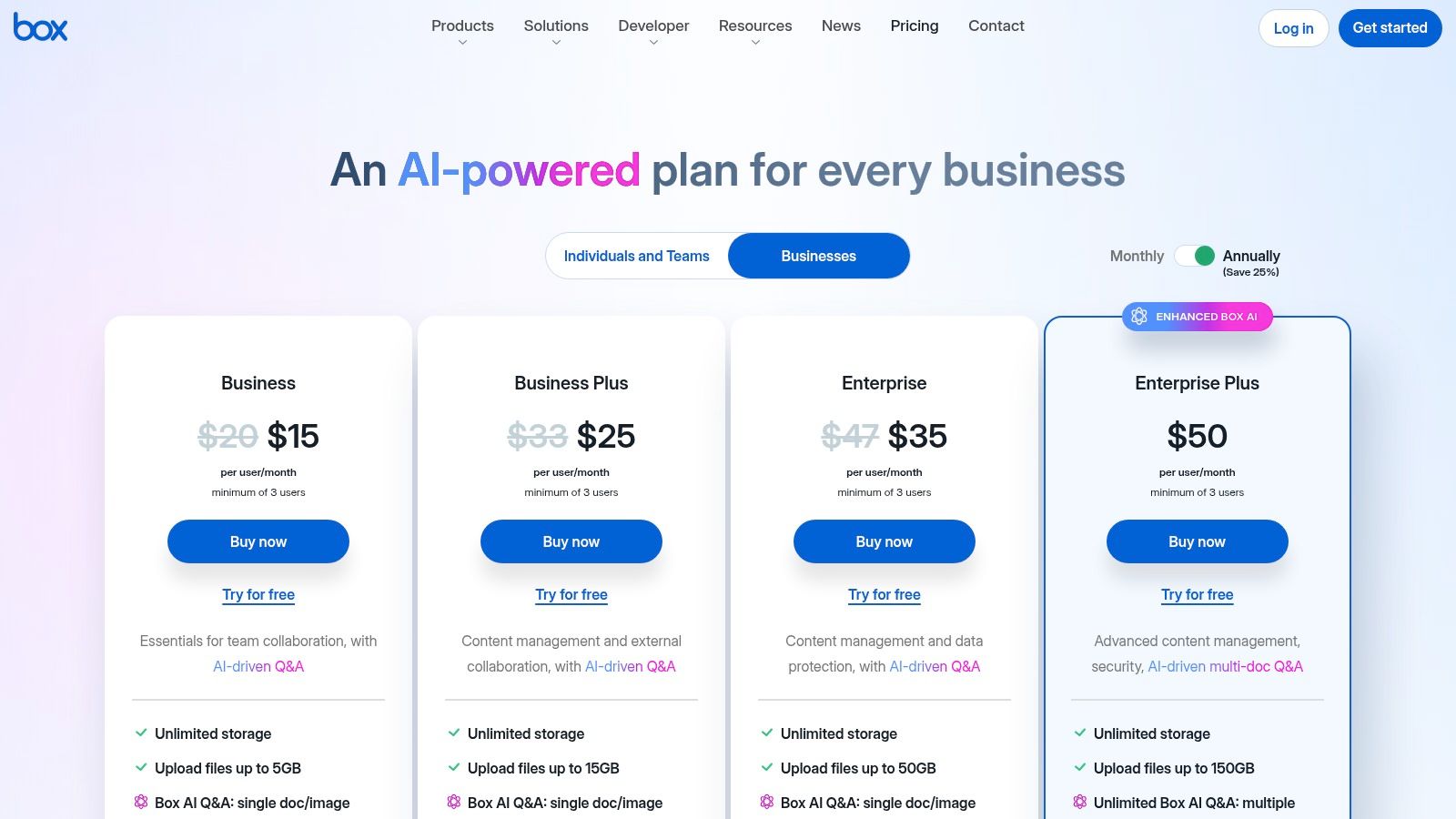
Box excels in workflow automation and integration. With over 1,500 app integrations, including deep connections with both Microsoft 365 and Google Workspace, it fits into existing enterprise ecosystems without forcing a complete switch. Unique offerings like Box Sign provide native e-signature capabilities, and the introduction of Box AI allows teams to query and generate content from their stored documents. The platform also allows unlimited external collaborators on its business plans, making it ideal for agencies and large projects involving outside partners.
Key Details & Pricing
| Feature | Details |
|---|---|
| Best For | Enterprises in regulated industries, businesses needing advanced security, and workflow automation. |
| Standout Feature | Enterprise-grade security, compliance features (HIPAA/FedRAMP), and native Box Sign e-signature. |
| Pricing | Business plans start at $15/user/month with unlimited storage. |
| Privacy Note | Strong focus on enterprise security and data governance. It is not a zero-knowledge platform. |
- Pros: Robust compliance posture and admin tooling, unlimited external collaborators on business tiers, and deep integrations with office suites.
- Cons: The interface can feel enterprise-heavy for solo creators, and some advanced features like Box AI are gated behind higher-priced plans.
Website: https://www.box.com/pricing/business
5. pCloud
For users seeking to escape the recurring subscription model, pCloud emerges as a compelling google drive alternative with its unique "lifetime" payment options. It appeals strongly to creators, photographers, and media enthusiasts who need a permanent digital home for their files without ongoing monthly fees. Its standout feature is a virtual drive that extends your local storage, allowing you to access a massive cloud library without consuming precious hard drive space.
The platform is particularly adept at handling media files, offering excellent preview capabilities for a wide range of formats, including RAW photos, which is a significant advantage for creative professionals. pCloud also provides robust sharing features, including branded links and detailed stats, making it a versatile tool for both personal archiving and client-facing work. While its core service is secure, the highest level of privacy through client-side encryption is offered as a separate, paid add-on called pCloud Crypto.
Key Details & Pricing
| Feature | Details |
|---|---|
| Best For | Photographers, media creators, and individuals seeking a non-subscription, "pay-once" storage solution. |
| Standout Feature | Lifetime payment plans that eliminate recurring subscription costs and strong built-in media players/previews. |
| Pricing | Offers annual plans and one-time payment "Lifetime" plans, often promoted with significant discounts (e.g., 500 GB, 2 TB, or 10 TB). |
| Privacy Note | Standard TLS/SSL security included, but true zero-knowledge, client-side encryption (pCloud Crypto) is a paid add-on. |
- Pros: One-time payment options provide excellent long-term value, strong media handling and RAW file support, and a user-friendly interface across all platforms.
- Cons: End-to-end encryption is not standard and costs extra, and the value of "lifetime" plans depends on trusting the company's long-term stability.
Website: https://www.pcloud.com
6. Sync.com
For users who prioritize security and confidentiality above all else, Sync.com emerges as a leading google drive alternative built on a foundation of zero-knowledge privacy. Its core promise is end-to-end encryption, which is applied by default to all files. This means that not even Sync.com employees can access your data, providing a level of security that stands in stark contrast to mainstream providers.
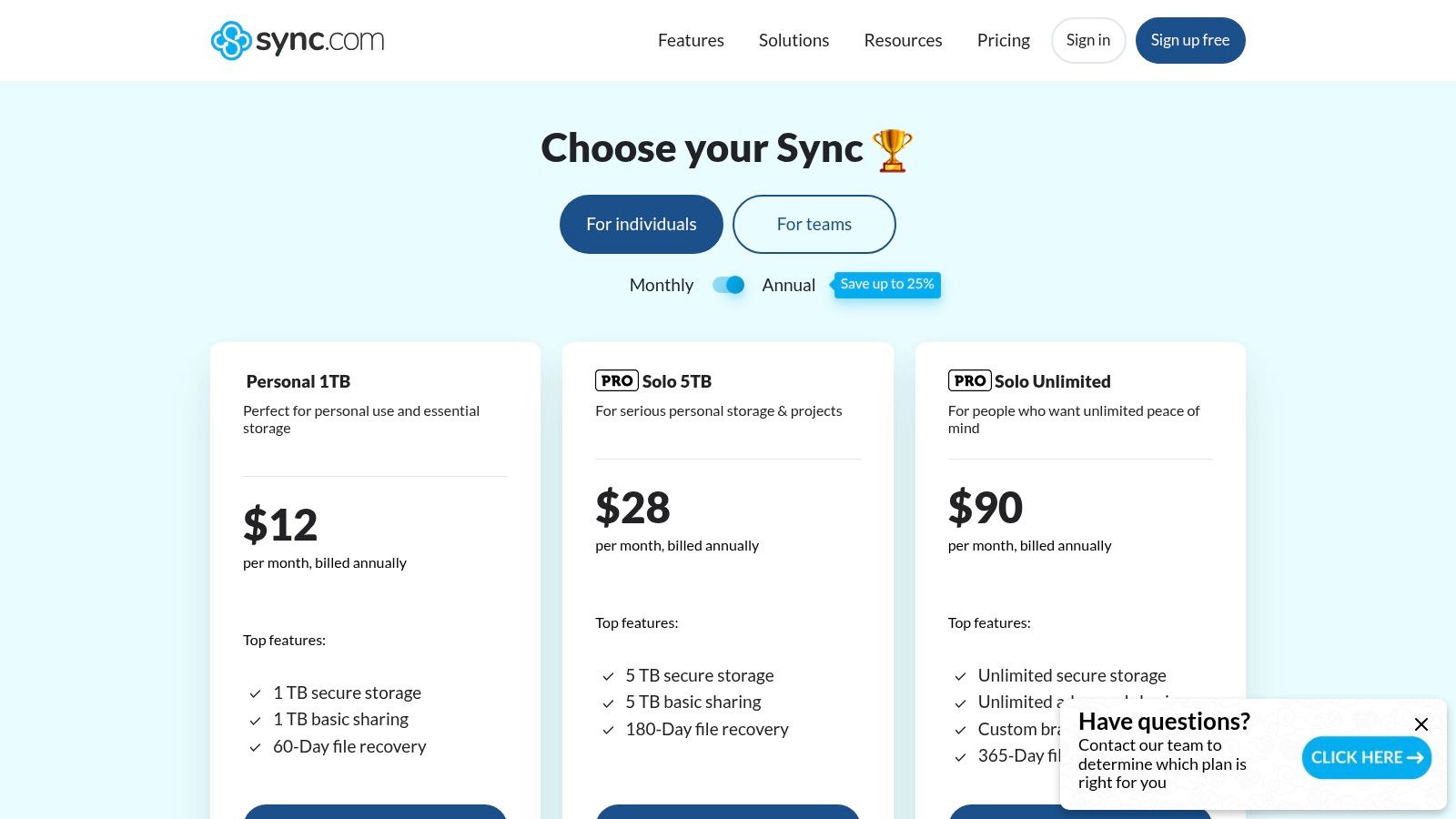
While its main selling point is privacy, Sync.com doesn't sacrifice essential functionality. It offers robust file sharing with granular controls like password protection, download limits, and expiry dates. Features like file history and restoration (up to 365 days on premium plans) and remote device lockout add layers of control crucial for both personal and business use. Its compliance with GDPR and HIPAA also makes it a viable option for professionals handling sensitive information, all while maintaining a straightforward, user-friendly interface.
Key Details & Pricing
| Feature | Details |
|---|---|
| Best For | Privacy-conscious users, professionals needing HIPAA compliance. |
| Standout Feature | Default end-to-end (zero-knowledge) encryption for maximum security. |
| Pricing | Starts at $8/month (2 TB Personal Pro) or $6/user/month (1 TB Teams Basic). |
| Privacy Note | Zero-knowledge architecture means only you can access your data. Data is stored in Canada. |
- Pros: Strong privacy posture out-of-the-box, competitive value on multi-terabyte plans, and a 30-day money-back guarantee.
- Cons: Fewer native document editing tools than Google or Microsoft, and data centers are exclusively in Canada, which may be a pro or con depending on data residency needs.
Website: https://www.sync.com/pricing-individual/
7. Proton Drive
For users prioritizing privacy above all else, Proton Drive emerges as a compelling google drive alternative built on a foundation of zero-access, end-to-end encryption. Developed by the same team behind Proton Mail and based in Switzerland, it ensures that not even Proton can access your stored files. This security-first approach extends to all its features, including sharing, where you can create password-protected links with expiration dates.
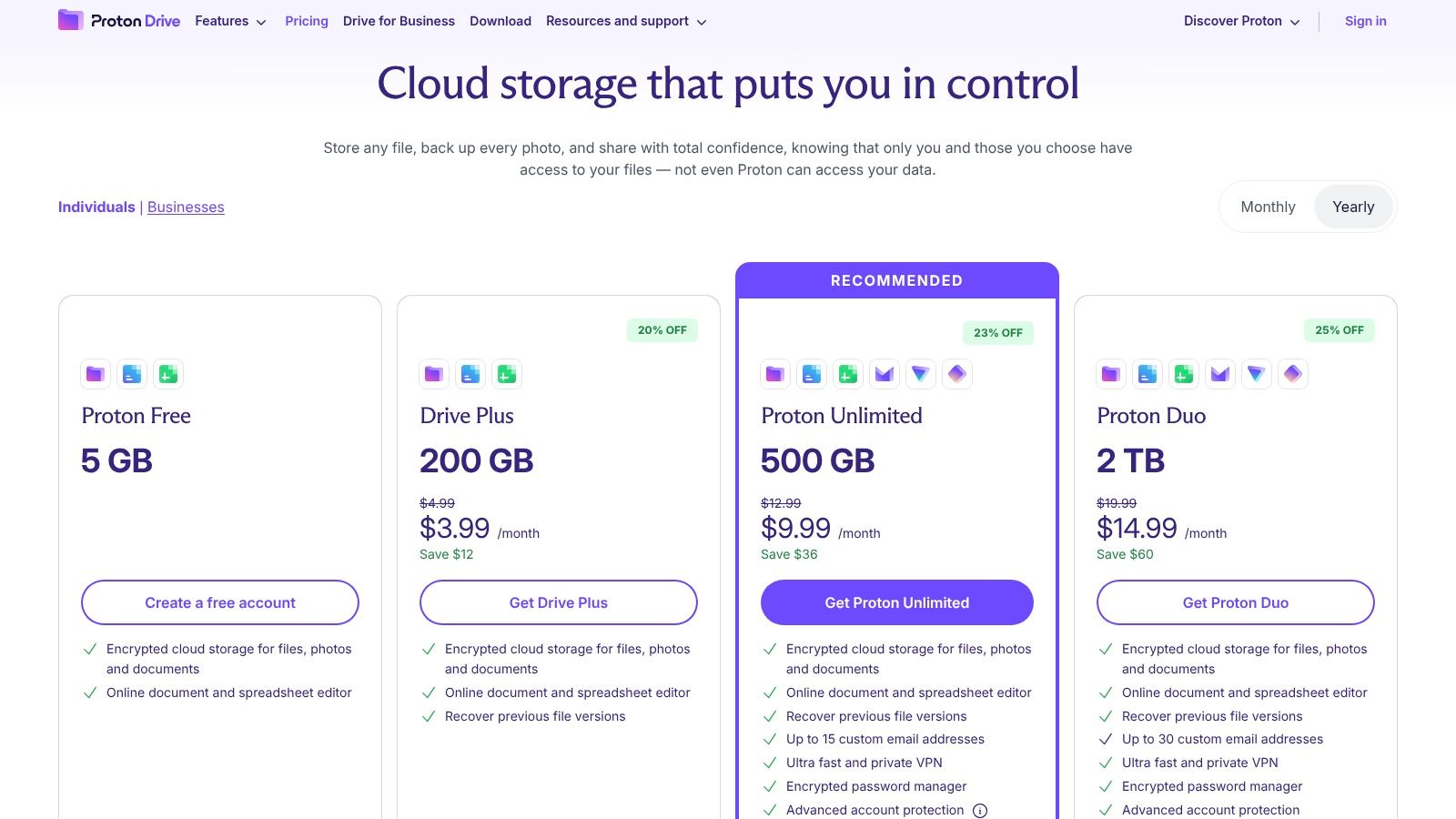
Unlike many privacy-focused services that sacrifice usability, Proton Drive offers a clean, modern interface across its web, desktop, and mobile apps. It also includes basic, real-time encrypted document editing, allowing for secure note-taking and drafting. While it's a capable standalone service, its greatest value is realized when bundled with other Proton products like Mail, Calendar, and VPN, creating a comprehensive private ecosystem for your digital life.
Key Details & Pricing
| Feature | Details |
|---|---|
| Best For | Privacy-conscious users and those seeking an encrypted productivity suite. |
| Standout Feature | Zero-access, end-to-end encryption by default for all files and metadata. |
| Pricing | Starts with a free plan. Paid plans with more storage start at €3.99/month, with bundles offering better value. |
| Privacy Note | Swiss jurisdiction and true zero-knowledge architecture. The core focus is on user privacy. |
- Pros: Exceptional privacy and security standards, clean and easy-to-use apps, and excellent value in bundled subscriptions with other Proton services.
- Cons: The third-party app ecosystem is not as extensive as mainstream providers, and its advanced collaborative features are still developing.
Website: https://proton.me/drive/pricing
8. Tresorit
For organizations where security and compliance are non-negotiable, Tresorit establishes itself as a leading google drive alternative built on a zero-knowledge, end-to-end encryption framework. This Swiss-based provider is designed for industries like legal, healthcare, and finance, where data confidentiality is paramount. Every file and its metadata are encrypted on the user's device before being uploaded, meaning not even Tresorit staff can access the content.
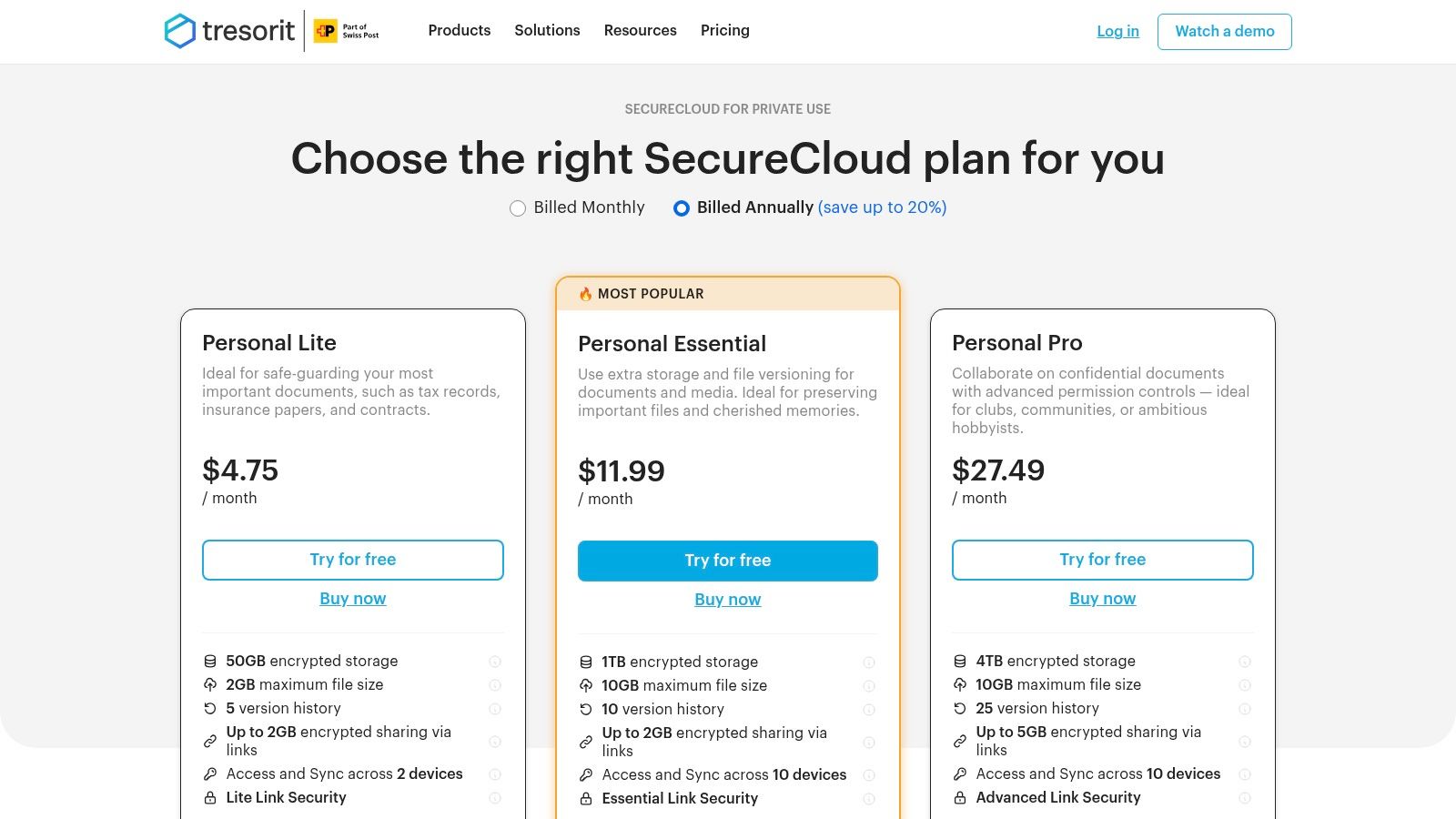
The platform organizes files into encrypted folders called 'tresors', which offer fine-grained permission controls for both internal teams and external collaborators. Its sharing capabilities are exceptionally robust, allowing users to set passwords, download limits, and expiration dates on shared links. For businesses, comprehensive admin and audit features provide the necessary oversight for meeting regulatory requirements like HIPAA and GDPR, making it a powerful tool for secure external collaboration.
Key Details & Pricing
| Feature | Details |
|---|---|
| Best For | Legal, healthcare, and finance teams requiring audited, compliant, and zero-knowledge storage. |
| Standout Feature | Granular sharing controls (passwords, expiry, view limits) on top of end-to-end encryption. |
| Pricing | Starts at €11.25/month for individuals (1 TB). Business plans start at €14.50/user/month (1 TB). |
| Privacy Note | Zero-knowledge architecture ensures ultimate privacy. Compliant with HIPAA, GDPR, and other regs. |
- Pros: Top-tier security and privacy reputation, polished sharing controls for external clients, and admin features fit for regulated industries.
- Cons: Higher cost per gigabyte compared to mainstream options and fewer native document creation or editing tools.
Website: https://tresorit.com/pricing/personal
9. MEGA
For users prioritizing privacy and a substantial free storage offering, MEGA stands out as a compelling google drive alternative. Its core selling point is zero-knowledge, end-to-end encryption, which means not even MEGA can access your files. This security-first approach is applied to everything you store, share, and even discuss through its integrated secure chat and meeting features, providing a level of privacy that many mainstream providers do not offer by default.

MEGA is also renowned for one of the most generous free plans available, typically starting around 20 GB, making it ideal for large personal archives or transferring sizable files without an immediate subscription. The platform supports secure, password-protected links with expiration dates, giving users fine-grained control over their shared data. While the web interface can feel more complex than some competitors, its power lies in putting cryptographic control directly into the user's hands.
Key Details & Pricing
| Feature | Details |
|---|---|
| Best For | Privacy-conscious individuals, users needing to store or share very large personal files. |
| Standout Feature | User-controlled, zero-knowledge end-to-end encryption on all files and communications. |
| Pricing | Pro plans start around €4.99/month for 2 TB of storage and 2 TB of transfer quota. |
| Privacy Note | A true zero-knowledge provider. You control the encryption key; if you lose it, your data is unrecoverable. |
- Pros: Larger free tier than most competitors, privacy-forward design with multiple payment options, and good for very large personal archives.
- Cons: Pricing and displays often in EUR, and some users have reported mixed experiences with support response times and web app complexity.
Website: https://mega.nz
10. IDrive
IDrive uniquely merges comprehensive cloud backup with cloud storage, making it a powerful google drive alternative for users prioritizing data protection alongside file syncing. It allows you to back up an unlimited number of devices, from PCs and Macs to smartphones and servers, all under a single account. This service then provides a separate "Cloud Drive" space for real-time file syncing that mirrors your backup quota, effectively giving you two services in one.
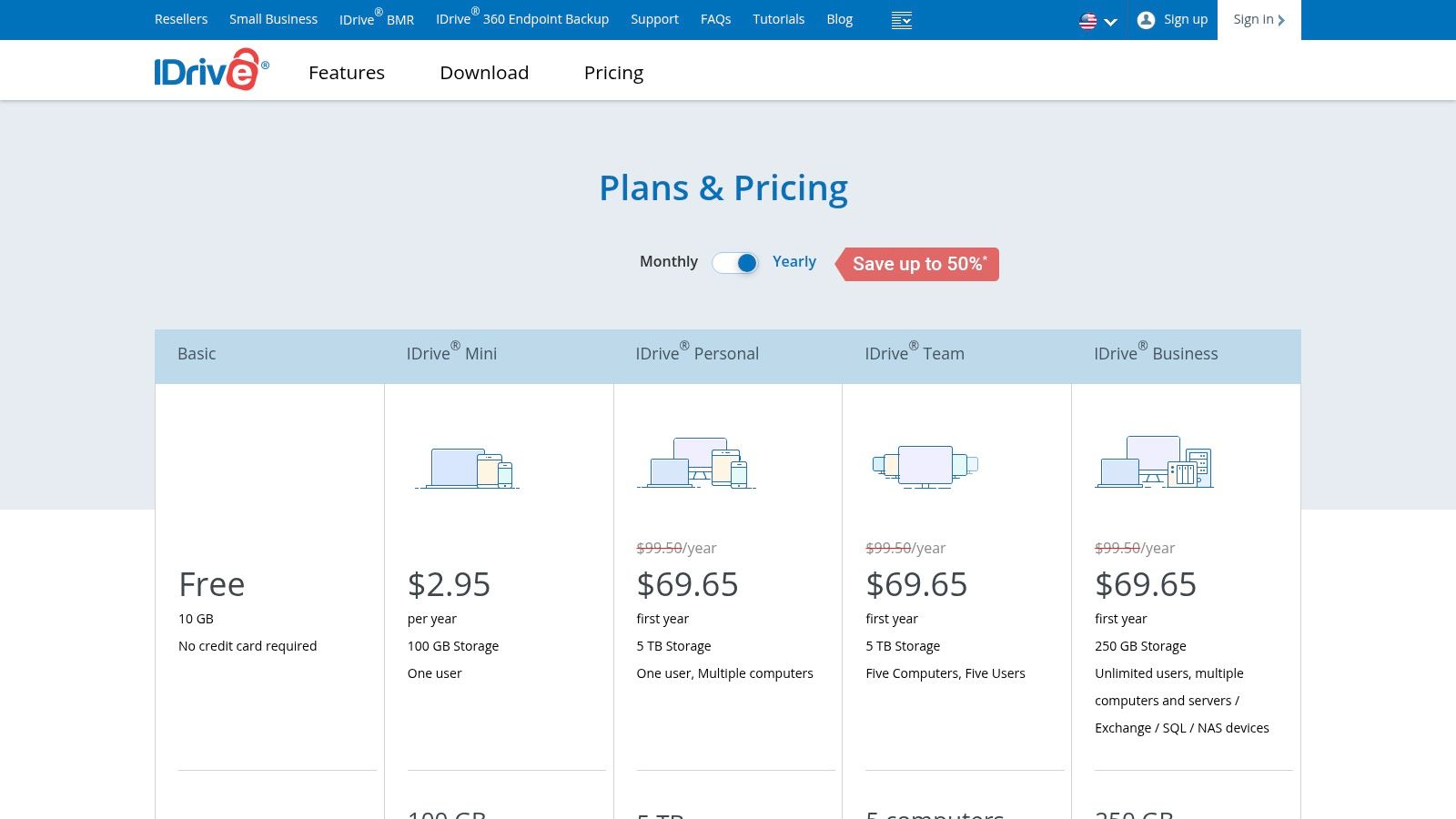
This hybrid model makes IDrive a standout for disaster recovery. Features like historical snapshots allow you to restore previous versions of your data, protecting you against ransomware or accidental deletions. For large data sets, the IDrive Express service even lets you physically ship a drive for initial backup or a quick restore, saving immense amounts of time and bandwidth. While its collaboration tools are more basic than Drive's, its strength lies in consolidating your backup and syncing needs into one affordable package.
Key Details & Pricing
| Feature | Details |
|---|---|
| Best For | Users needing both comprehensive device backup and cloud sync in a single subscription. |
| Standout Feature | Combines multi-device backup with a separate, equally-sized sync drive, plus physical data restore options. |
| Pricing | Starts with a 10 GB free plan. Paid plans offer exceptional value, like 5 TB for around $60 for the first year. |
| Privacy Note | Offers private key encryption (a form of zero-knowledge) as an option, but this disables web-based file sharing. |
- Pros: Very competitive per-terabyte pricing, backup and sync are combined in one subscription, and strong disaster recovery features.
- Cons: The interface is more backup-oriented than pure cloud drive services, and its collaboration tools are lighter than dedicated platforms like OneDrive or Dropbox.
Website: https://www.idrive.com/pricing
11. Zoho WorkDrive
For teams and small businesses already invested in or considering the Zoho ecosystem, WorkDrive emerges as a highly integrated google drive alternative. Its core design philosophy revolves around team collaboration rather than individual storage. Instead of personal folders, it uses "Team Folders," where files are owned by the team collectively, ensuring business continuity even if an employee departs. This structure, combined with granular, sub-folder level permissions, provides robust administrative control.
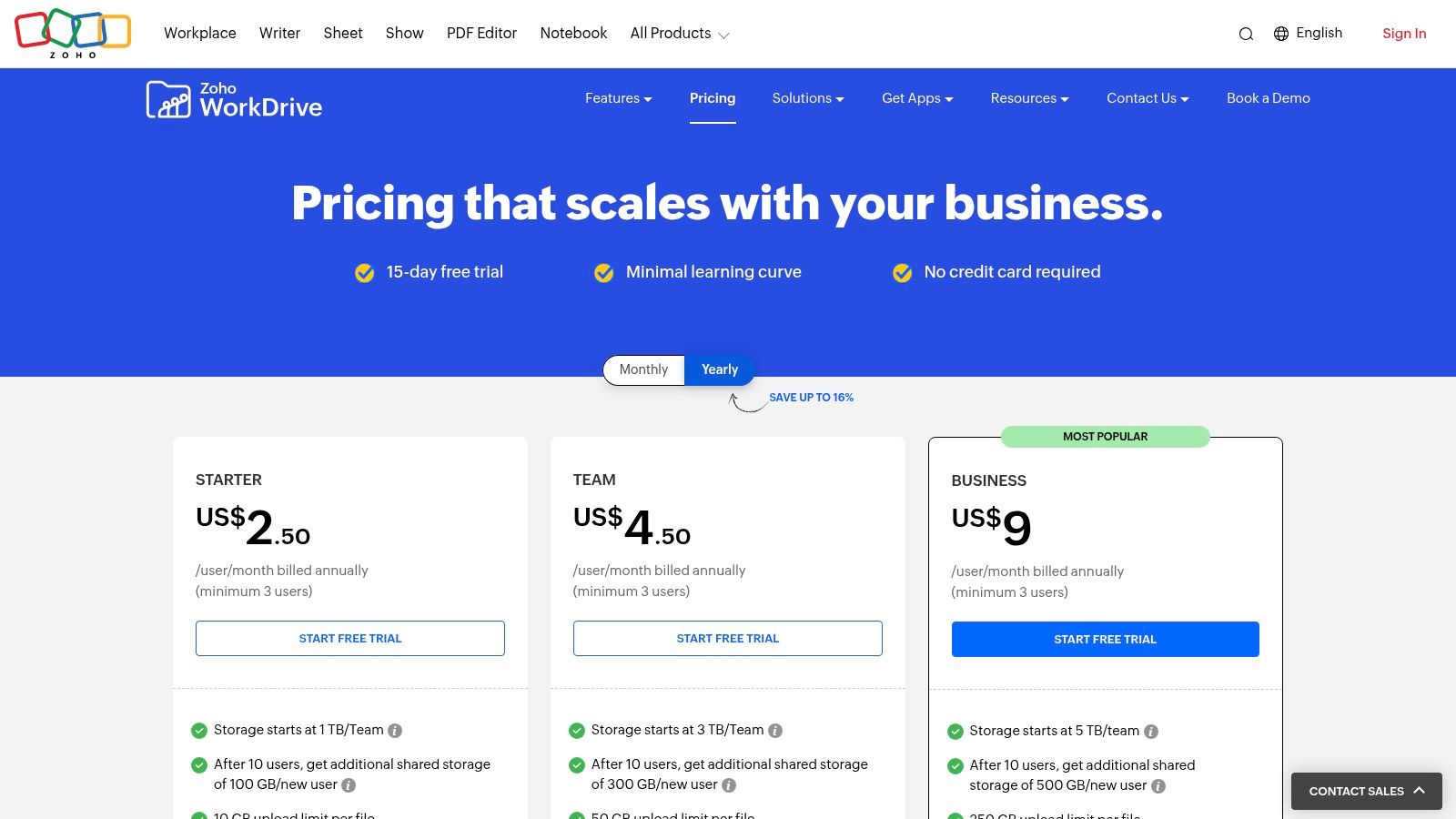
Zoho WorkDrive truly shines through its native integration with the broader Zoho suite, including Zoho Office (Writer, Sheet, Show) and other business applications like CRM and Projects. This creates a unified environment where documents can be created, edited, and managed within a single platform. Features like built-in document workflows for approvals and reviews streamline internal processes, reducing the need for external tools and endless email chains.
Key Details & Pricing
| Feature | Details |
|---|---|
| Best For | SMBs and agencies using or planning to adopt the Zoho app ecosystem. |
| Standout Feature | Team-owned folders and deep integration with Zoho's office and business suite. |
| Pricing | Starts at $2.50/user/month (Starter plan) with a 3-user minimum. Includes 1 TB of shared team storage. |
| Privacy Note | Offers comprehensive security features and admin controls. Data is governed by Zoho's privacy policy. Not a zero-knowledge provider. |
- Pros: Attractive per-user pricing for teams, solid administrative controls, and built-in workflows that reduce approval overhead.
- Cons: The platform's full benefits are most realized when adopting other Zoho apps, and online purchases have a 3-user minimum.
Website: https://www.zoho.com/workdrive/pricing.html
12. Nextcloud
For those who prioritize data sovereignty and complete control, Nextcloud stands out as the ultimate open-source google drive alternative. Instead of renting space on a public cloud, Nextcloud allows you to build your own private cloud on your own server or with a trusted provider. This self-hosted approach grants you full ownership of your data, eliminating third-party access and giving you direct control over security, compliance, and privacy policies.
Nextcloud is far more than just file storage; it's a modular productivity platform. Its extensive app ecosystem allows you to add functionalities like real-time collaborative document editing (Nextcloud Office), video conferencing (Talk), and project management tools. This extensibility means you can create a tailored solution that precisely fits your team's workflow. Users can even federate instances, enabling secure file sharing between different Nextcloud servers, making it a powerful choice for organizations collaborating with external partners while maintaining data boundaries. This level of customization is something few other platforms can match.
Key Details & Pricing
| Feature | Details |
|---|---|
| Best For | Privacy-conscious users, developers, and organizations wanting full data ownership. |
| Standout Feature | Self-hosting capability for maximum control and a vast ecosystem of open-source apps. |
| Pricing | Community Edition is free to self-host. Enterprise plans start at €36/user/year (min. 100 users). |
| Privacy Note | Zero-knowledge is possible depending on server configuration. You control your data and privacy. |
- Pros: Complete data sovereignty and privacy, highly extensible with a rich app ecosystem, and no per-user storage costs when self-hosted.
- Cons: Self-hosting requires significant technical expertise for setup, maintenance, and security. Enterprise support comes with high minimum user counts.
Website: https://nextcloud.com/pricing/
Top 12 Google Drive Alternatives — Quick Comparison
| Product | Core features | UX/Quality ★ | Value/Price 💰 | Target 👥 | Unique selling points ✨ |
|---|---|---|---|---|---|
| 🏆 Hostmora | Drag‑&‑drop publish PDFs/MD/MDX/HTML/ZIP/CSV/JSON → instant URL, SSL, global edge CDN (35+ PoPs) | ★★★★★ 4.9/5 · 99.99% uptime · sub‑second loads | 💰 Free → $4–$59/mo; transparent tiers; Enterprise custom | 👥 Creators, agencies, SMBs, teams | ✨ Zero‑config publishing, AI‑ready links, instant subdomains, QR codes, white‑label, gated content |
| Microsoft OneDrive | Cloud sync/share, 1 TB/user, Office co‑authoring, Files On‑Demand | ★★★★ Tight Windows & Office UX | 💰 Included in Microsoft 365 bundles; per‑user plans | 👥 Microsoft 365 users, enterprises | ✨ Deep Office integration, enterprise admin controls |
| Dropbox | Fast reliable sync, large file transfer, team folders, many integrations | ★★★★ Reliable cross‑platform sync | 💰 Free tier; paid team plans (can be pricier for premium) | 👥 Mixed‑ecosystem teams, collaborators | ✨ Fast sync, wide third‑party ecosystem |
| Box | Secure content management, compliance (DLP, watermarking), unlimited biz storage | ★★★★ Enterprise‑grade controls | 💰 Business & enterprise pricing for compliance tiers | 👥 Regulated industries, agencies, enterprises | ✨ DLP, Box Sign, governance & audit features |
| pCloud | Virtual drive, selective sync, media previews, RAW support | ★★★☆ Creator‑friendly media tools | 💰 Monthly/annual + optional lifetime one‑time offers | 👥 Photographers, creators, consumers | ✨ Lifetime plans, strong media handling, optional client‑side encryption |
| Sync.com | Default end‑to‑end (zero‑knowledge) encryption, SOC2/GDPR/HIPAA support | ★★★★ Strong privacy‑first UX | 💰 Competitive multi‑TB & team pricing | 👥 Privacy‑conscious individuals & teams | ✨ Zero‑knowledge by default, Canadian data residency |
| Proton Drive | End‑to‑end encrypted storage, Encrypted Docs, part of Proton suite | ★★★★ Privacy‑first apps (Swiss jurisdiction) | 💰 Tiered plans; bundled with Mail/VPN/Pass | 👥 Privacy‑focused users & families | ✨ Encrypted real‑time docs, Proton ecosystem bundles |
| Tresorit | Zero‑knowledge with fine‑grained 'tresor' controls, detailed link security | ★★★★ Security‑centric for regulated teams | 💰 Premium pricing for enterprise security | 👥 Legal, healthcare, regulated EU teams | ✨ Granular folder controls, strong compliance & audit features |
| MEGA | End‑to‑end encryption, large transfer quotas, generous free storage (~20 GB) | ★★★ Mixed web UX; generous free tier | 💰 Free generous tier; paid plans (EUR pricing common) | 👥 Large personal archives, privacy‑minded users | ✨ Large free storage, secure chat/meet features |
| IDrive | Unlimited‑device backup + separate Cloud Drive sync, snapshots, physical seed restore | ★★★ Backup‑first experience | 💰 Very competitive per‑TB backup pricing (annual) | 👥 Users needing comprehensive backup & sync | ✨ Unlimited device backup, IDrive Express physical seed |
| Zoho WorkDrive | Team storage pools, sub‑folder permissions, 200+ previews, built‑in workflows | ★★★★ Team‑centric with Zoho apps | 💰 Per‑user team pricing (min. 3 users online) | 👥 Small agencies, SMBs adopting Zoho | ✨ Built‑in workflows, deep Zoho suite integration |
| Nextcloud | Self‑hosted file sync/share, plugins (Talk, Office, AI), federation | ★★★ Flexible but requires admin/DevOps | 💰 Free to self‑host; paid managed/enterprise support | 👥 Teams wanting full data control, self‑hosters | ✨ Open‑source extensibility, federation, full data ownership |
Making Your Choice: Which Google Drive Alternative Is Right for You?
Navigating the landscape of cloud storage can feel overwhelming, but moving beyond a one-size-fits-all solution like Google Drive opens up a world of specialized tools designed to enhance your specific workflow. As we've explored, the best Google Drive alternative isn't simply a different digital folder; it's a strategic choice that aligns with your core needs, whether that's ironclad privacy, seamless team collaboration, or instant file publishing. The key takeaway is to shift your perspective from finding a direct replacement to adopting a tool that actively solves your biggest challenges.
The services we've detailed fall into distinct categories, each excelling in a particular domain. Your decision-making process should begin with a clear understanding of your primary goal. Are you safeguarding sensitive client data, co-authoring documents with a large team, or turning files into professional, web-accessible assets? Answering this question is the first and most crucial step.
A Quick Guide to Choosing Your Cloud Solution
To simplify your decision, let's distill the options into a practical, needs-based framework. Think of this as a quick-start guide to matching your workflow with the right platform.
If your primary need is deep integration with a corporate ecosystem, especially Microsoft Office, then Microsoft OneDrive is the most logical choice. Its seamless connection to Word, Excel, and Teams creates a cohesive and productive environment for enterprise-level collaboration. Similarly, Zoho WorkDrive is a powerful contender for businesses already invested in the Zoho suite of applications.
If your top priority is uncompromising privacy and security, you should look to zero-knowledge encryption providers. Sync.com and Proton Drive lead this category, ensuring that no one, not even the company itself, can access your files. They are the ideal choice for storing sensitive personal information, legal documents, or confidential business data where privacy is non-negotiable.
If you need to instantly publish files as web content, such as portfolios, prototypes, or client-facing materials, then a specialized tool is essential. Hostmora is built specifically for this purpose, transforming your files into shareable web links in seconds, complete with custom domains and analytics. It eliminates the friction of traditional hosting, making it perfect for designers, developers, and agencies.
If you are a freelancer or agency managing multiple clients, features like white-labeling, custom branding, and per-project organization are vital. Hostmora delivers on this with its agency-focused toolset, while Box offers robust business features centered on secure content management and external collaboration controls.
Final Considerations Before You Commit
Before making your final selection for a Google Drive alternative, take a moment to evaluate a few practical implementation factors. Consider your existing workflows and how a new tool will integrate. Will it require significant training for your team? Does its pricing model scale affordably as your needs grow? Most importantly, does the user experience feel intuitive to you?
Many of the platforms listed, including Dropbox, pCloud, and Nextcloud, offer generous free tiers or trial periods. The most effective way to make a confident choice is to test-drive your top two or three candidates. Upload a few test files, share them with a colleague, and experience the workflow firsthand. This hands-on approach will reveal nuances that a feature list alone cannot.
Ultimately, the goal is to find a service that doesn't just store your files, but empowers you to do more with them. By aligning your choice with your unique professional needs, you can transform cloud storage from a simple utility into a powerful asset for your business or creative projects.
Ready to turn your files into professional, shareable web pages in seconds? Hostmora is the ultimate Google Drive alternative built for creators, agencies, and developers who need to publish content instantly. Stop wrestling with complicated sharing permissions and start sharing your work with a single click at Hostmora.